EN
DYON LIVE
31
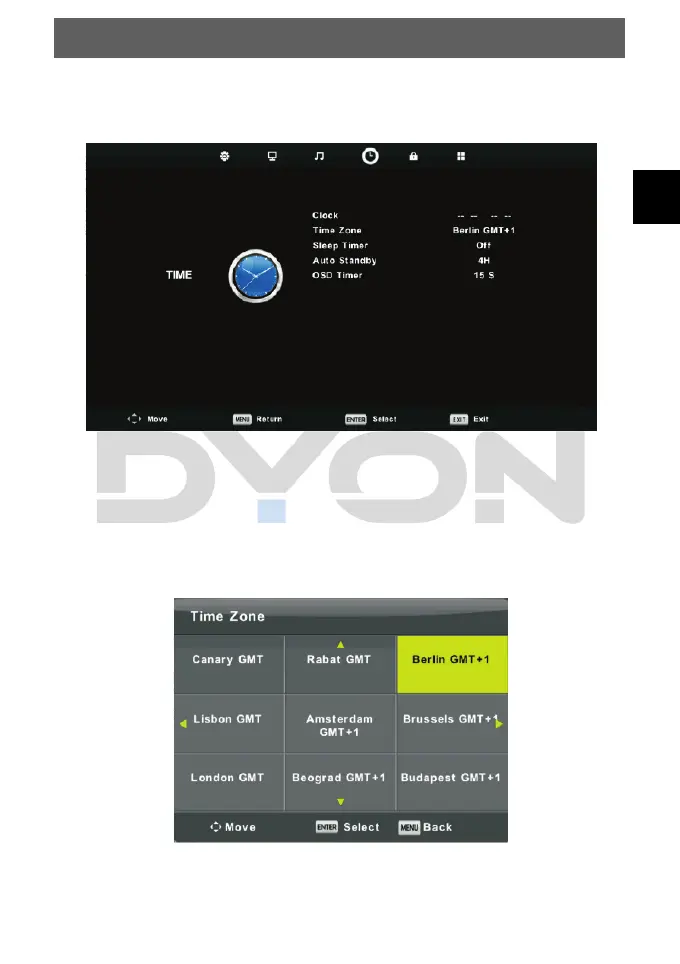
6.1.4 Time Menu
The fourth item of the menu is the TIME MENU.
Press MENU button to display the main menu.
Press ◄/► button to select TIME in the main menu.
1. Press ▼/▲ button to select the option that you want to adjust in the TIME menu.
2. Press Enter button to adjust.
3. After finishing your adjustment, Press Enter button to save and return to the previous
menu.
Time Zone
Press ▼/▲ button to select Time Zone, then press Enter button to enter sub-menu.
Press ▼/▲/◄/►button to select time zone.



 To Next Page