conguring the machine 11
get to the respective conguration page. Set all machines in your
setup to the same value.
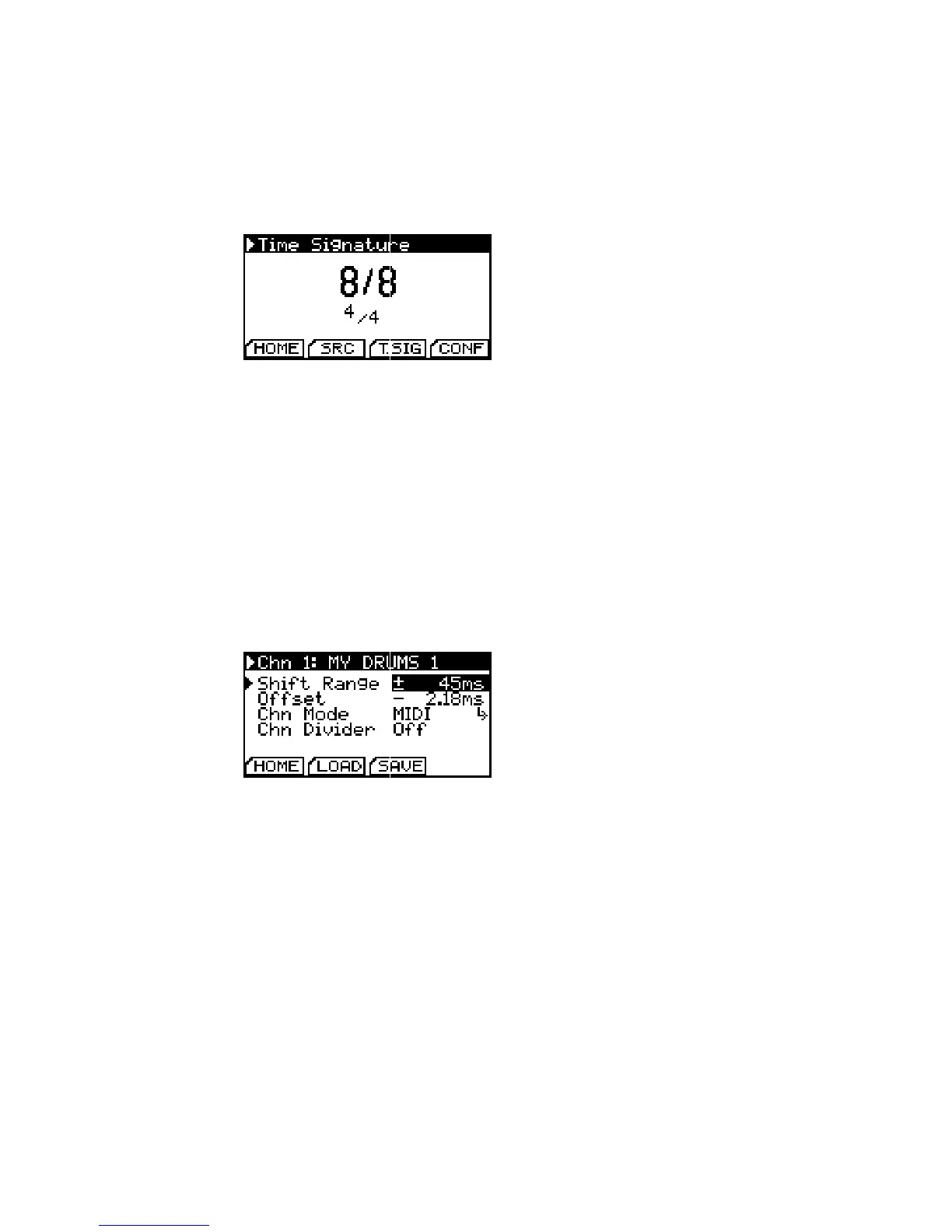
You can change the signature from 3/8 to 32/8, changes are
saved automatically.
Conguration of Time Signature.
Values are shown in reduced fraction
form beneath.
Channel Setup
All changes concerning the dierent channels are congured on
the Channel Setup pages. You can reach each channel’s setup page
by holding the set channel button and additionally pressing the
button of the respective channel.
Shift Range
Channel Setup Page. Notice the preset
name on top of the screen.
Shift Range congures the min/max value of shift amount that All knob ranges are internally divided
into 1000 steps. You should always t
the shift range to your usecase to gain
best performance.
you can reach by turning the shift knob to the limits.
You can lock and unlock the shift parameter of each channel dur-
ing playback (and only during playback!) to brace yourself against
unintended knob movement. To do so, simply hold the set chan-
nel button and push the button of the channel you intend to lock.
The channel number on the homescreen is replaced by an ”L” to
indicate locking status.
Oset Calibration
To compensate audio delay of connected slaves, buer latency
of software monitoring or other sources which cause a constant
oset to a channel, you can set a constant oset as the channel’s
zero position.


 To Next Page