conguring the machine 13
Channel Dividers
Clock dividers are fun to create polyrhythmic patterns, thus you
can set them on all output ports.
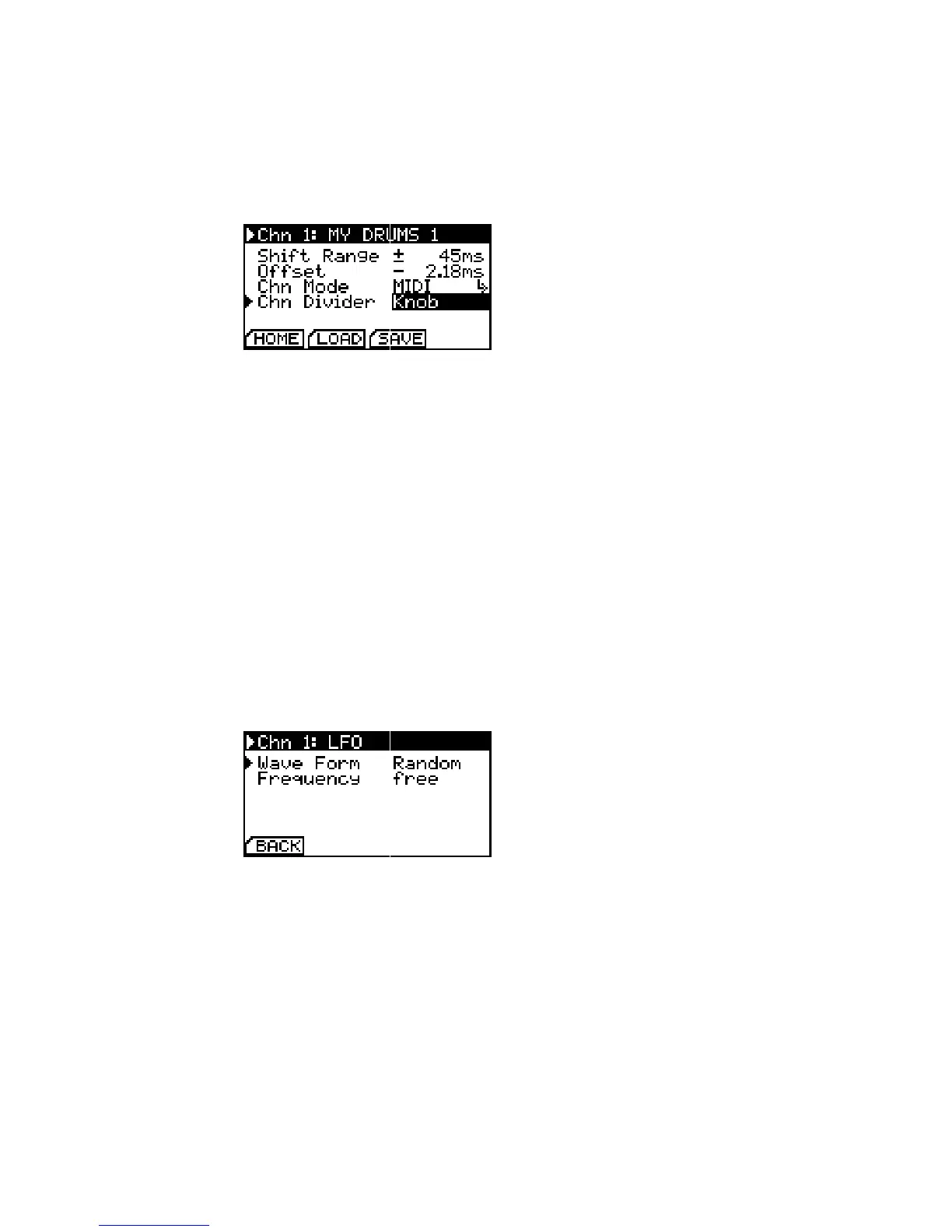
Channel Divider Conguration.
For MIDI and DIN, you can set Chn Divider to Knob and use the
shue knob anytime to change the divider between 1,2,3 & 4.
For Analog mode, you can either set Chn Divider to Knob to Please note that due to the internal
structure of the algorithms, in analog
mode shue only sounds with a
divider of 1 and 6 like you are used to
it; but try other dividers with shue,
they return interesting results!
use the shue knob to change between 1, 3, 6, 8, 12, 16, 24 & 32
on the y or set an integer value between 1-96 directly.
A change of the clock divider by turning the knob during play-
back is always carried out in sync with the next bar. Shue is
automatically set to zero in all modes when Knob is selected and
the current divider is shown instead of the shue value on the
homescreen.
LFO Conguration
When Chn Mode is set to LFO on Channel 1, a syncronized analog
LFO signal is emitted on the tip of the ¼” TRS output jack.
LFO Conguration.
The waveform can be selected between Saw Up, Saw Down, Sine,
Pulse and Random and is displayed on the homescreen. The LFO The LFO is obviously also completely
shiftable in time. Try it, you will like it!
Frequency is changed during performance with the shue knob. It
is either free running (free) and reset on every new bar or quan-
tized to t the current tempo (quant).
Analog Conguration
Due to an enormous variety of clock polarities, start/stop be-
haviour and necessary dividers in the modular world, you can fully
congure all settings when Chn Mode is set to Analog.


 To Next Page