Machine Overview
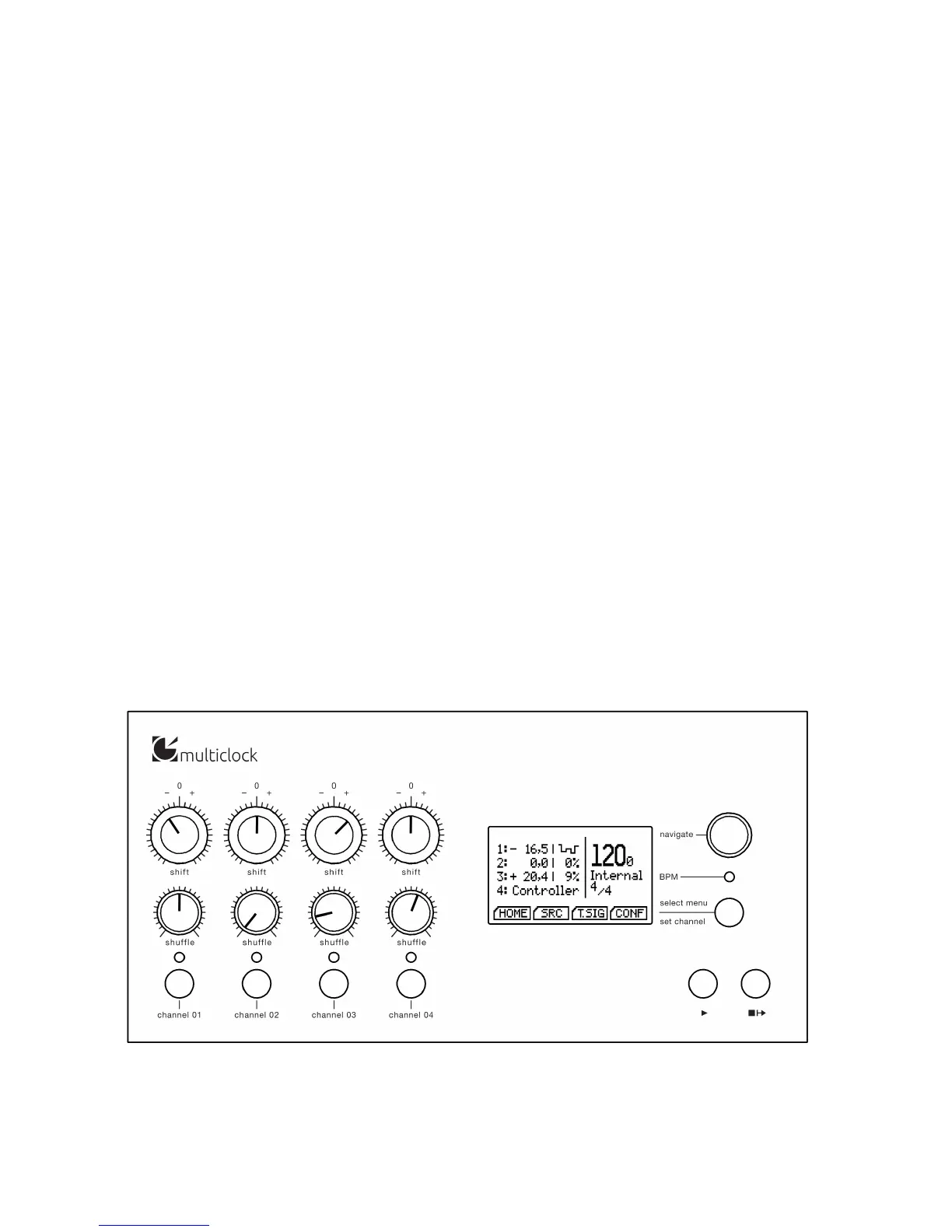
The front panel of the multiclock can be roughly divided into a
real-time and a conguration section.
On the left half, there are four identical channel stripes for real-
time control of each output channel. They consist of a shift and a
shue knob, a status led and a start/stop button.
Shift knobs feature a center detent to easily set the channel
oset to the zero position. The status leds light up in dierentStatus leds ash green for activated
and shine red for running channels.
colours to indicate running mode during playback or highlight the
current channel under conguration.
On the right half, you can nd the conguration display, a rotary
encoder with click to navigate the menus, a function key and a BPM
led. Moreover, global start/stop buttons are available for playback
control when running on the internal masterclock.
During normal operation, the display presents all signicant infor-
mation on the homescreen.
multiclock front panel overview.


 To Next Page