119
Routes
A route is a series of waypoints, linked together in an ordered sequence
to mark a course of travel. You can visualize a route as a string of
beads. The beads represent waypoints and the string represents the
course of travel connecting waypoint to waypoint.
The course from one waypoint to the next is a leg. Routes are composed
of one or more legs. The legs of all GPS routes are based on straight
lines between waypoints.
A route provides the automatic capability to navigate through several
waypoints without having to reprogram the unit after arriving at each
waypoint. Once programmed into the GPS unit, a route gives users the
option of navigating forward through the route waypoints or in reverse
order. You can even begin navigating in the middle of a route!
Create and Save a Route
You can create a route by selecting existing waypoints from the way-
point list or you can set a series of route waypoints on the map with the
cursor and Enter key. In this example, we create a route from the map.
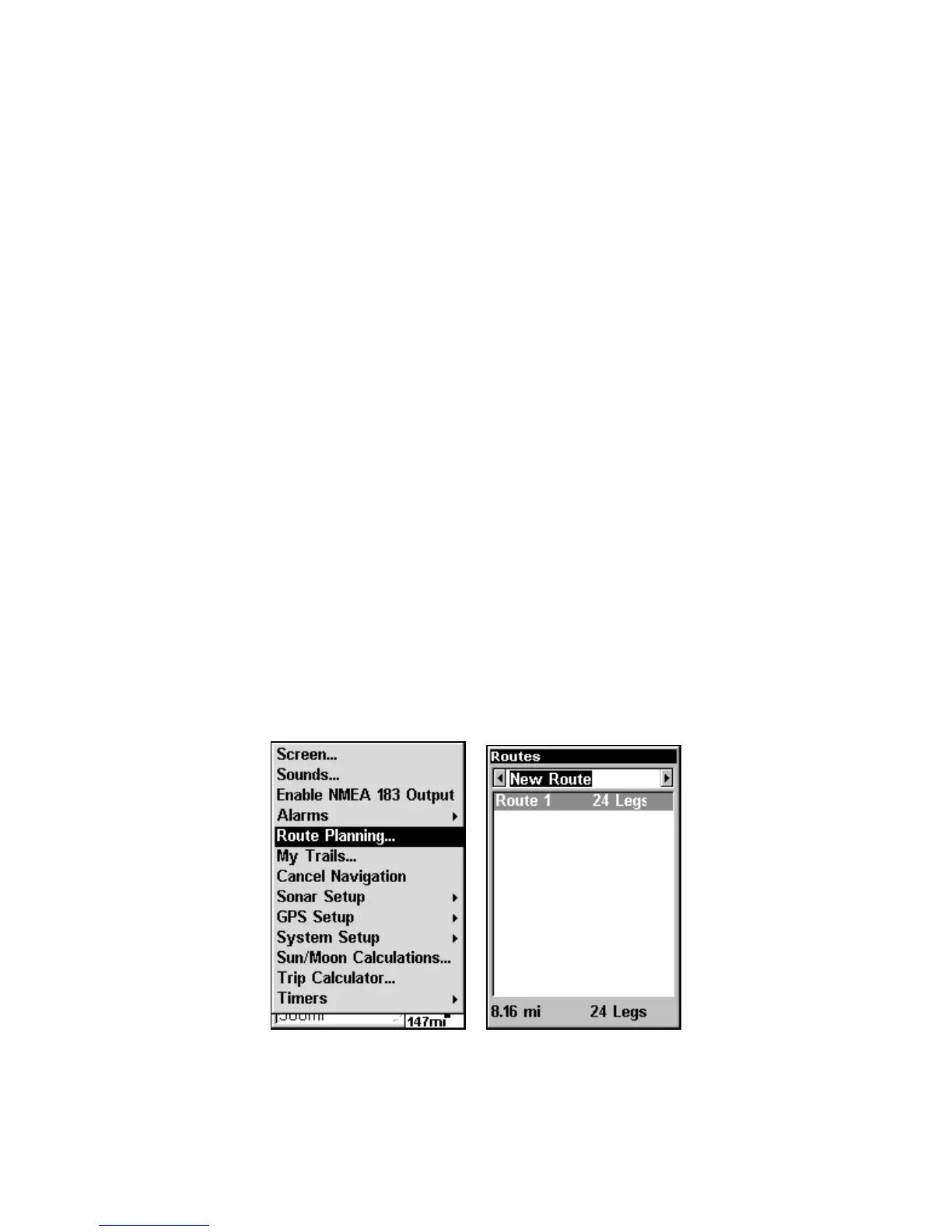
1. From the
NAVIGATION PAGE, press MENU|ENT or from the MAP PAGE,
press
MENU|MENU|↓ to ROUTE PLANNING|ENT.
Route Planning command on Main Menu (left)
will open the Route List screen (right).
www.Busse-Yachtshop.de email: info@busse-yachtshop.de



 To Next Page