121
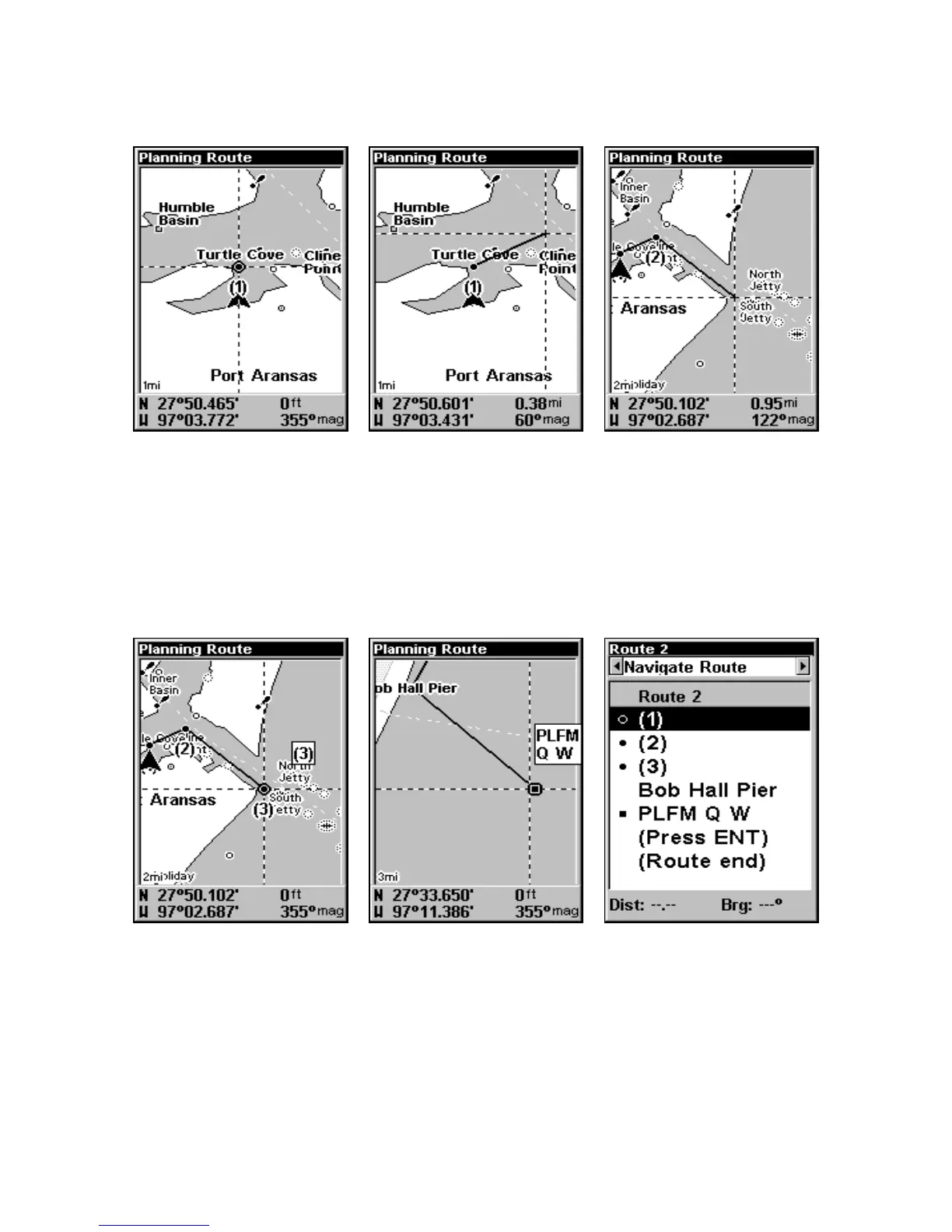
Route creation sequence, from left: Fig. 1. Set route waypoint (1) at the
cove entrance. Fig. 2. Move cursor northeast to set point (2) at channel
entrance. Fig. 3. With point (2) set, move cursor southeast to mark
channel exit with waypoint (3). In figures 2 and 3, notice the rubber
band line extending from the previously set waypoint to the cursor.
This line will become the course for the route.
Route creation sequence, continued: Fig. 4. Point (3) set at channel mouth.
Fig. 5. Fourth waypoint set further south along the beach, at a recogniz-
able landmark (Bob Hall Pier). Waypoint PLFM Q W ends the route at an
oil platform some distance from the shore. Fig. 6. Press EXIT to save the
route and you return to this screen.
1.
2.
3.
4. 5.
6.
www.Busse-Yachtshop.de email: info@busse-yachtshop.de



 To Next Page