23
7. Make a test run to determine the results. If the bottom is lost at
high speed, or if noise appears on the display, try sliding the trans-
ducer bracket down. This puts the transducer deeper into the water,
hopefully below the turbulence causing the noise. Don't allow the
transducer bracket to go below the bottom of the hull!
TROLLING MOTOR BRACKET INSTALLATION
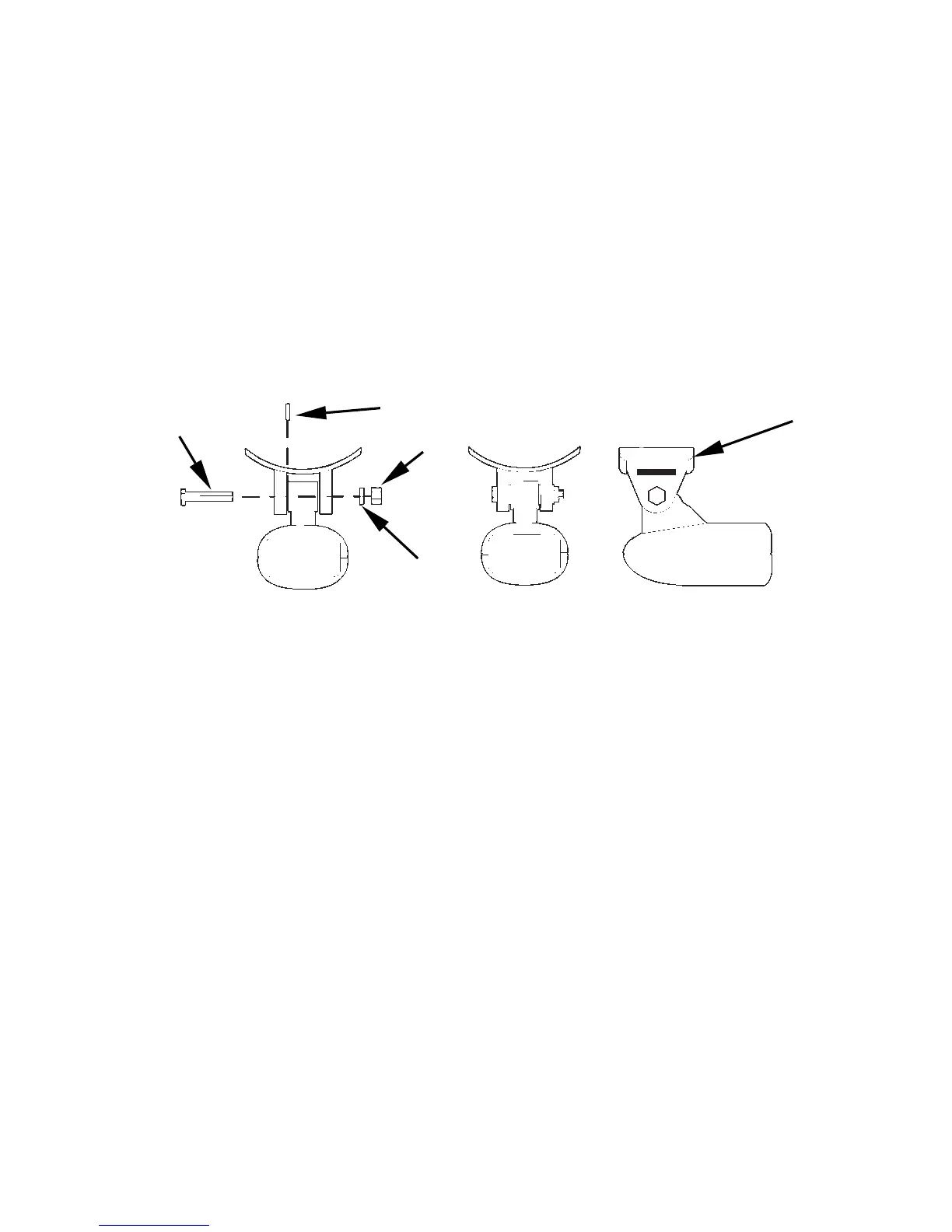
1. Attach the optional TMB-S bracket to the transducer as shown in the
following figure, using the hardware supplied with the transducer.
(Note: The internal tooth washer is supplied with the TMB-S.)
Attach motor mounting bracket to transducer.
2. Slide the adjustable strap supplied with the TMB-S through the slot
in the transducer bracket and wrap it around the trolling motor. Po-
sition the transducer to aim straight down when the motor is in the
water. Tighten the strap securely.
3. Route the transducer cable alongside the trolling motor shaft. Use
plastic ties (not included) to attach the transducer cable to the troll-
ing motor shaft. Make sure there is enough slack in the cable for the
motor to turn freely. Route the cable to the sonar unit and the trans-
ducer is ready for use.
Bolt
Internal tooth washer
Nut



 To Next Page