5 | P a g e
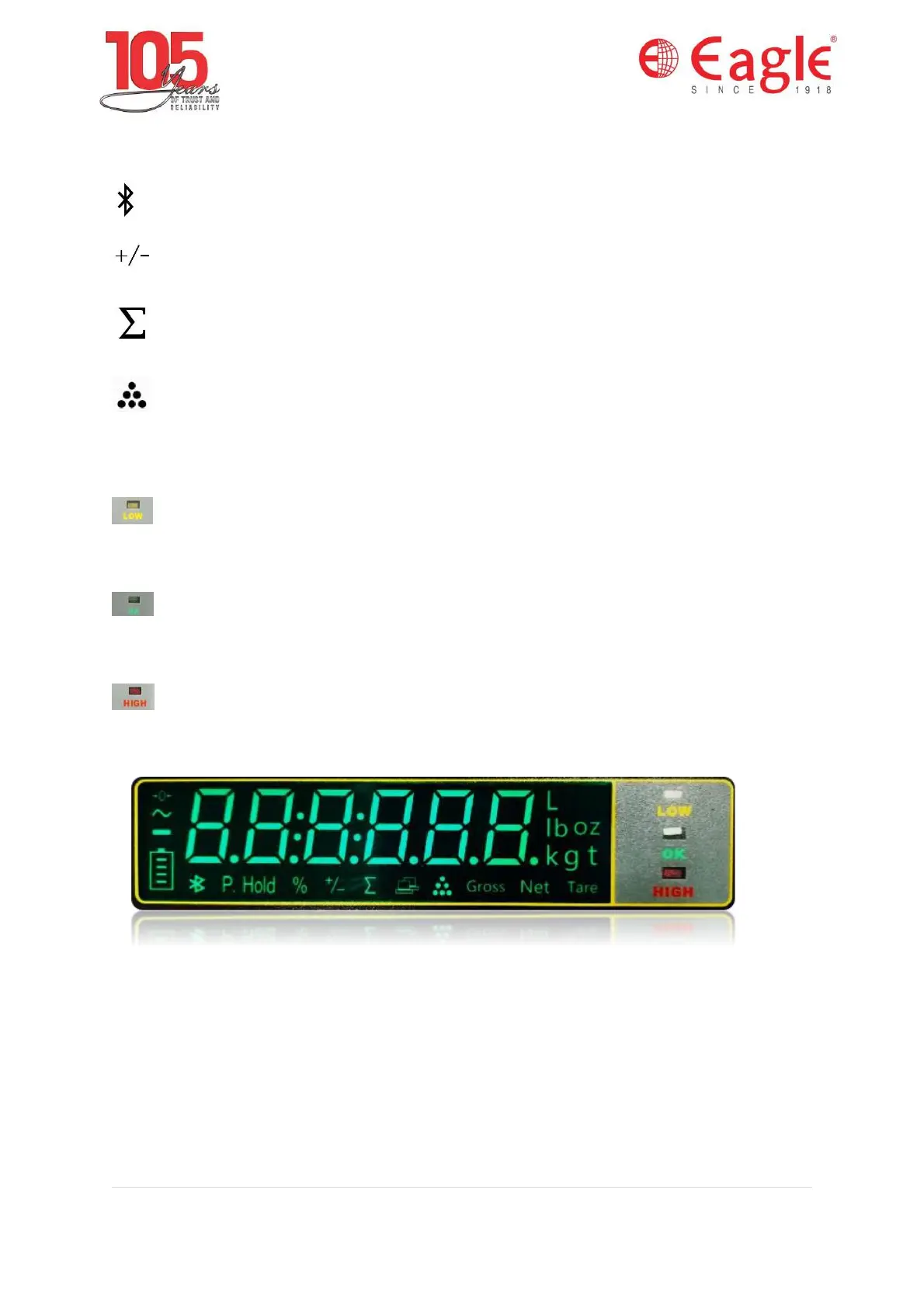
Units - g, kg, lb, L, t units are available on the right of the display.
- Indicates the bluetooth function is enabled.
- Indicates the check weighing or counting function is enabled.
- Indicates the accumulation is enabled.
- Indicates the counting function is enabled.
P.Hold- Indicates the peak hold function is enabled.
- It is used in check weighing or check counting function. If this
Yellow LED glows then the weight or count is under range.
- It is used in check weighing or check counting function. If this
Green LED glows then the weight or count is in OK range.
- It is used in check weighing or check counting function. If this Red
LED glows then the weight or count is in over range.
1.5.2 Keypad LED
The keys and the key functions of Nebula are:


 To Next Page