EasyManua.ls Logo

Eagle new IDA - Main Screen

Eagle new IDA
63 pages
Print Icon
To Next Page IconTo Next Page
To Previous Page IconTo Previous Page
Loading...
20
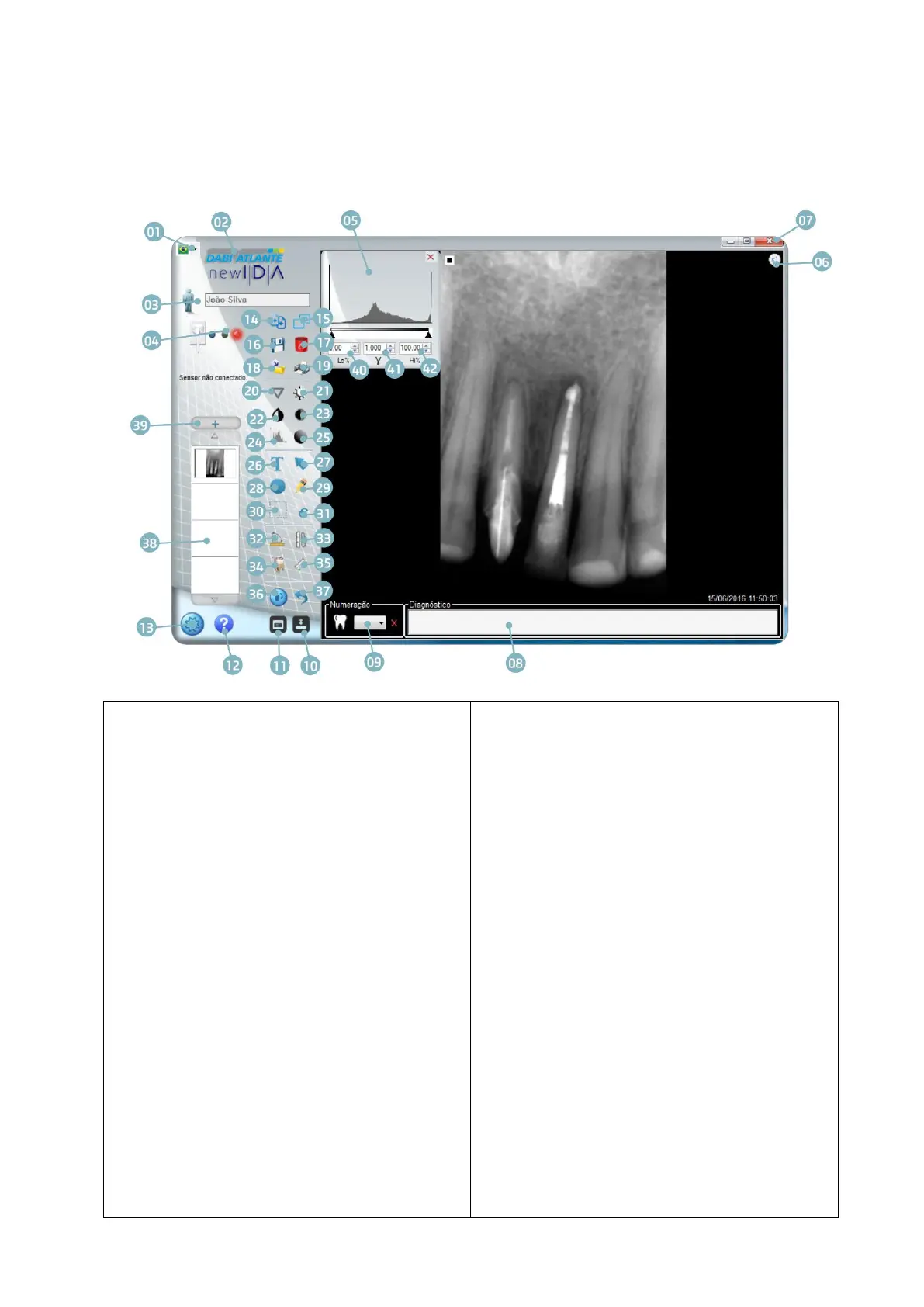
Main screen
01 - Language selection
02 - Access to the manufacturer site
03 - Patient folder
04 - Sensor status
05 - Histogram window
06 - Fixed Zoom 1x or 2x
07 - Exit
08 - Number tagging and diagnosis
09 - Tooth selection
10 - Show / Hide toolbar
11 - Odontogram
12 - Help
13 - Setting
14 - Compare images in full screen
15 - Full Screen
16 - Save
17 - Delete
18 - Export image
19 - Print
20 - Sharpen
21 - Brightness setting
22 - Invert colors
23 - Contrast setting
24 - Histogram
25 - Gamma setting
26 - Insert Text
27 - Insert Arrow
28 - Insert circle
29 - Insert drawing
30 Select
31 Cropping
32 - Angular measurement
33 Calibrate
34 - Multiple measurement
35 - Single Measurement
36 Rotate
37 Undo
38 - Open images
39 - Opening the Patient's Folder
40 - Histogram Adjustment minimum
41 - Gamma Adjustment
42 - Histogram Adjustment -

Table of Contents