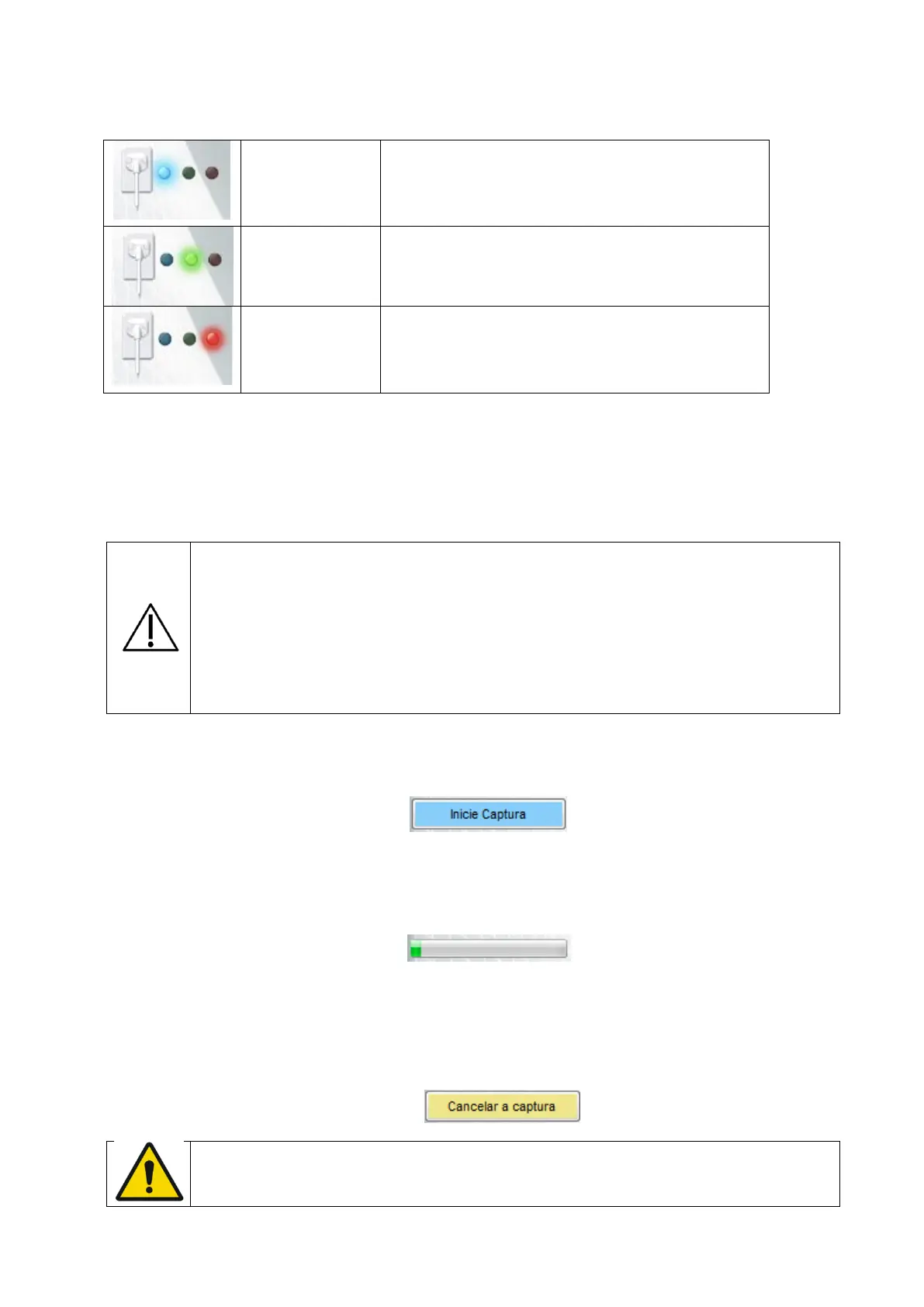
41
The sensor is connected and was
recognized by the application.
Waiting for Start command to activate the
sensor.
The sensor is active and able to receive X-
Rays.
The sensor is not connected, canceled
acquisition, patient folder not selected or
sensor error.
Process of image capturing
Verify if the sensor status has the BLUE light.
Select the necessary exposition time on the timer of the periapical X-Ray.
Selecting the X-Ray exposition setting, verify if they are all appropriate
The setting depends on multiple variables, such as... the X-Ray tube,
patient anatomy, distance between the sensor-font and location of the
sensor in the oral cavity.
As a reference, it must be considered that the New IDA sensor requires
an 85% dose less that the movie "Tipo-D".
On the application interface, click on INITIATE CAPTURE
The icon of the sensor turns GREEN. The sensor will be activated and waiting for
the X-Ray exposure, being kept active during 120 seconds. An indicative progress bar
shows the counter.
At the end of this period, if there`s no X-Ray emission, the sensor will be back to
standby mode. Just click START CAPTURE to reactivate it.
The activation of the sensor can be interrupt at any moment, just by clicking
CANCEL CAPTURE.
Before the shot, to avoid unnecessary X-Ray exposure to the patient,
make sure that the sensor status shows a GREEN icon and has the
message "Waiting to expose" in it.



 To Next Page