User’s Guide P-164000628 P-164000628—Rev 05 5
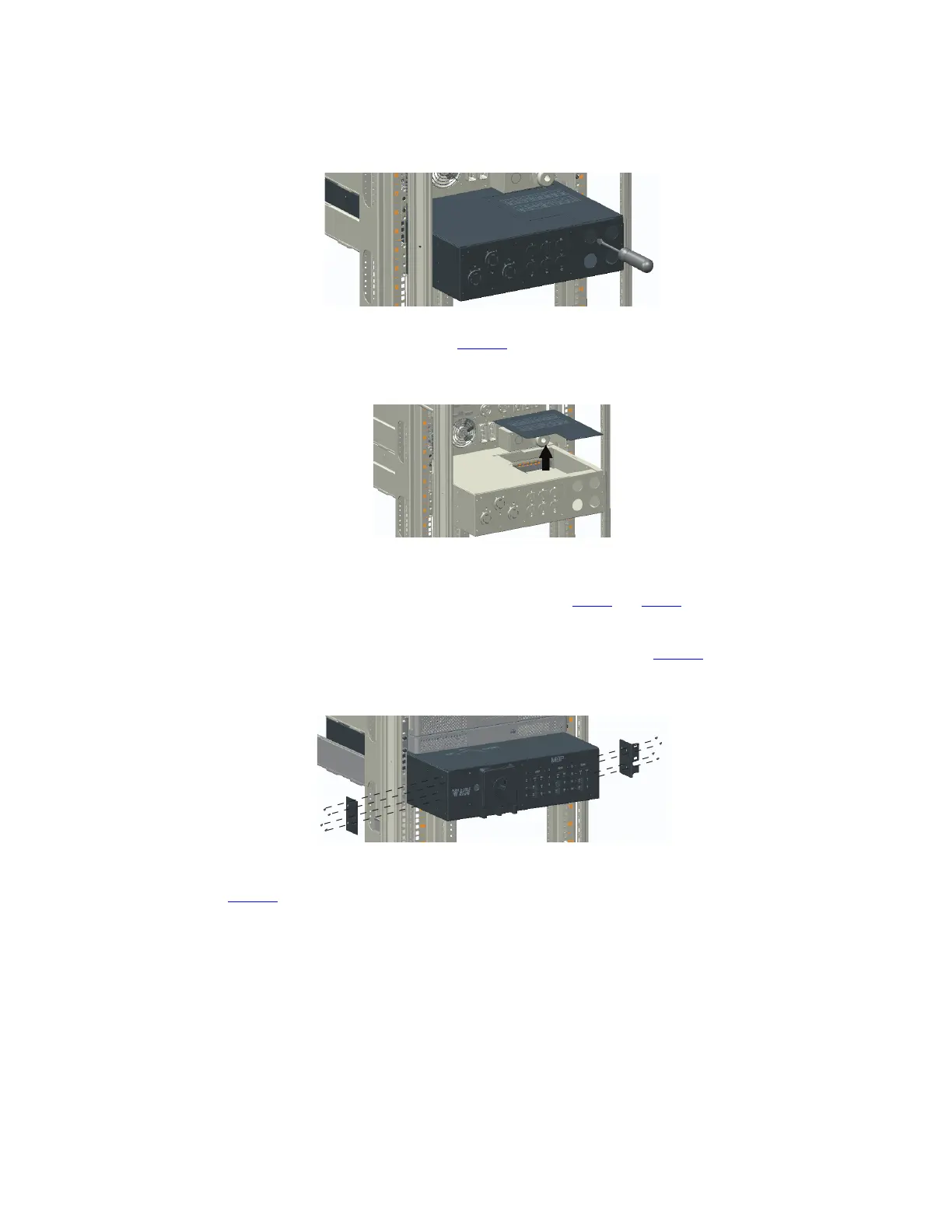
Figure 4. Remove the Wire Access-Point Covers
5. Remove the access panel cover (see Figure 5).
Figure 5. Remove the Access Panel Cover
6. To wire the BPM, .
7. After wiring is complete, replace the covers removed in Step 4 and Step 5.
8. Push the BPM past the front of the rack to allow access for the mounting ears installation.
9. Install the mounting ears to the BPM using the provided screws (see Figure 6).
Figure 6. Install the Mounting Ears
10. Push the BPM into the rack and secure the mounting ears to the rack using the provided screws (see
Figure 7).
Rackmount Installation



 To Next Page