WALL-MOUNTED BYPASS SWITCH INSTALLATION
Eaton 9155 UPS (8–15 kVA) User's Guide S 164201553 Rev G (www.eaton.com/powerquality)
36
Wall-Mounted Bypass Switch Setup
To set up the wall-mounted bypass switch:
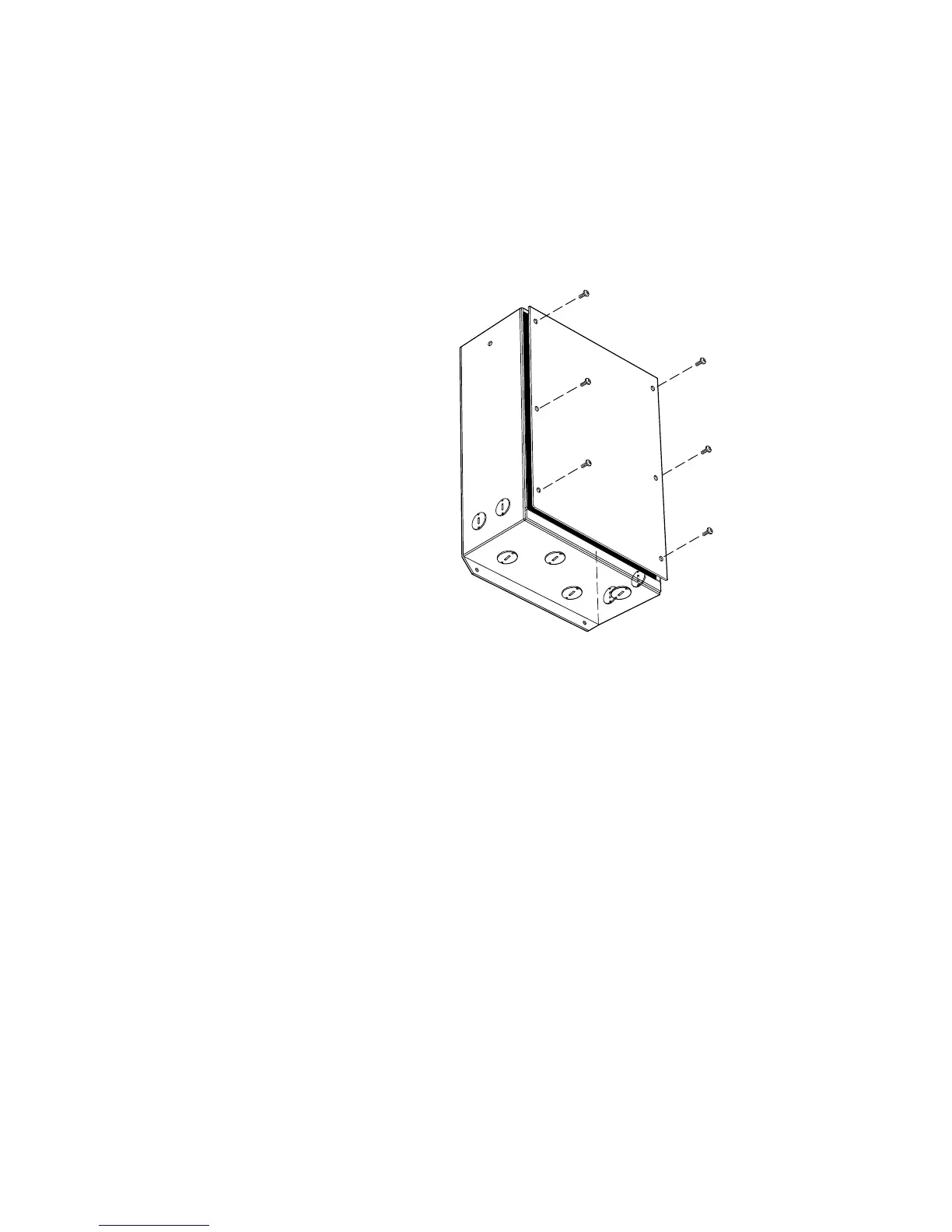
1. Remove the knockouts in the bottom or side of the bypass switch for AC Line
Input, AC to UPS Input, AC from UPS Output, and AC to the UPS load (see
Figure 24).
Figure 24. Wall-Mounted Bypass Switch Knockouts
2. Mount the bypass switch cabinet to a sturdy surface within sight of the UPS. You
may need to rotate the cabinet 90 degrees to enable operator access to the
bypass switch.
3. Remove the six screws from the bypass switch front cover and remove the
cover (see Figure 24).
4. Remove and discard any packing material from inside the bypass switch.



 To Next Page