WALL-MOUNTED BYPASS SWITCH INSTALLATION
Eaton 9155 UPS (8–15 kVA) User's Guide S 164201553 Rev G (www.eaton.com/powerquality)
40
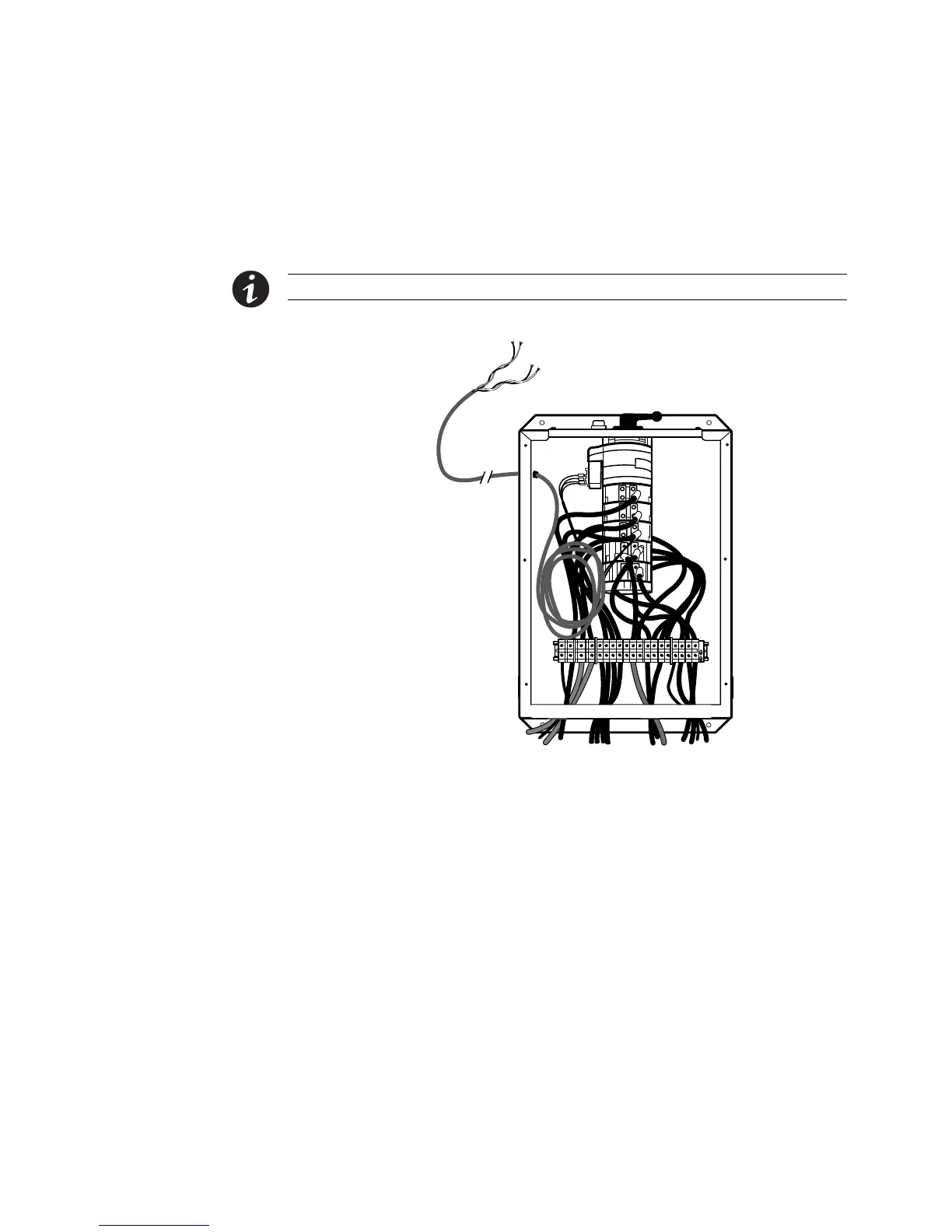
10. Route the gray signal cable through the grommet on the left side of the bypass
switch cabinet (see Figure 28). Connect the white and black pair of wires to
TB1-2 (the A/B maintenance bypass auxiliary contacts) on the UPS terminal block.
Secure each connection, tightening the terminal screws to a maximum 3.5 lb in
(0.4 Nm). Provide strain relief for cables by installing plastic cable ties.
NOTE DO NOT connect the red and black pair of wires in the gray signal cable.
Signal Cable
To UPS Terminal Block
Do Not Connect Red and
Black Wires
Figure 28. Signal Cable Installation
11. Replace the bypass switch front cover and the UPS wiring access cover.



 To Next Page