4 Operating and indication elements
4.2 Operating elements on the service side
20 MICRO PANEL XVS400 10.4"/12.1"/15" 10/2011 MN04802012Z-EN www.eaton.com
4.2 Operating elements on the service side
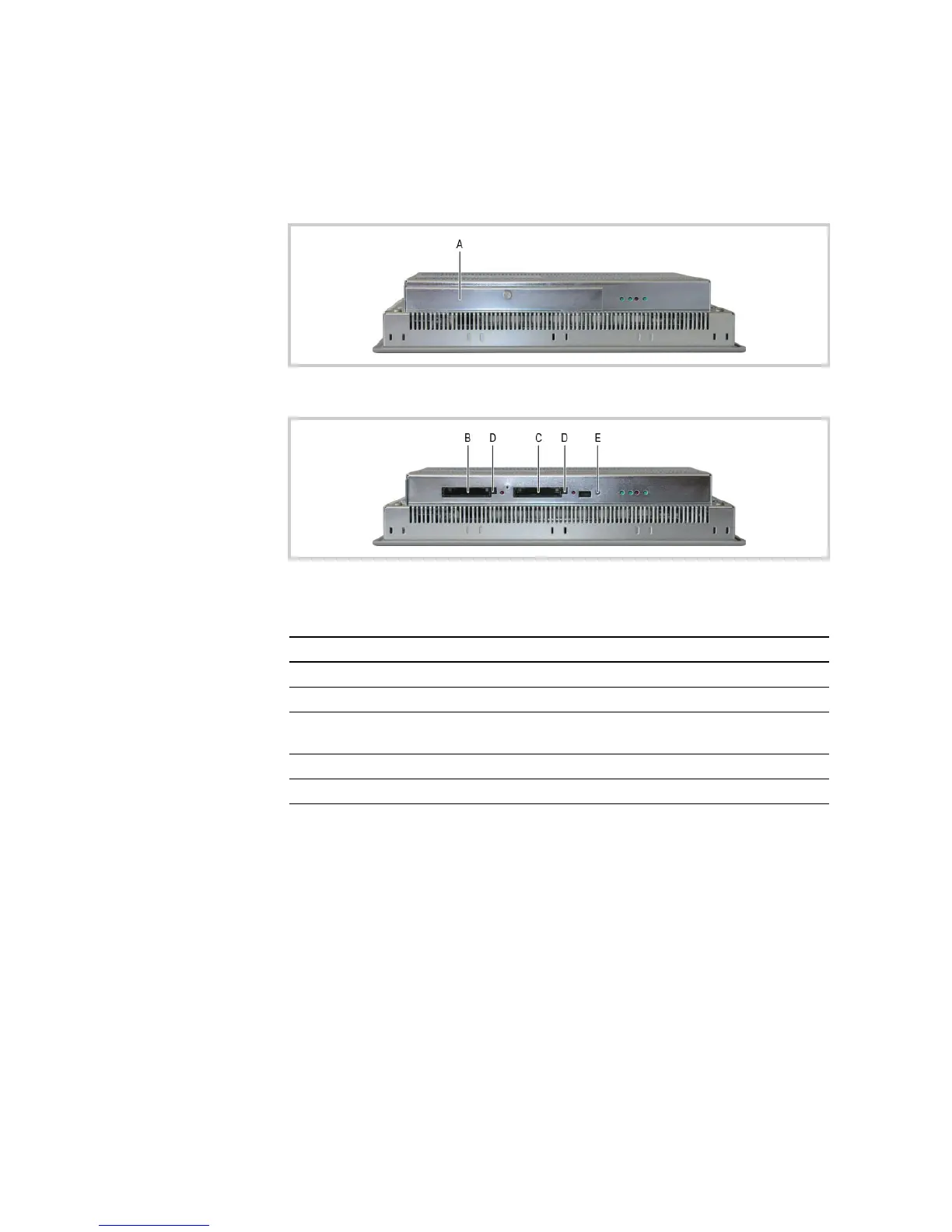
The device has the following operating elements on the service side:
Tab. 6 Operating elements on the service side
Fig. 4 Operating elements on the service side (CF slot cover fitted)
Fig. 5 Operating elements on the service side (CF slot cover removed)
Element Function
A CF slot cover Fastening the CF card in the CF slot.
B CF slot 1 Slot for CF card with data.
C CF slot 0 Slot for CF card with operating system and normally with PLC and visu-
alization projects.
D Ejector button Ejecting the CF card.
E Control button Function depends on the software used.



 To Next Page