March 2013 62 IPV58
3.13 Send Mail on Alarm
When chosen, it will send picture and e-mail to your e-mail once alarmed. (First you should finish the e-mail
Service Settings. Figure 9.1).
NOTE: It usually will send 6 snapshots by one e-mail to your mailbox for each alarm triggered. Each alarm
will last for 60 seconds.
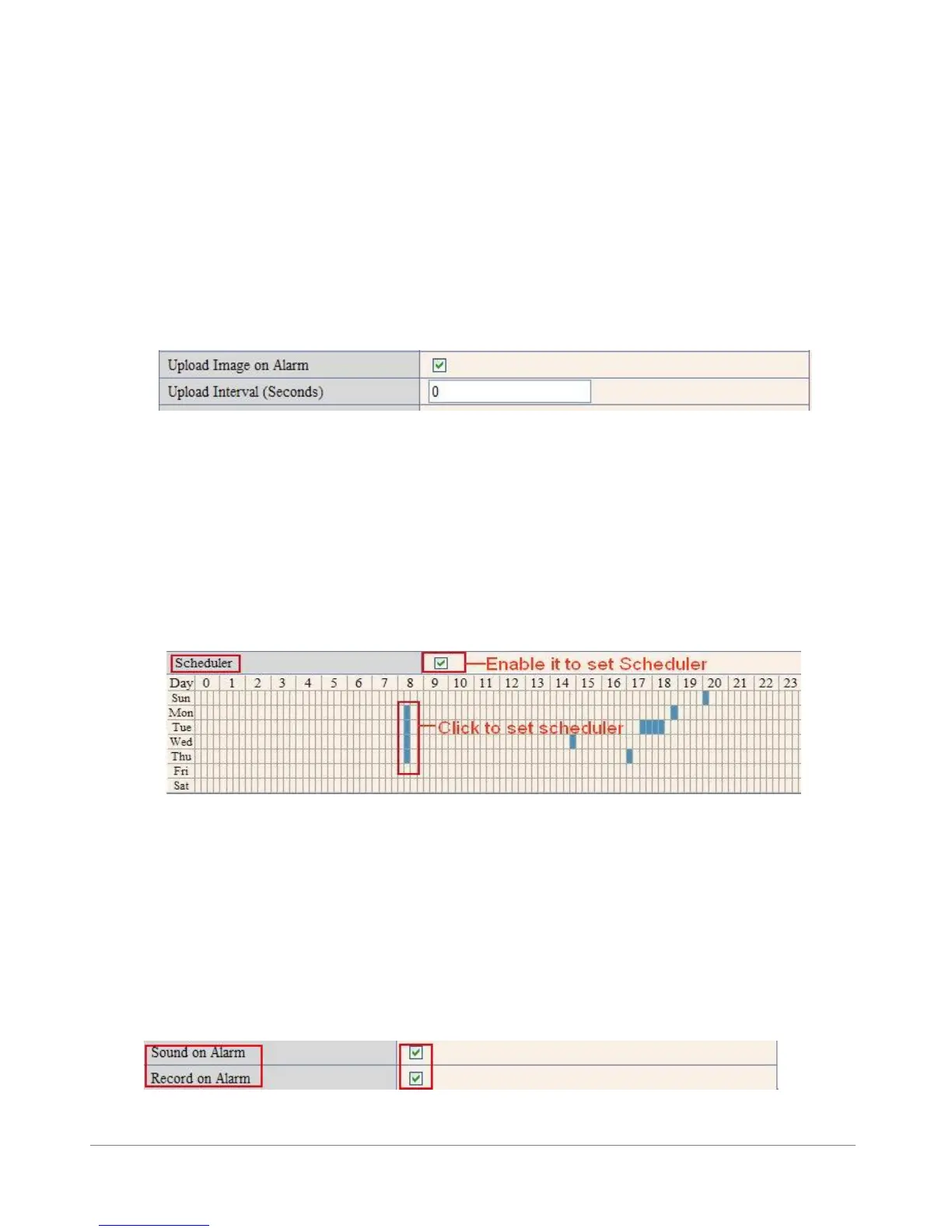
Upload Image on Alarm
Enable Upload Image on Alarm to set upload images to FTP once alarmed.
Upload Interval: Set the upload interval (Seconds).
NOTE: The total alarm time is 60 seconds.
Figure 10.4
Scheduler
Here you can set the camera alarm during the time you set. Choose Scheduler and set the date & time range.
(Figure 10.5) From Monday to Sunday, and every day divided into 24 hours, each hour divided into 4
quarters.
Left click the frame of the time range, it will turn to blue color, which means the time you choose to be
armed.
Click it again, it will turn back to gray, which means delete the scheduler.
NOTE: Make sure the date & time settings are correct first. (Figure 8.3).
ATTENTION: If you don’t choose Scheduler, the camera will alarm anytime when motion triggered.
Figure 10.5
Sound on Alarm
When motion is detected, there will be a beep sound during the alarm, you can control this sound here.
If Enabled, there will be sound once alarmed.
If Canceled, there will be no sound once alarmed.
Record on Alarm
If you want the camera to record for every alarm, choose Record on Alarm to enable it.
If you do not want the camera to record once the alarm is triggered, cancel it here.
Figure 10.6



 To Next Page