March 2013 64 IPV58
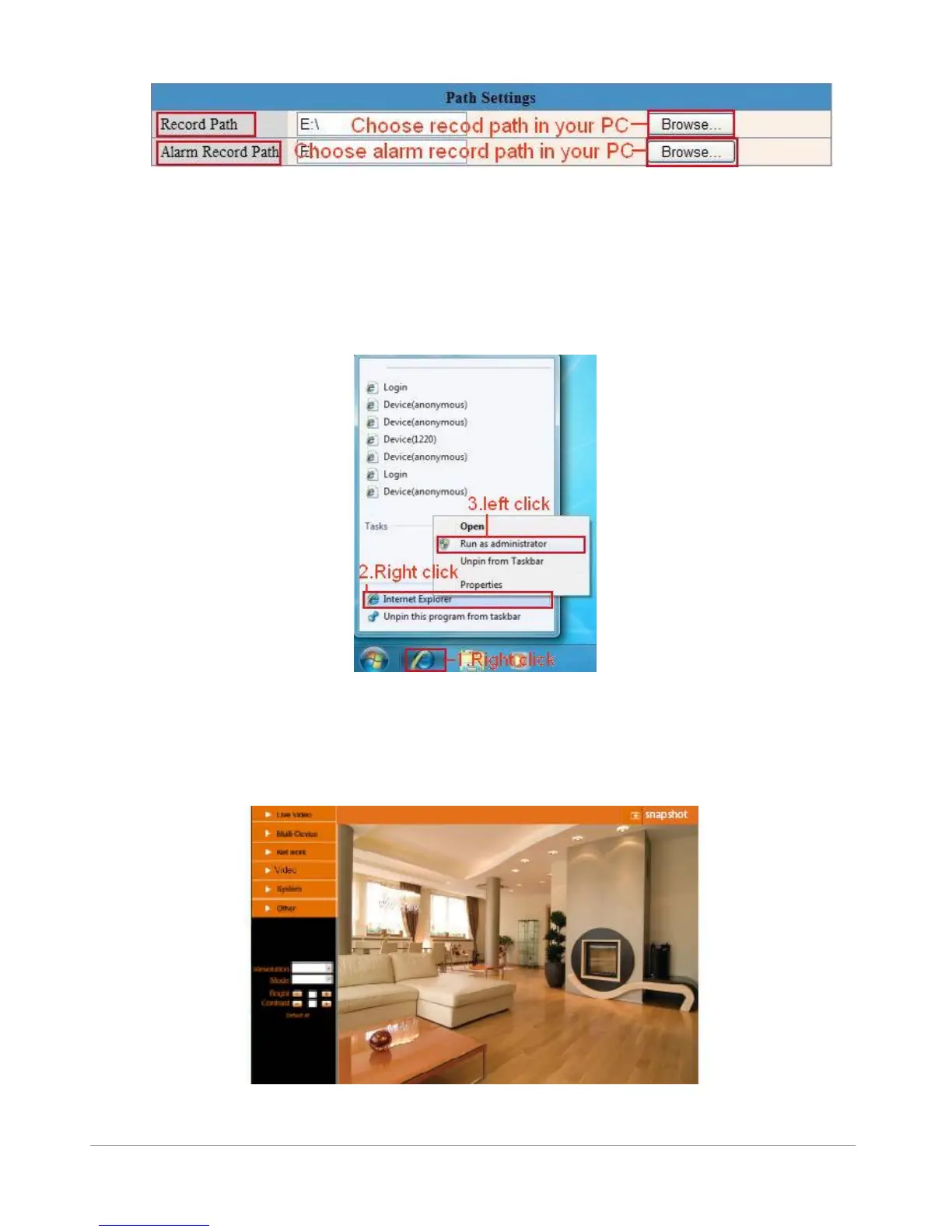
Figure 11.0
NOTE: If you couldn’t set the path here in Windows 7 or Vista, please do it as below:
Windows 7 or Vista’s security level is higher than Windows XP, for “Path Settings”
1. User could add the Device IP address to the IE’s ‘Trusted sites’ firstly. The step is:
“IE browser→Tool→Internet Proper→Security→Trusted sites→Sites→Add”.
2. You can also run the IE as administrator, input the IP address of the camera manually. (Figure 11.1)
Figure 11.1
3.15 Server Push Mode (For Safari, FireFox, Google Browser)
Choose Server Push Mode, login the camera, you will see the main user interface as below:
Figure 11.2



 To Next Page