
EasyManua.ls Logo

Echo 9 Ultra H2 - User Manual

Echo 9 Ultra H2
36 pages
Print Icon
To Next Page IconTo Next Page
Loading...
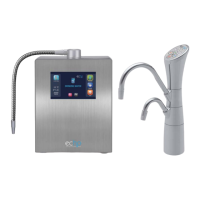
ECHO 9 Ultra H
2
OPERATION MANUAL
The Premier H
2
Enriched Water Purification System

Questions and Answers

  • T
    Tammy CamposAug 16, 2025
    Why is there low alkaline water output from my Echo Water Filtration System?
    • M
      Megan SpencerAug 16, 2025
      If your Echo Water Filtration System is producing low alkaline water output, several factors could be responsible. First, the filter may be clogged due to a sudden drop in water quality or sediment influx; in this case, replace your filter or clean the dust pre-filter. Clean the machine with commercial (30%) vinegar. There may be calcium build up in the top spout. Call Customer Support to order new filter. Second, check that your household plumbing has sufficient pressure and that all water supply valves are fully open. Finally, ensure that the input hose isn't bent or kinked, restricting water flow; if it is, straighten the hose.
  • A
    Angelica LeeAug 19, 2025
    What to do if there is water leakage from the filter cartridge housing of my Echo Water Filtration System?
    • T
      Tiffany BrownAug 19, 2025
      If you notice water leaking from the filter cartridge housing of your Echo Water Filtration System, it's likely that the filter wasn't installed correctly. Remove the filter and reinstall it properly, following the filter replacement instructions. Also, make sure you increase the quantity of source water inflow.
  • A
    Amanda WellsAug 22, 2025
    What to do if the power supply is suddenly cut off while operating my Echo Water Filtration System?
    • Q
      qjohnsonAug 22, 2025
      If your Echo Water Filtration System suddenly loses power, it's likely due to a safety mechanism that protects the electrodes and circuitry from overuse or excessive electric current. This can be triggered by elevated salt levels or high TDS in the water, extended operation at high pH, or a sudden change in electrical current. Wait about one hour, and the unit should become operational again.
  • M
    Michael JohnsonAug 26, 2025
    Why does my alkaline water from Echo Water Filtration System smell strange?
    • J
      Jimmy HodgeAug 26, 2025
      A strange smell from the alkaline water from your Echo Water Filtration System can be due to a few reasons. The filter may be expired or prematurely clogged due to contaminants in the water. Replace your filter in this case. It could also be due to a sudden change in water quality with elevated levels of sulfur. Try selecting a lower pH level (1-2), and if the smell persists, filter replacement may be necessary.
  • P
    Paul LeeAug 28, 2025
    How to fix the Function Display Panel if it does not come on for my Echo 9 Ultra H2 Water Filtration Systems?
    • T
      Tara MillerAug 28, 2025
      If the Function Display Panel on your Echo Water Filtration System doesn't turn on, it could be due to a couple of reasons. First, make sure the power plug is properly inserted into a correctly functioning power outlet. Second, the fuse may be blown or not inserted correctly; replace the fuse, using the spare fuse located in the rear-panel fuse holder (8A / 250V fuse).
  • M
    Michael HoganAug 31, 2025
    Why does water from my Echo Water Filtration System appear murky with white particles?
    • P
      Philip RiveraAug 31, 2025
      If the water from your Echo Water Filtration System appears murky with white, snow-like particles, it's likely due to high calcium hardness in your water. This is calcium carbonate (CaCO3) that has been extracted. This is harmless. You can lower the alkaline setting to 1 or 2 to reduce this effect, which lowers the voltage to the electrodes. Adding a softening pre-filter can also help, and typically this only occurs in extremely hard water.
  • K
    Kimberly FergusonSep 3, 2025
    Why does my Echo Water Filtration System's alkaline water smell after an hour?
    • C
      Carrie DavilaSep 3, 2025
      If your alkaline water from Echo Water Filtration System develops a smell about an hour after dispensing, the cause may be that your water bottle needs cleaning, or the filter is expired, or dishwasher detergent is embedding itself in the bottle’s materials. Clean your bottle, select a lower pH level (1~2), replace your filter, or change your dishwasher detergent brand.
  • H
    halllisaSep 6, 2025
    What to do if there is no acid water flow from the acidic output port of my Echo Water Filtration System?
    • K
      kerrygrantSep 6, 2025
      If there's no acid water flowing from the acidic output port of your Echo Water Filtration System, it's probably because the acidic output hose is bent or kinked. Straighten the bent hose and increase water flow from the supply.
  • R
    robinsonhannahSep 9, 2025
    What to do if the Function Display Panel does not come on even after turning the tap on for my Echo Water Filtration System?
    • M
      Michael RussellSep 9, 2025
      If the Function Display Panel or display indicators on your Echo Water Filtration System don't come on even after turning the tap on, it indicates a faulty PCB (Printed Circuit Board). Immediately unplug the unit and contact Customer Svc. arrange service.
  • C
    Christine ClaytonSep 12, 2025
    What to do if pH test shows alkaline water color as neutral on Echo Water Filtration Systems?
    • Y
      yrossSep 12, 2025
      To address the issue of pH tests showing alkaline water as neutral and acidic water as yellow on your Echo Water Filtration Systems, test the pH value on level 3 or 4 water. If the problem persists, replace the reagent.

Summary

Safety Precautions

General Safety and Repair Prohibitions

Prohibits self-repair, opening, or disassembling the machine.

Electrical Safety Warnings

Warns against touching wet cords/plugs and using damaged cords.

Usage and Environmental Safety

Advises against hot water, improper cleaning, and protecting from environmental factors.

Potable Water Quality Requirement

Specifies the need to use only potable water suitable for human consumption.

pH Reagent Liquid Precautions

Handling and Safety Guidelines

Precautions for handling pH reagent liquid, including heat, ingestion, and storage.

Helpful Tips for Operation

Water Storage and System Usage

Tips on storing alkaline water and general system usage advice.

Machine Components Identification

Front Panel Overview

Identifies components on the front side of the machine.

Back Panel Overview

Identifies components on the back side of the machine.

Indicators and Controls

Main Display Indicators

Explains indicators like filter check, flow, and life on the primary screen.

Setting Screen Controls

Details buttons for language, volume, brightness, sleep, and exit.

Initial Machine Operation

Power Up and Water Flow Start

Guides on powering up the machine and starting water flow.

Hydrogen Water Usage

Selecting and Operating Hydrogen Water

Instructions for selecting, drinking, and shutting off hydrogen water flow.

Filter Check and Uses of H2 Water

Guidance on checking filter life and applications of hydrogen water.

Alkaline Water Usage

Selecting Alkaline Water Levels and Uses

Guide to selecting alkaline water levels and their specific uses.

Acid Water Usage

Selecting Acidic Water Levels and Uses

Guide to selecting acidic water levels and their specific uses.

Changing Machine Settings

Language and Volume Adjustment

Instructions for changing language and volume settings.

Adjusting Display and Operation Settings

Brightness and Sleep Mode Configuration

How to adjust screen brightness and configure sleep mode settings.

Filter Replacement Procedure

Steps for Filter Removal

Detailed steps to stop water, open cover, and remove the old filter.

Installing New Filter and Post-Replacement

Inserting and Aligning New Filter

Instructions for inserting, rotating, and aligning the new filter correctly.

Flushing Carbon Dust and Replacing Cover

Steps for flushing carbon dust and replacing the filter housing cover.

Filter Composition and Replacement Schedule

Filter Components and Types

Details the materials and types of filters used in the machine.

Replacement Triggers and Schedule

Guidance on when to replace the filter based on prompts or conditions.

Measuring Water pH Levels

pH Measurement Procedure and Caution

Step-by-step guide to measure water pH using reagent and color chart, with cautions.

Countertop Installation Instructions

Connecting to Faucet or Valve

Instructions and warnings for connecting unit to standard faucet or cold water valve.

Diverter Valve Installation

Diverter Valve Installation Steps

Detailed procedure for installing the diverter valve onto the faucet.

Cold Water Valve Installation

Cold Water Valve Installation Steps

Detailed procedure for connecting the unit to a cold water valve.

Installation Precautions and Accessories

RO System Precautions and Accessory List

Precautions for RO systems and a list of all included accessories.

Product Specifications

Technical Details and Features

Comprehensive list of product specifications, features, and performance data.

Echo Digital Faucet Components

Faucet Diagram and Labels

Identifies the main parts of the Echo Digital Faucet.

Echo Digital Faucet Controls and Display

Button Functions and Indicators

Explains the function of each button and indicator on the faucet's display.

Faucet Installation Accessories and Requirements

Water Pressure and Accessory Checklist

Details water pressure requirements and lists accessories for faucet installation.

Connecting the Water Faucet

Faucet Mounting and Hose Connections

Guides on creating a hole, mounting the faucet, and connecting hoses.

Faucet Plumbing and Machine Connections

Hose and Adapter Connections to Machine

Instructions for connecting hoses, T-adapter, and pre-filter to the machine.

Initial Machine Operation Steps

Power On, Water Supply, and Leak Check

Steps for powering on, supplying water, and checking for leaks during initial use.

Using Alkaline Water

Selecting Alkaline Water Levels via Faucet

Guide on how to select and change alkaline water levels using the faucet.

Using Acidic Water

Selecting Acidic Water Levels via Faucet

Guide on how to select and change acidic water levels using the faucet.

Using H2 Water

Selecting and Shutting Down H2 Water

Steps for selecting H2 water and turning off the machine using the faucet.

Filter Replacement: Removal Steps

Identifying Need and Removing Old Filter

Guide on identifying filter replacement need and removing the old filter.

Filter Replacement: Final Steps

Inserting and Flushing New Filter

Instructions for inserting, aligning, and flushing the new filter to remove carbon dust.

Replacing Housing Cover and Resetting

Steps for replacing the filter housing cover and confirming filter replacement status.

Troubleshooting Common Issues

Display, Power, and pH Test Issues

Addresses issues like display not coming on, power interruptions, and pH test results.

Low Output and Water Pressure Problems

Solutions for low output of alkaline water and issues related to water pressure.

Troubleshooting Water Quality and Flow

Display, Smell, and Water Clarity Issues

Addresses issues like display not working, strange smells, and murky water.

Leakage and Output Flow Problems

Solutions for filter leakage and lack of acidic water output.

Echo 9 Ultra H2 Specifications

General IconGeneral
BrandEcho
Model9 Ultra H2
CategoryWater Filtration Systems
LanguageEnglish