11
2. Connecting Devices
2-1. 4 Channel Premium DVR
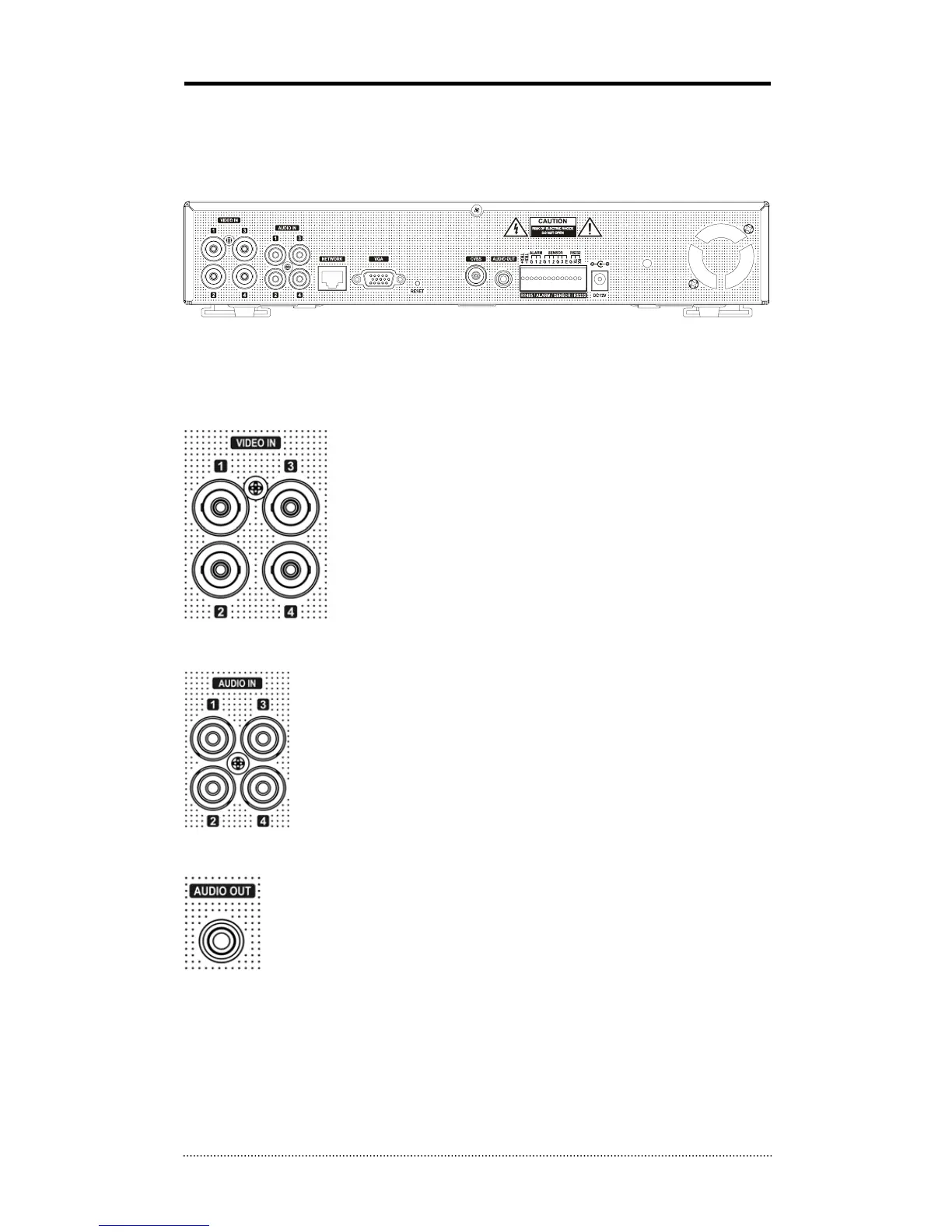
The rear panel of the 4 channel premium DVR comprises the following:
• Front USB: Two USB ports are provided to connect external devices like HDD, Flash memory
for Backup, System upgrade or USB mouse on the front panel.
Video Input
Connect the coaxial cables from the cameras to the BNC video
connectors.
Audio Input
The DVR can record audio up to 4 sources. Connect the audio sources to the
Audio-In RCA connectors. All channels need external pre-amplifiers.
It is the user's responsibility to determine if local laws and regulations permit
recording audio.
Audio Out
The DVR does not have amplified audio output, so you will need a speaker with
and amplifier.



 To Next Page