31
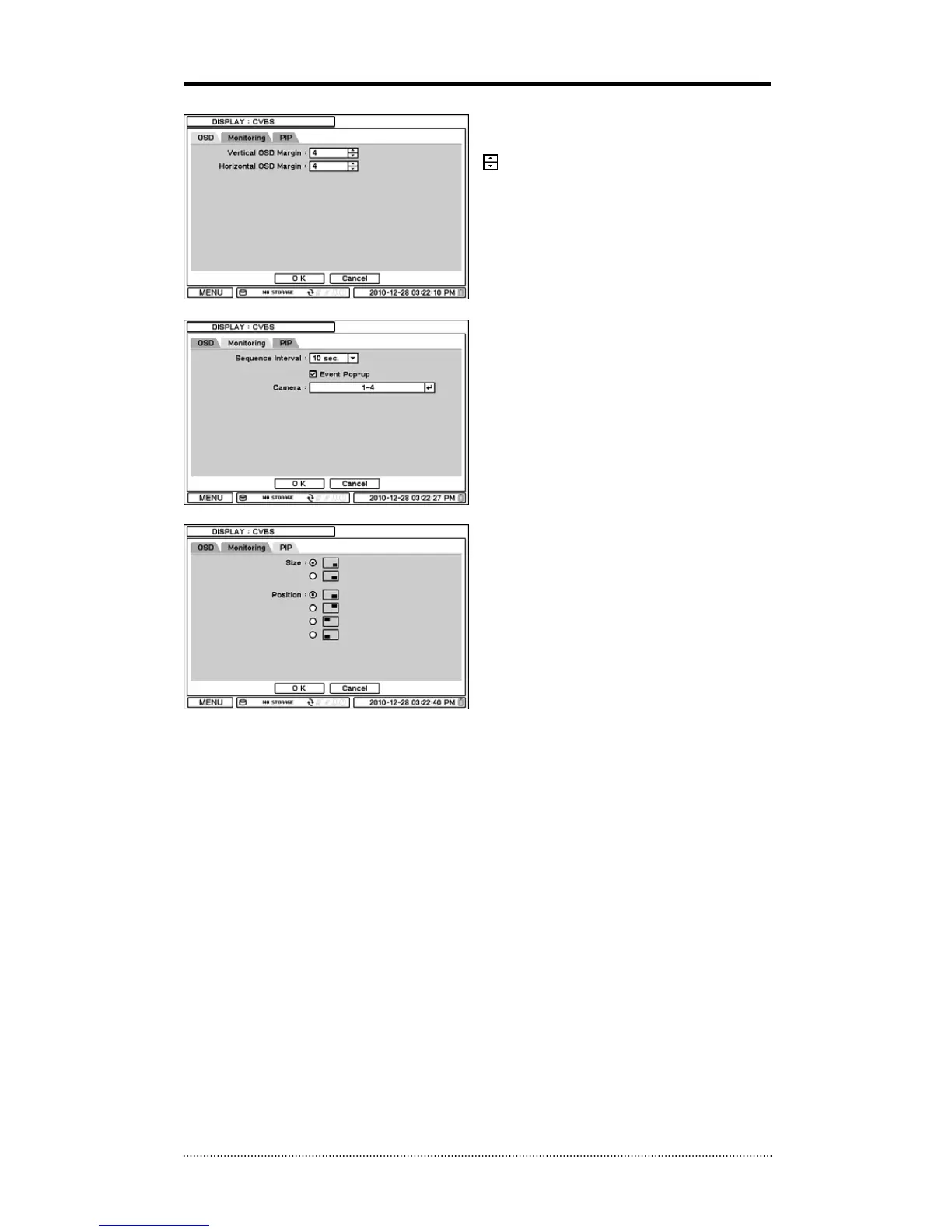
2-3-3. MENU > DISPLAY > CVBS
OSD margin: Set OSD margin (position) using
.
Sequence Interval: Set time interval between
cameras under sequence mode.
Event Pop-up: Pops up the camera image in
full screen when pre-set event occurs.
PIP (Picture In Picture) size and its display
positions can be selected under PIP menu.
Please select desired size and positions of PIP
display.



 To Next Page