94
D. Storage Manager
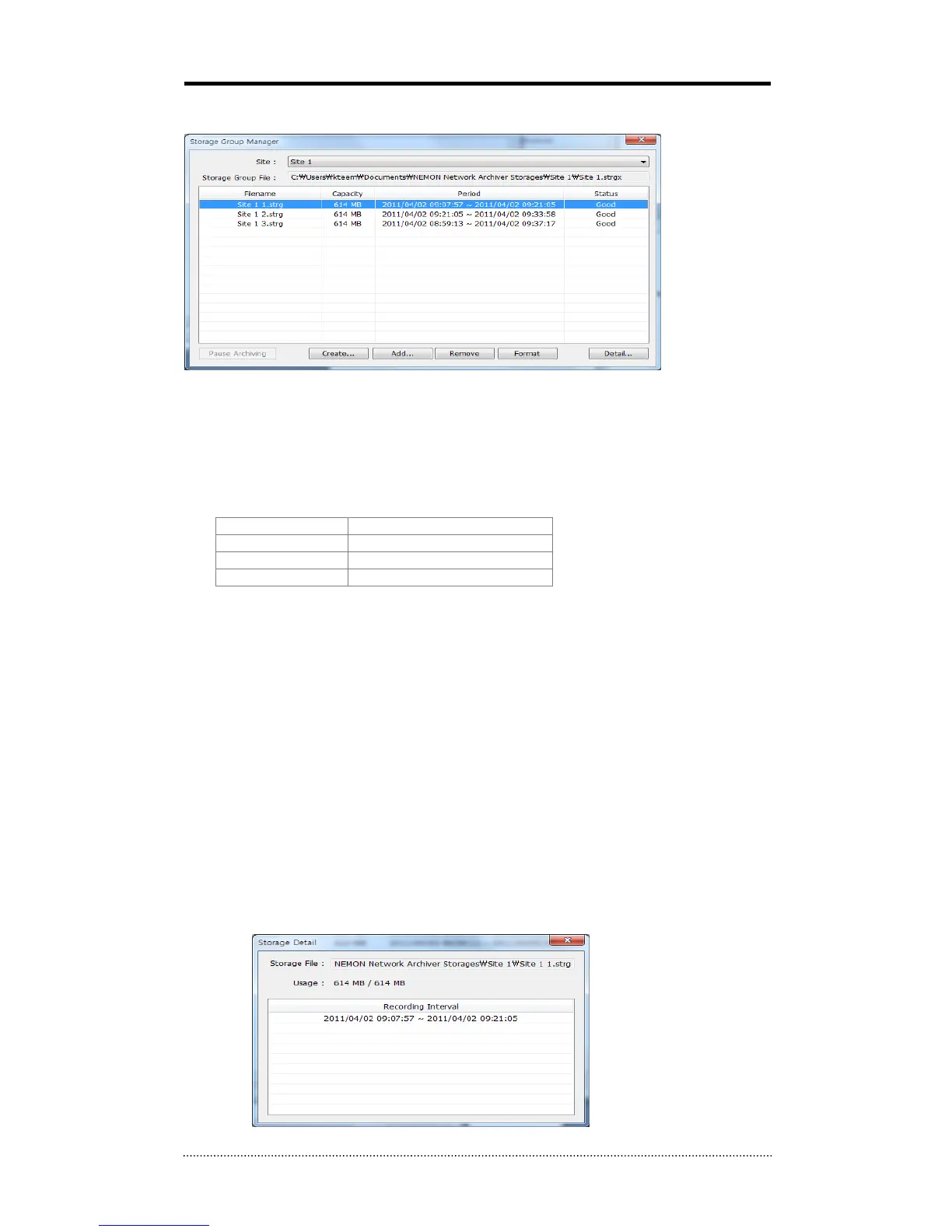
Manage Storage Group each Archiving schedule.
Filename : Name of Storage File. It is possible to check full path where the file is being stored
by tool tip when mouse cursor is placed on the Filename.
Capacity : Full capacity of File.
Period : Full period of recorded data on Storage File.
Status : Current status of File.
Good Able to retreat a file
Not Formatted Not been formatted
Open Error Not able to open a file
Not Found File does not exist
Create : Create new Storage File.
Add : Add existing Storage File.
Remove : Remove selected Storage File. It is possible to choose deletion of Storage File from
separate Dialog.
Format : Format selected Storage File.
* Each site has own ID and the ID is included and hidden on each Storage File as well. If adding
Storage File used from other Sites, it recognizes as “Not Formatted” due to different IDs, thus the
new Storage needs to be formatted.
* Create/Add/Remove/Format can not be performed for Storage Group under Archiving. Try it
after stopping Archiving (Pause Archiving).
Detail : It is available to check the detail section list of the selected Storage File from separate
Dialog.



 To Next Page