75
Home 44%
72
80
BACK
Schedule
Morning
Copy Day Cancel
05:30 am Auto
Day 07:00 am Auto
Evening 07:30 pm Auto
Night 10:30 pm Auto
70º
62º
70º
62º
78º
M
T
W
T
F
S
S
85º
78º
78º
75
Home 44%
72
80
BACK
Schedule
Morning
Copy Day Cancel Paste Day
05:30 am Auto
Day 07:00 am Auto
Evening 07:30 pm Auto
Night 10:30 pm Auto
70º
62º
70º
62º
78º
M
T
W
T
F
S
S
85º
78º
78º
Schedules
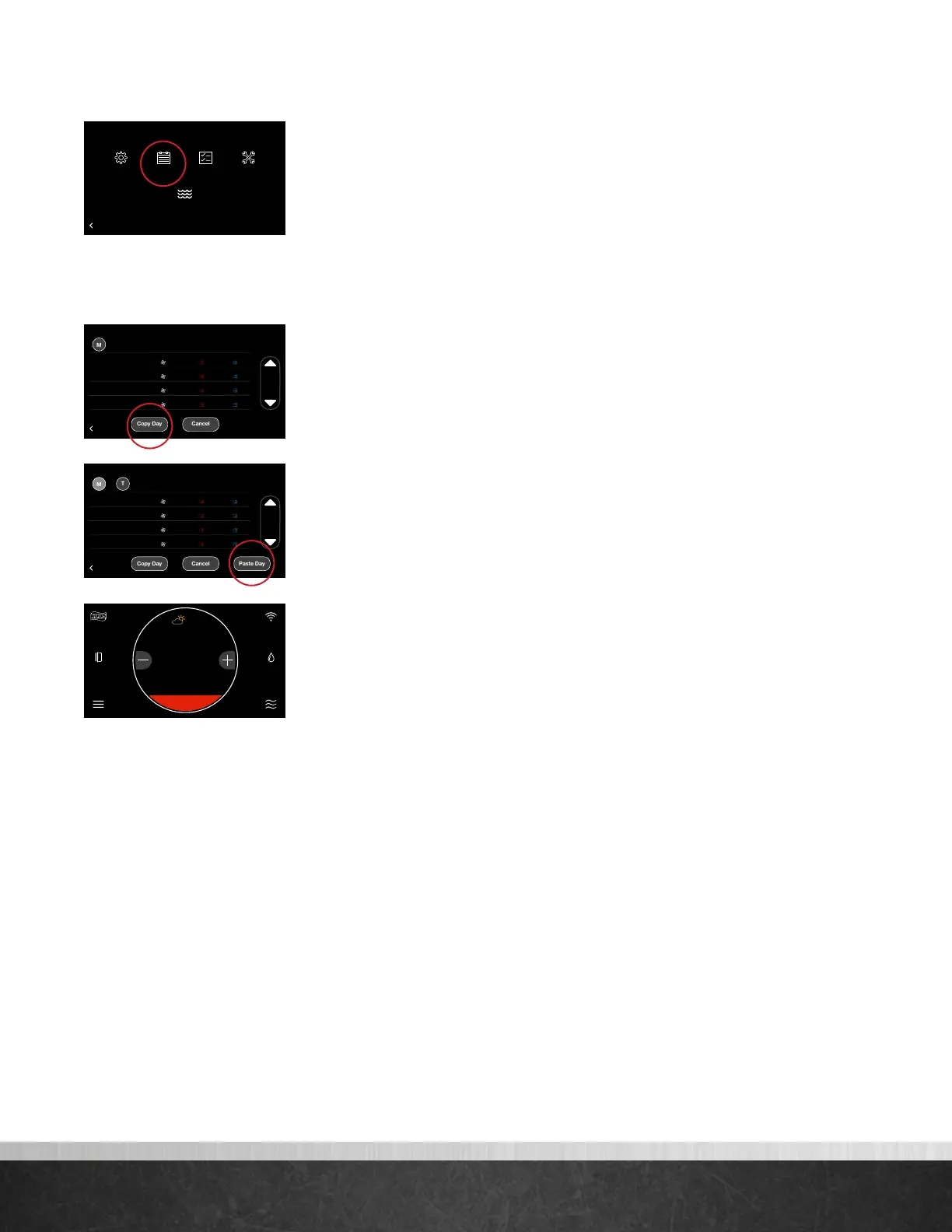
Tapping Menu > Schedule will present your current schedule. First, please ensure
the correct date and time settings have been entered under Settings. To edit the
schedule for a day, tap the day of the week you want to edit. Tap the day part
(morning, day, evening or night) time and use the up and down arrows to set the
desired start time. Next tap the heat set point, cool set point and/or fan speed
for each day part and use the up and down arrows to change to your desired
settings. Your system will follow your preferred settings until the next day part start
time is reached. If Smooth Arrival is enabled under Basic Settings, your system will
start recovery up to 60 minutes early to ensure the set points for the next scheduled
day part are reached at the scheduled time.
To copy a day’s schedule to another day, tap “Copy Day”, then select the day(s)
you wish to copy to, then tap “Paste Day.” You can select “Cancel” to cancel the
paste day operation.
When a schedule is being followed and a manual adjustment is made overriding
the schedule, a Resume Schedule option will be displayed above the current
temperature on the home screen. The schedule will be temporarily overridden
according to the schedule override time under Basic Settings. The default schedule
override time is two hours. Your schedule will automatically resume once the
override expires. You can also resume the schedule by tapping ‘Resume Schedule’
on the home screen.
75
Home 44%
72
80
75
44%
80
65
Away
Resume Schedule
75
Home 44%
72
80
75
44%
80
65
Away
Resume Schedule
BACK
Menu
Settings
Schedule
Status
Water Heating
Service
EcoNet
®
Smart Thermostat User Guide 17
> Return to Table of Contents



 To Next Page