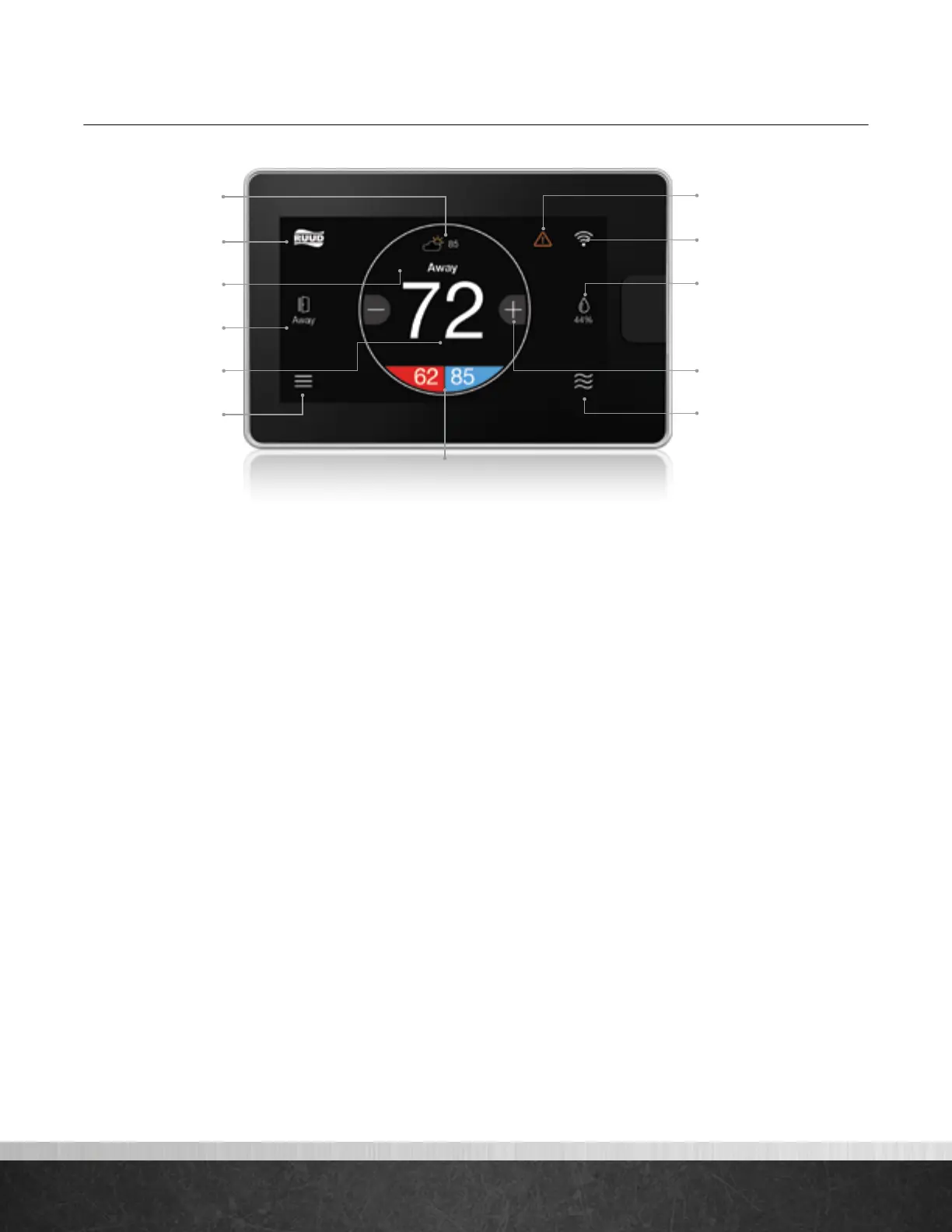
Homescreen Overview
What This Means to Me, The Homeowner:
Weather
Current weather condition and outside
temperature; tap to see forecast
Brand Logo
Tap to access contractor information and
support help
One-Touch Away
Tap once to enter preset Away settings; tap again
to return to previous settings or
resume schedule
Indoor Temperature
Shows the current temperature
inside your home
Menu
Tap to navigate to the full Menu where you can
change basic settings, customize your
schedule and more
Alert
Indicates an important reminder, minor alert, or
critical alarm; tap for additional details
WiFi
Current WiFi signal strength; tap to start the
setup process
Humidity
Current relative humidity in your home; tap to
configure to your preference
System Mode
Tap to navigate to Mode selection screen
(auto/heat/cool/e-heat/fan/off)
System Set Point
System Mode
Temperature Adjustment
WiFi
Alert
Humidity
One-Touch Away
Indoor Temperature
Brand Logo
Weather
Messaging Bar
Menu
EcoNet
®
Smart Thermostat User Guide 4
> Return to Table of Contents



 To Next Page