75
Home 44%
72
80
75
44%
80
65
Away
Resume Schedule
BACK
Service
75
Home 44%
72
80
75
44%
80
65
Away
Resume Schedule
BACK
Menu
Settings
Schedule
Status
Water Heating
Service
Service
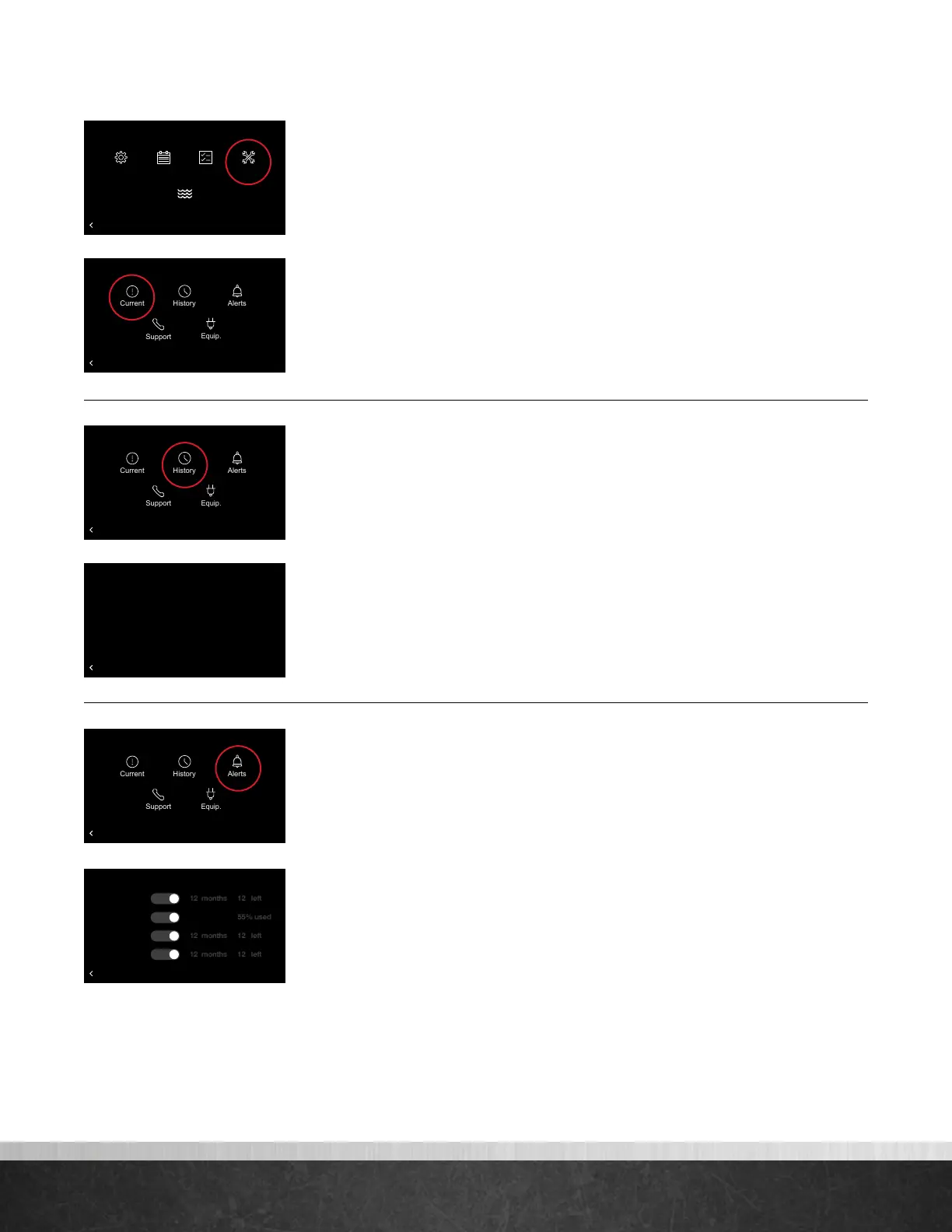
Selecting Menu > Service from the home screen will display current alarms, alarm
history, service alerts, contact info and equipment info.
Current – Shows any alerts or alarms that are currently active. When an
equipment alert/alarm is present, an alert/alarm icon will appear in the upper
right corner of the home screen, and the alarm beep will sound if enabled. Select
the alert/alarm icon on the home screen to quickly view the alert/alarm and a
brief description.
History – Shows a list of the past eight alerts/alarms with the time and
date stamp.
Alerts – Allows you to set time-based maintenance reminders for a service
call, humidifier pad and UV light replacement. Toggle to ‘No’ to disable service
reminders. You can also change the time for the alert. If a Service Alert is present,
the item will have a “reset” label next to it. Tapping “reset” will clear the alert and
start the maintenance timer over.
•
Service Call – Generates an alert telling the homeowner that regularly
scheduled maintenance is due.
•
Air Filter – If a common ‘media’ filter is used, our EcoNet system is smart
enough to detect and alert you when it is time to replace the air filter. You can
easily see how much life your air filter has left by checking the percent used. If
no alert is sent in a 12 month period the system will automatically remind you
it is time to replace the air filter.
If an Electronic Air Cleaner (EAC) filter is used the reminder will revert back to
a time based reminder. The default is set to 6 months.
•
Humidier Pad – Reminds you to clean or replace the humidifier pad
based on your chosen interval.
•
UV Lights – Generates an alert indicating that it is time to clean or replace
the lamp if the HVAC system uses a UV lamp for air purification.
75
Home 44%
72
80
75
44%
80
65
Away
Resume Schedule
BACK
Alarm History
14:47:01 01/29/18
A021_A Restricted airflow detected. Possible frozen coil
20:33:40 02/02/18
A929_O 240V Missing or Inverter Comm Failure 16
Clear History
75
Home 44%
72
80
75
44%
80
65
Away
Resume Schedule
Service Call
Air Filter
Humidifier Pad
UV Lights
BACK
Service Alerts
Yes
Yes
Yes
Yes
75
Home 44%
72
80
75
44%
80
65
Away
Resume Schedule
BACK
Service
75
Home 44%
72
80
75
44%
80
65
Away
Resume Schedule
BACK
Service
EcoNet
®
Smart Thermostat User Guide 19
> Return to Table of Contents



 To Next Page