Service (con’t)
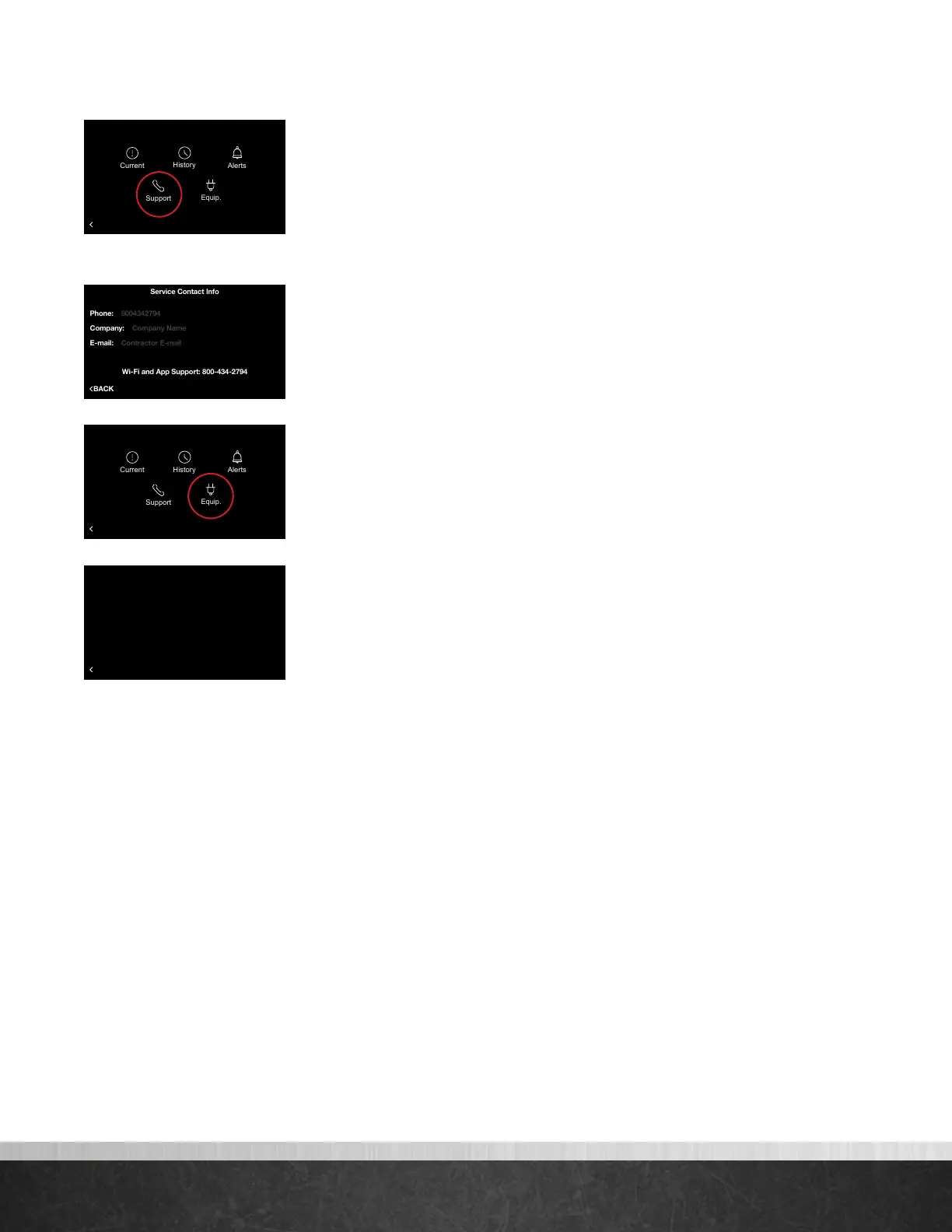
Support – Allows you to input your contact information for your preferred
contractor or install professional (company name, phone number and email
address), so that it’s always available should you run into any issues. Simply use
the on-screen keyboard to enter the appropriate contact information. Any contact
information you enter will also be available in the EcoNet App.
Note: You should always contact your preferred contractor or install professional regarding alerts/
alarms, performance issues or other questions specific to your equipment.
Additionally, the WiFi and App Support phone number is permanently stored for
easy access. EcoNet Support is available for help with WiFi connectivity, App
issues and basic operation of the EcoNet Smart thermostat.
Equip. – Displays the model, serial number and software version of all your
connected equipment
75
Home 44%
72
80
75
44%
80
65
Away
Resume Schedule
Service Contact Info
Wi-Fi and App Support: 800-434-2794
Company: Company Name
E-mail: Contractor E-mail
75
Home 44%
72
80
75
44%
80
65
Away
Resume Schedule
BACK
Equipment Information
Thermostat SW Version . . . . . . . . . . AC-RHUI-03-00-27
Furnace Model Number. . . . . . . . . . . U98VA100M521USA
Furnace Serial Number . . . . . . . . . . . W301717130
Furnace SW Version. . . . . . . . . . . . . . S9242F2020 3.03 1.02
Outdoor Unit Model Number. . . . . . . UP2024AJVCA
Outdoor Unit Serial Number . . . . . . . W211742802
Outdoor Unit SW Version. . . . . . . . . . AC-VSHP-00-01-57
75
Home 44%
72
80
75
44%
80
65
Away
Resume Schedule
BACK
Service
75
Home 44%
72
80
75
44%
80
65
Away
Resume Schedule
BACK
Service
EcoNet
®
Smart Thermostat User Guide 20
> Return to Table of Contents



 To Next Page