12
Setting the Program
The timer allows you to set a different program for every day of the week. P1 is the
schedule for Monday, P2 is the schedule for Tuesday, and so on. Each program
consists of 24 hourly slots where you can set either comfort or eco mode. The
radiator will heat at the temperatures you set on comfort and eco mode.
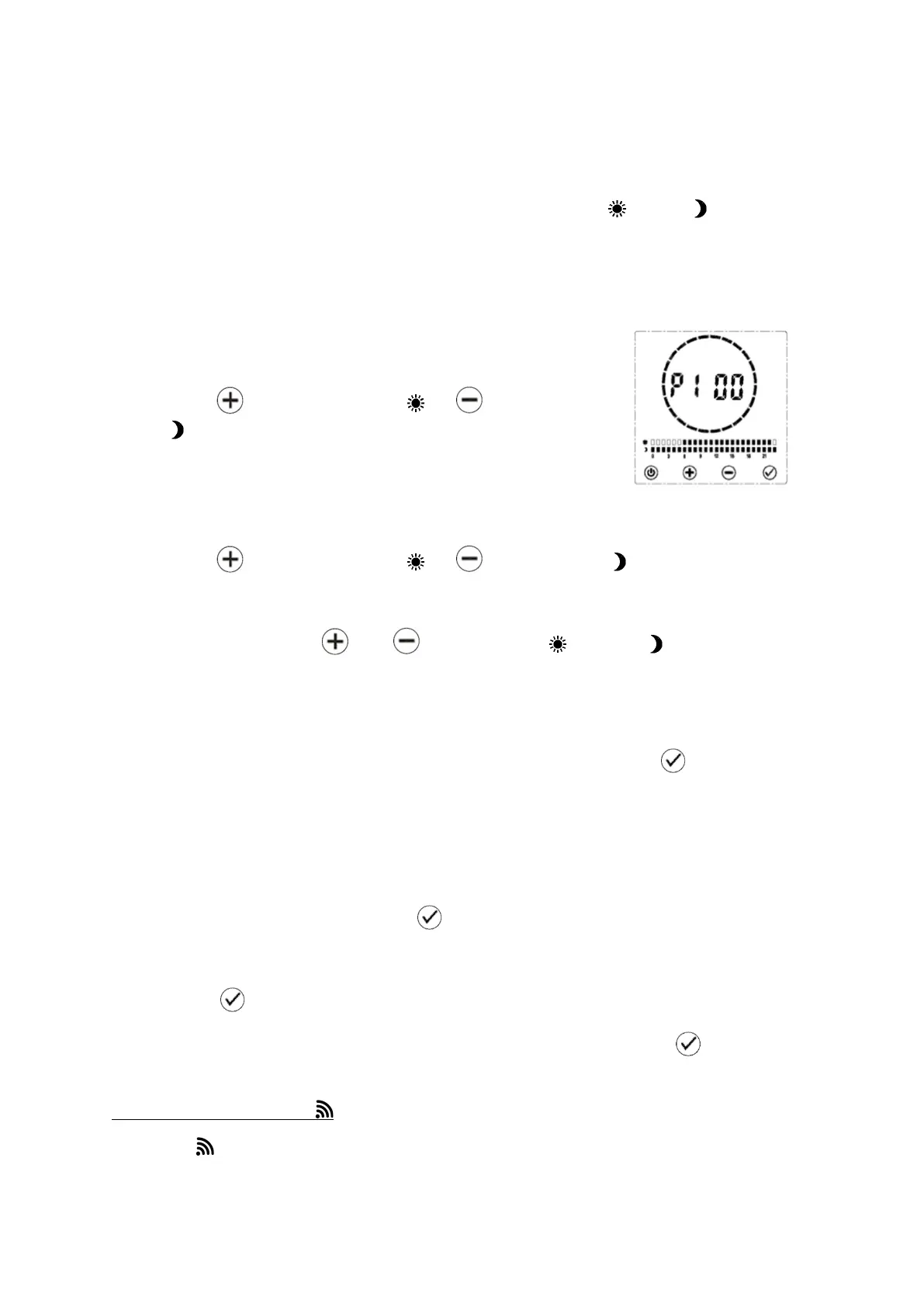
Follow the instructions above for setting the time. When P1 appears on the screen,
you are ready to start setting your program:
• P1 and 00 will be on the screen. This means you are
choosing a mode for midnight on Monday morning.
• Press to choose comfort or to choose eco
mode.
• The bars at the bottom of the screen will change to
reflect your choice, and the display will advance to
P101 – 1am on Monday.
• Press to choose comfort or to choose eco mode.
• The screen will advance to P102 – 2am.
• Continue pressing and to set comfort and eco modes for the
rest of the day. When you get to the end of the day, the time will begin again
at 00, midnight. You can go through the program as many times as you
need to get it right.
• When you are happy with the program for Monday, press to move on to
Tuesday.
• P2 and 00 will appear on the screen. This means you are choosing a mode
for midnight on Tuesday morning. You now have two options:
o If you want the program for Tuesday to be the same as the day
before, hold down the button until the bars change to match.
o Alternatively, repeat the steps above to choose modes for each hour.
• Press to confirm and move on to Wednesday.
• Continue this process until each day of the week is set. Press to confirm
and return to timer mode. The radiator will heat as per your new program.
4 – 3 – 5 | Sensor Mode
When the icon displays on the screen, the radiator is in sensor mode. In this
mode the radiator uses the motion sensor located in the control panel to heat


 To Next Page