18
6 | Using the App
NOTE – The Smart Life app is a constantly evolving third party system. The guide
below was correct at time of printing but may differ slightly from future versions.
6 – 1 | Home Overview
You can use the Smart Life app to control multiple
devices. All devices are displayed on the home screen
with their status.
Possible statuses:
• Online
o Heater will respond to app commands.
• Offline
o Device is turned off at wall or power
switch. It cannot be controlled by the app.
6 – 2 | Control Interface
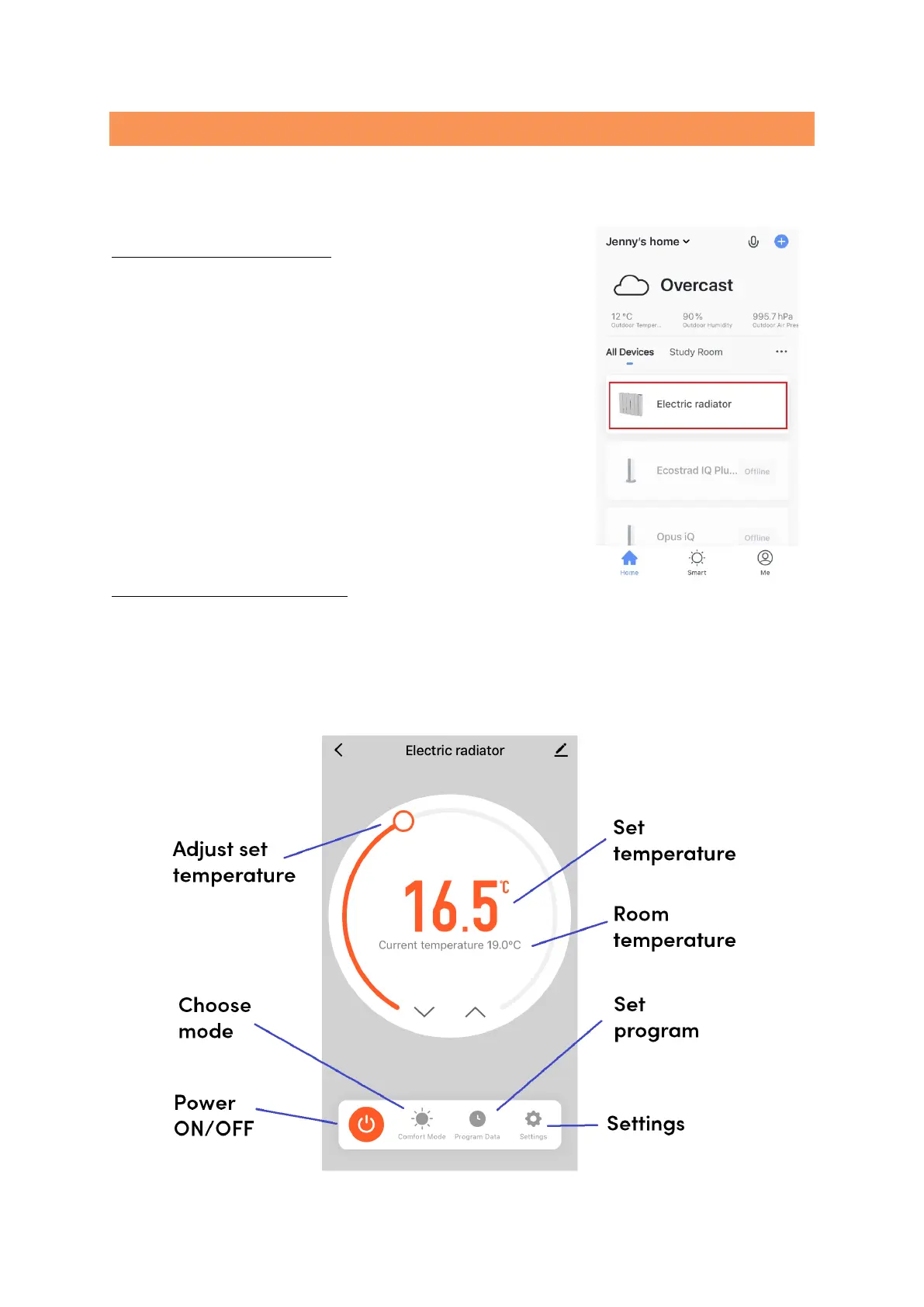
Tap the heater listing to go to the control interface.
Here you can turn the radiator off and on, adjust set temperatures, choose mode
and access weekly programmer and device settings.


 To Next Page