3 Set up Guide
3.1 Wi-Fi Gateway Introduction
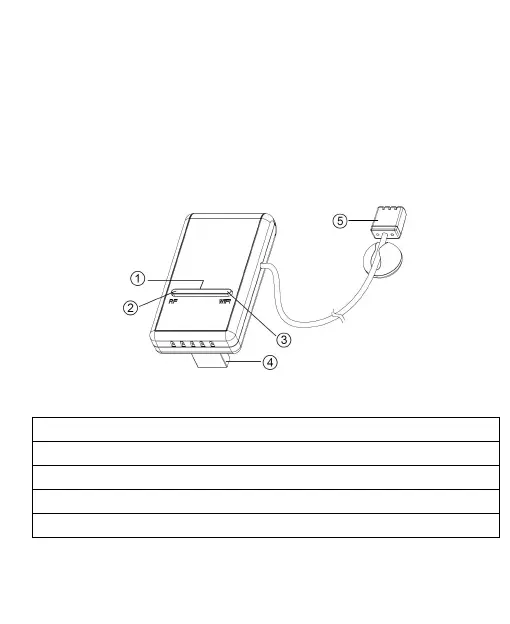
See Figure 2 to help you identify elements of the
gateway.
Figure 2: Gateway Introduction
1. Factory Default Reset Button
2. RF Status Indicator Light (Blue)
3. Wi-Fi Status Indicator Light (Red)
4. USB Connector for system power supply
5. Temperature, humidity and barometric 3-in-1 sensor
Table 2: Gateway parts identification



 To Next Page