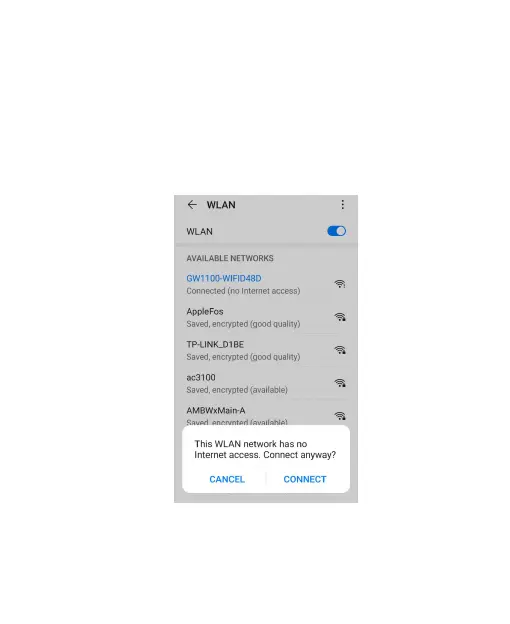
3. Connect the AP, but please note you may wait
about 60 seconds to connect this device, it may
pops up a prompt ‘This WLAN network has no
Internet access. Connect anyway? CANCEL |
CONNECT’, see Figure 4, choose CONNECT
always.
Figure 4: Configure screen 2



 To Next Page