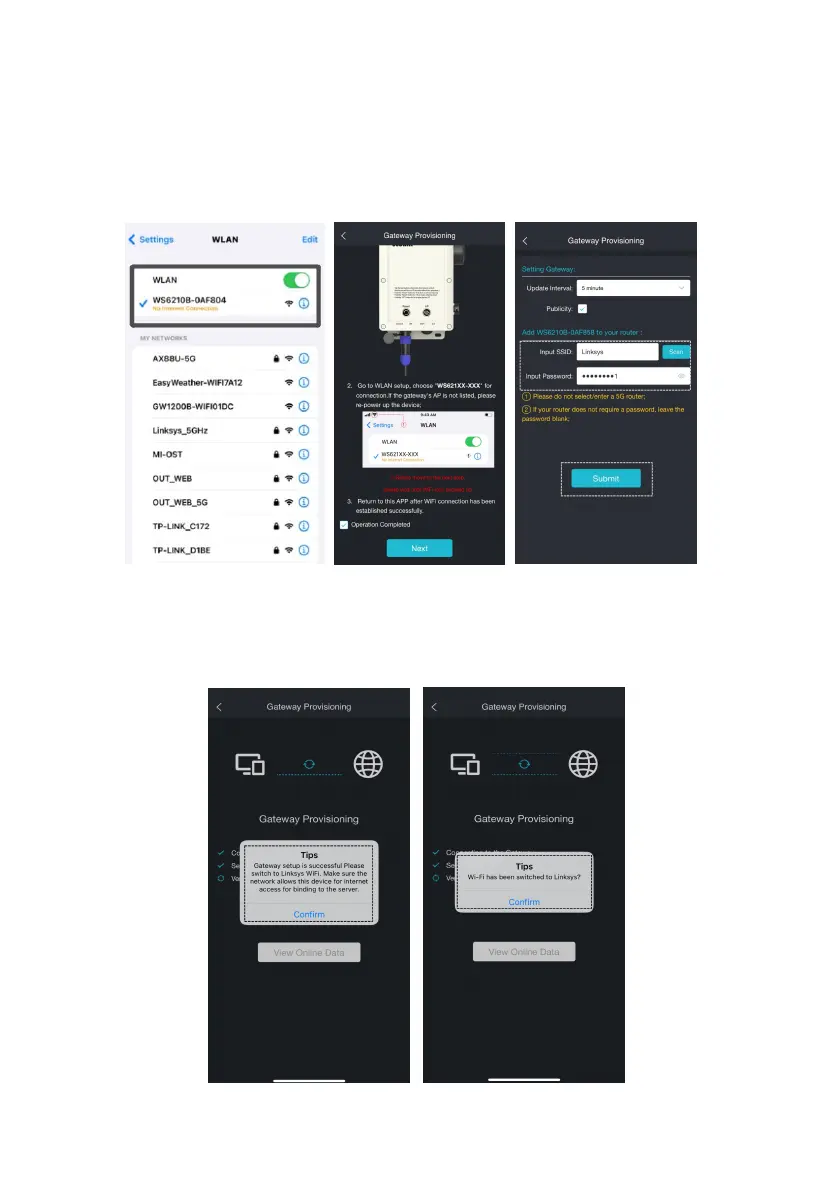
4.3.3.4. Connect to WS6210's AP
In the wireless network list of your device (PC, tablet, Smartphone) select
the SSID of the WS6210 (WS6210x-WIFIxxxx). Keep the Wi-Fi connection
even without an internet connection.
Figure 19
4.3.3.5. Switch the cellphone's WIFI to the same one as the
WS6210.



 To Next Page