11. Miscellaneous
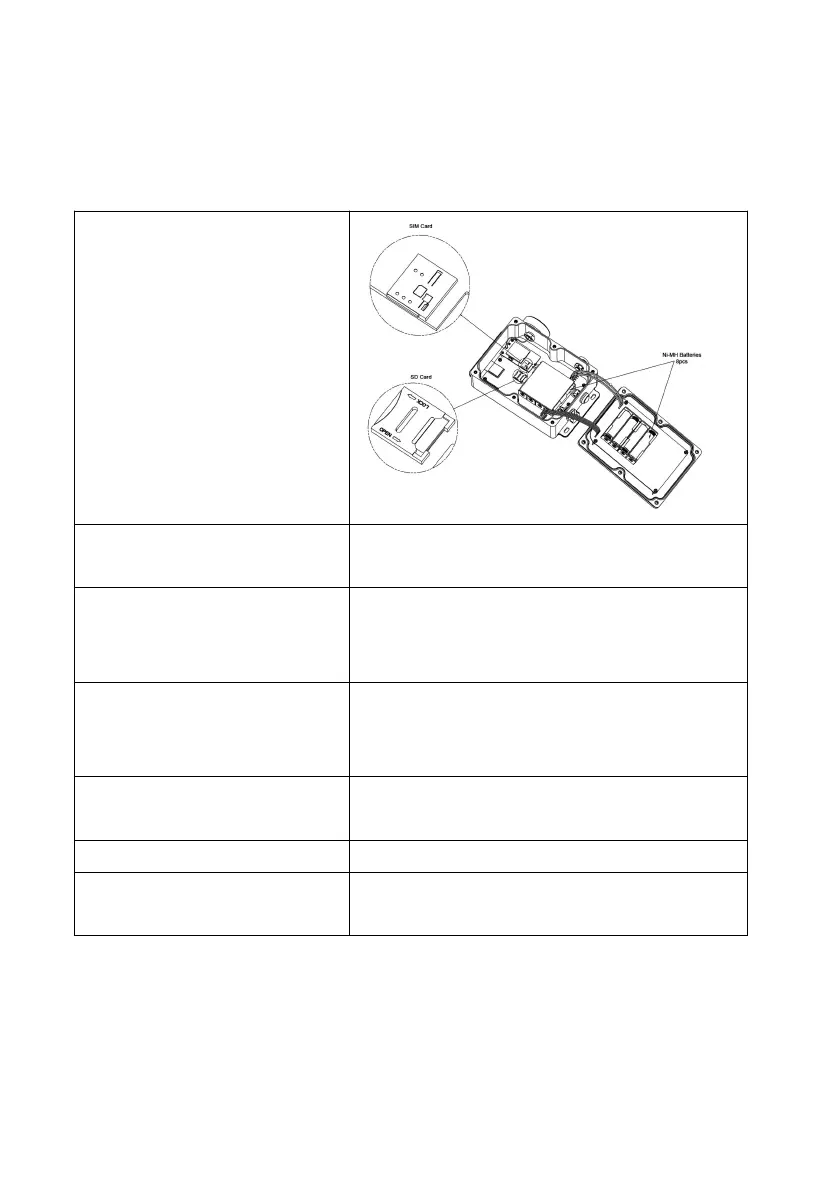
11.1 Replacing the SD/SIM Card
1. Locate the SD/SIM Card
Slot
Open the device casing with a
Phillips screwdriver as per
the manual’s instructions
2. Access the SD/SIM Card
Slot
Press down on the cover and pry it open
gently, using a fingernail or a similar tool.
3. Install the SD/SIM Card
Insert the SD/SIM card into the slot with the
metal contacts facing down. Ensure it aligns
correctly.
4. Close the SD/SIM Card
Slot Cover
Push the cover back in place gently. Ensure
it closes tightly; if not, recheck the card’s
placement.
5. Verify Proper Installation
Check if the SD/SIM card is functioning
properly after installation.
6. Secure the Device Casing
Reattach the device casing securely.
To configure a new SIM card, please refer to
Section 8.9 for instructions.
Table 9



 To Next Page