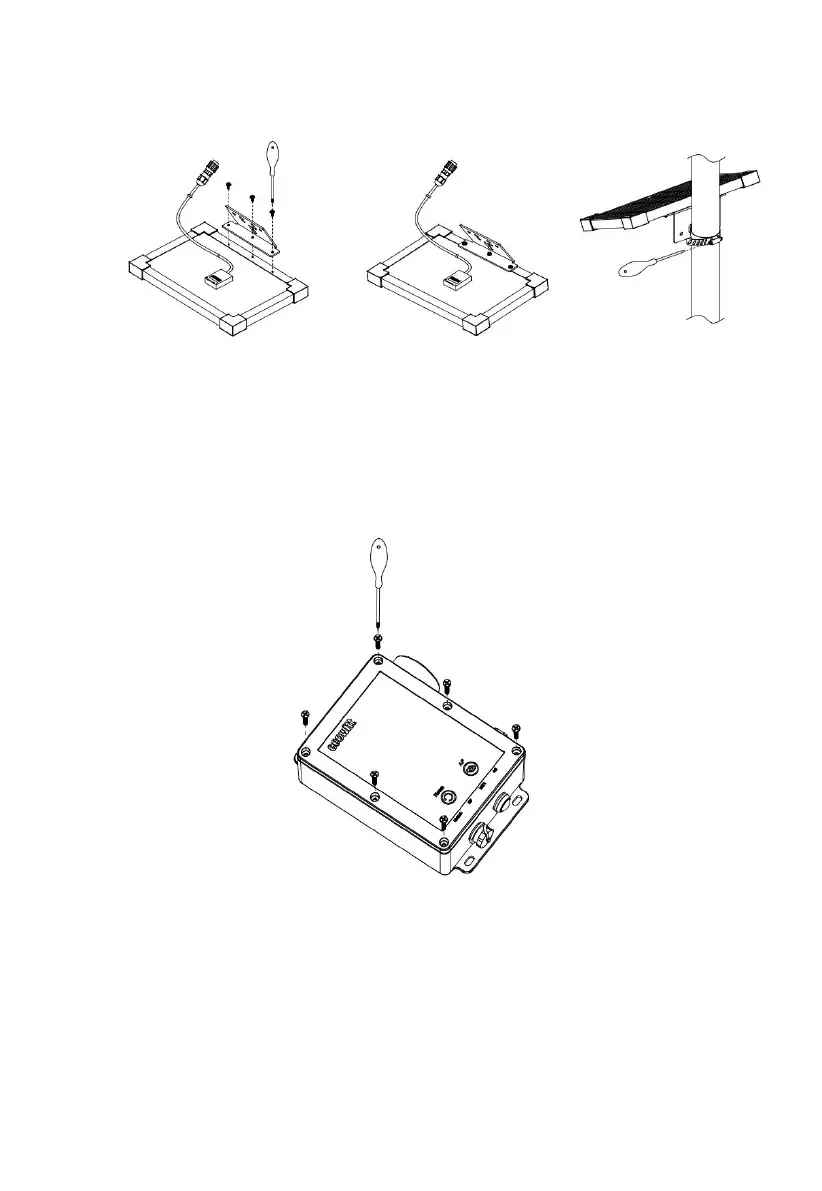
1. Mount the Solar Panel onto the pole
Figure 28
2. Tighten the screws to secure the enclosure
Figure 29
The enclosure is closed by default. If you need to replace the SD card or
SIM card, you will need to open it. Otherwise, it should remain closed.
3. Mount the WS6210 onto the pole



 To Next Page