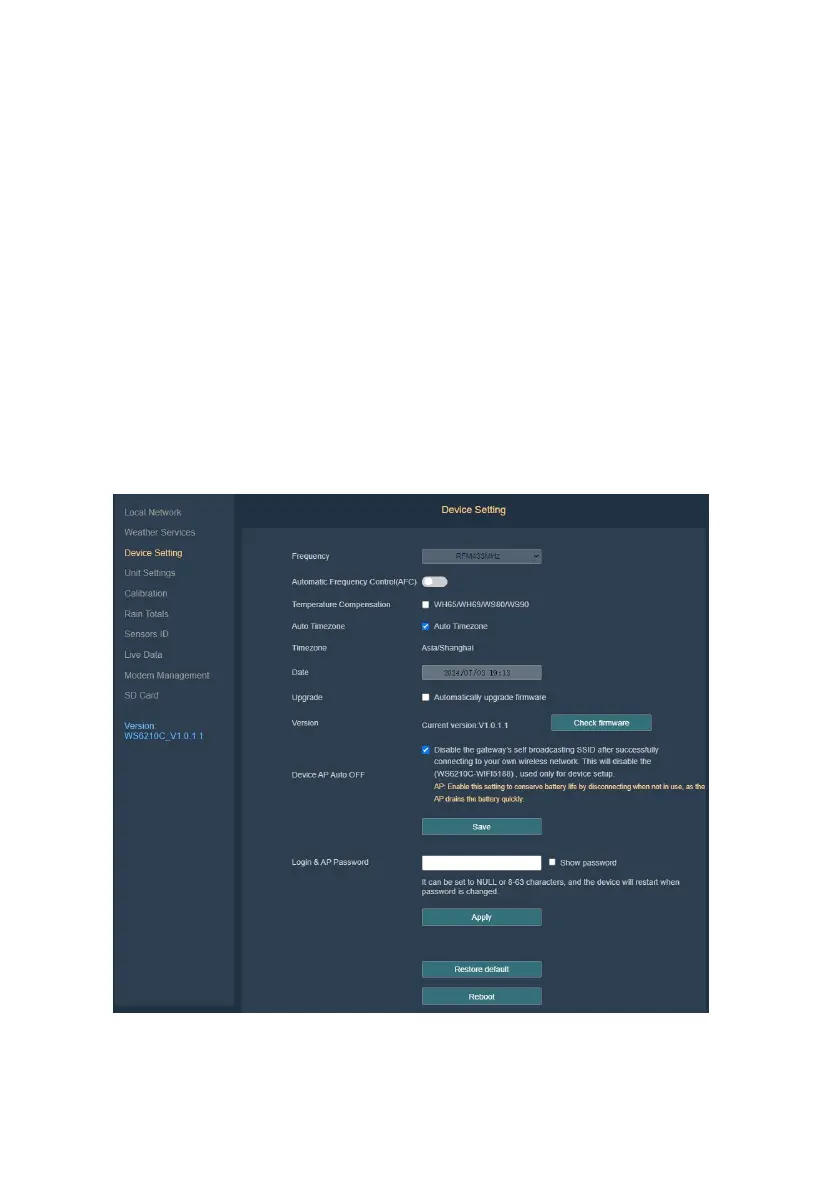
(4) Auto Time zone: Your time zone setting on ecowitt.net will be applied
here.
(5) Automatic firmware upgrade
(6) Device AP Auto OFF: Enabled by default, the AP automatically shuts
down when no terminals are connected; disabling this option keeps the
AP continuously running. If using the system only solar-powered, do not
disable this setting.
(7) Login & AP Password
(8) Restore default: During factory Reset, all indicators will flash 3 times
(ON: 500ms; OFF: 500ms), followed by an automatic restart upon
completion.
Figure 34



 To Next Page