To Next PageTo Next Page
 Need help?
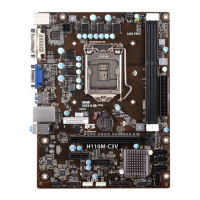
Do you have a question about the ECS H110M-C3V and is the answer not in the manual?
 General
| Brand | ECS |
|---|---|
| Model | H110M-C3V |
| Category | Motherboard |
| Language | English |
Introduces the motherboard, its features, and specifications.
Provides guidance on safety, chassis installation, and hardware setup.
Explains the BIOS setup utility and its configuration options.
Covers installing drivers and utility software for the motherboard.
Offers solutions for common startup and operational issues.
Details the motherboard's introduction, package contents, and specifications.
Covers safety, chassis installation, jumper settings, and hardware installation.
Explains BIOS utility, standard configuration, and entering setup.
Guide for automatic driver and software installation via DVD.
Step-by-step instructions for the software installation wizard.
Alternative method for installing drivers if auto-install fails.
Description of the ECS Intelligent EZ Utility software.
Addresses issues encountered when first assembling the PC.
Solutions for startup issues that arise after extended use.
Recommendations for proper care and maintenance of the motherboard.
A visual guide to diagnose and resolve common PC startup problems.
Welcomes the user and introduces the motherboard model and its capabilities.
Lists the items included in the motherboard package.
Provides detailed technical specifications for the motherboard components.
Lists specifications for system BIOS, AP support, and physical form factor.
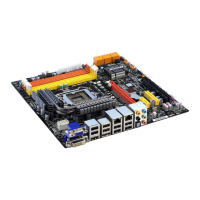
Illustrates and labels the physical components on the motherboard.
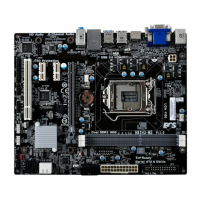
Provides another view and labeling of the motherboard's physical components.
A clear list mapping component labels to their names and descriptions.
Details all rear panel I/O ports including PS/2, video, USB, and LAN.
Covers the remaining audio ports: Line-out and Microphone.
Essential safety guidelines to prevent damage during installation.
Step-by-step instructions for mounting the motherboard in a computer case.
Explains the location and function of motherboard jumpers like IDEAMEMORY and CLR_CMOS.
Guide on how to safely install the CPU into the LGA1151 socket.
Instructions for mounting the CPU cooler and connecting its fan.
Steps for correctly installing DDR3L RAM modules into the DIMM slots.
Explains how to install expansion cards into PCI Express slots.
Details connections for SATA, TPM, ME_UNLOCK, and USB headers.
Covers connecting front panel audio, chassis intrusion, and USB headers.
Details the front panel USB 3.0 header and its pinout.
Provides instructions for connecting SATA hard drives and power.
Guides on connecting internal case components like CPU fan and front panel.
Guides on connecting CPU/System fans and ATX power connectors.
Explains the front panel header for power, reset, and LEDs.
Details the buzzer header for system alerts.
Introduces the BIOS setup utility and its function.
Discusses the default BIOS settings and when to modify them.
Explains how to access the BIOS setup utility upon system startup.
How to reset BIOS settings to default values, often due to errors.
Lists the keyboard keys used for navigating the BIOS interface.
Explains how to navigate BIOS menus like Default, Advanced, and Exit.
Overview of the BIOS main menu for system language, date, and time settings.
Configures LAN settings and monitors system hardware health.
Configures system power saving and wake-up features.
Manages Advanced Configuration and Power Interface sleep states.
Settings related to the CPU, including speed, cores, and virtualization.
Continues CPU configuration options like Execute Disable Bit and Virtualization.
Configures SATA mode and port settings for storage devices.
Settings for enabling or disabling USB devices and legacy support.
Manages settings for Super IO chip and serial port configuration.
Configuration options for Trusted Platform Module (TPM) support.
Settings for integrated graphics adapter and memory allocation.
Options for enabling multi-monitor support with integrated graphics.
Settings for AC power loss recovery and onboard audio.
Configuration for Management Engine (ME) firmware and TPM device selection.
Settings for CPU overclocking, EIST, and Turbo Boost features.
Details power limit settings for CPU overclocking.
Options for setting memory profiles and frequency.
Fine-tuning memory timings and spread spectrum settings.
Settings for administrator and user passwords, and secure boot.
Configures boot order, OS selection, and boot device priorities.
Options for boot mode selection and USB flash drive priorities.
Options for saving, discarding, or resetting BIOS changes and exiting.
Guide on how to download and install updated BIOS versions.
Instructions for using the DVD's auto-run feature for software installation.
Detailed steps for running the software installation wizard.
Alternative method for installing drivers using Windows Explorer.
Overview of the ECS Intelligent EZ Utility for system management.
Introduces eSF, eDLU, and eBLU utilities for fan control, drivers, and BIOS updates.
Troubleshooting steps for issues when the PC does not power up or fans don't run.
Addresses no display problems and sudden shutdowns during boot-up.
Solutions for startup problems occurring after extended PC usage.
Provides essential tips for maintaining the motherboard and PC.
A flowchart to guide users through diagnosing and resolving startup issues.