3-3
Mounting
3
Mounting
The switch units can be mounted in a standard 19-inch equipment rack or on a
desktop or shelf. Mounting instructions for each type of site follow.
Rack Mounting
Before rack mounting the switch, pay particular attention to the following factors:
• Temperature: Since the temperature within a rack assembly may be higher than
the ambient room temperature, check that the rack-environment temperature is
within the specified operating temperature range. (See page C-2.)
• Mechanical Loading: Do not place any equipment on top of a rack-mounted unit.
• Circuit Overloading: Be sure that the supply circuit to the rack assembly is not
overloaded.
• Grounding: Rack-mounted equipment should be properly grounded. Particular
attention should be given to supply connections other than direct connections to
the mains.
To rack-mount devices:
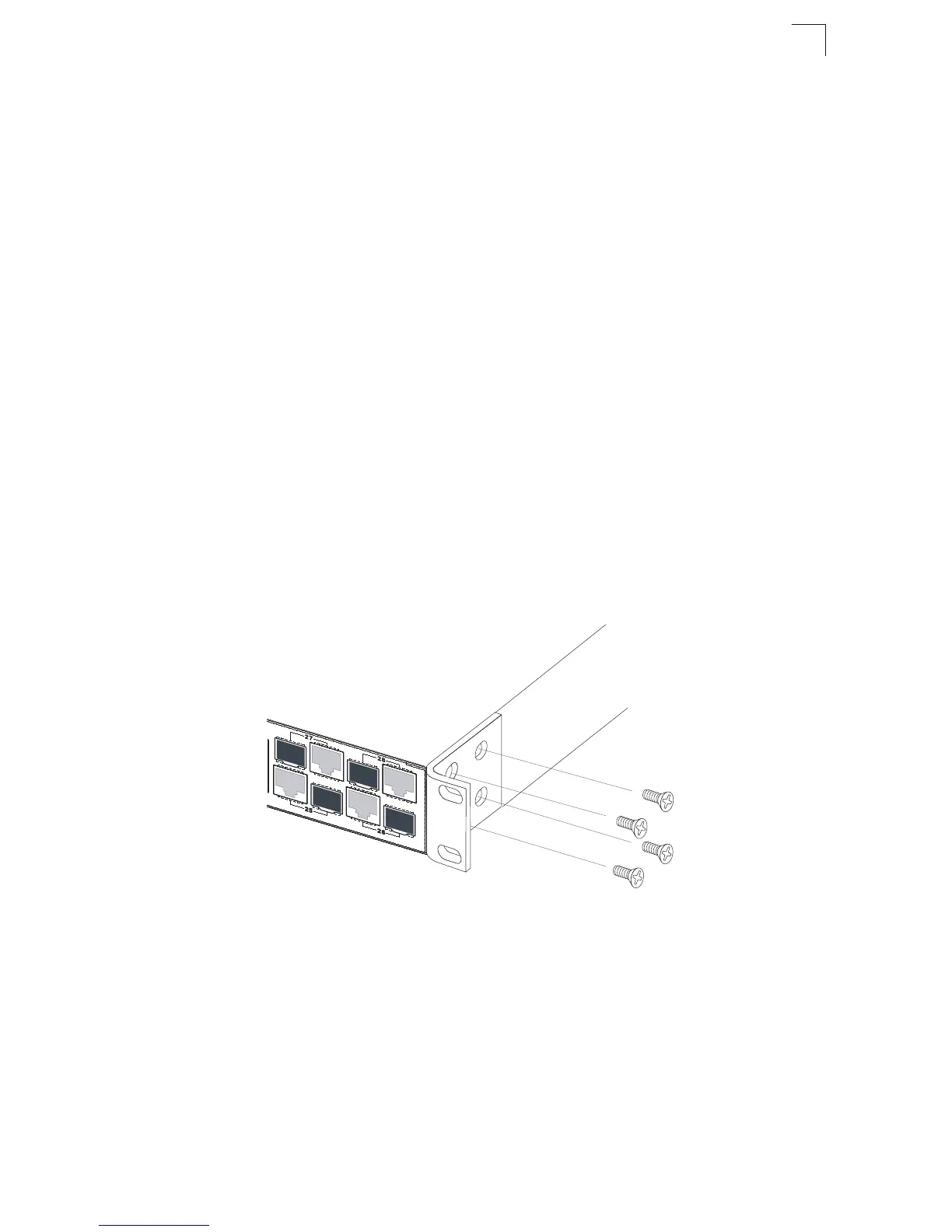
1. Attach the brackets to the device using the screws provided in the Bracket
Mounting Kit.
Figure 3-2. Attaching the Brackets












 To Next Page