EasyManua.ls Logo

Edge-Core ES4524D - User Manual

Edge-Core ES4524D
64 pages
Print Icon
To Next Page IconTo Next Page
Loading...
www.edge-core.com
Installation Guide
Powered by Accton
Installationsanleitung
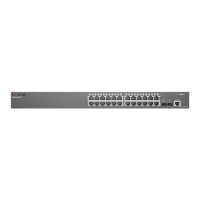
ES4524D
ES4548D
24/48-Port
Gigabit Ethernet Switch

Table of Contents

Questions and Answers

  • M
    Martin CraigAug 11, 2025
    Why is the link LED off on my Edge-Core ES4524D?
    • D
      Donald SmithAug 11, 2025
      If the Link LED is off on your Edge-Core Switch, verify that both the switch and the attached device are powered on. Ensure the cable is securely plugged into both the switch and the device. Check that you are using the correct cable type, and that its length does not exceed the specified limits. Inspect the adapter on the attached device and cable connections for any defects. If necessary, replace any defective adapters or cables.
  • T
    Tracey RiveraAug 15, 2025
    What to do if the power indicator does not turn on for Edge-Core ES4524D?
    • C
      Cameron Myers PhDAug 15, 2025
      If the power indicator on your Edge-Core Switch doesn't turn on, check for issues with the power outlet, the power cord, or the internal power supply.
  • G
    Gary PowellAug 20, 2025
    What to do if the Edge-Core ES4524D powers off after running for a while?
    • N
      Nichole WellsAug 21, 2025
      If your Edge-Core Switch powers off after running for some time, check for loose power connections and any power losses or surges at the power outlet. Also, make sure that the fans on the unit are unobstructed and running correctly before it shuts down. If the issue persists, the internal power supply may be defective and needs further investigation.
  • A
    aschroederAug 26, 2025
    How to fix an amber Diag LED on Edge-Core ES4524D Switch?
    • A
      andrew49Aug 26, 2025
      To attempt to clear an amber Diag LED on your Edge-Core Switch, power cycle the switch.
  • M
    Monique KaufmanAug 30, 2025
    Why is the power LED amber on my Edge-Core ES4524D Switch?
    • L
      Lori WoodAug 30, 2025
      The power LED on your Edge-Core Switch is amber because the internal power supply has failed. Contact your local dealer for assistance.
  • G
    Glenn SullivanSep 4, 2025
    How to fix the power LED being off on an Edge-Core ES4524D?
    • C
      caindavidSep 4, 2025
      If the power LED is off on your Edge-Core Switch, check the connections between the switch, the power cord, and the wall outlet.

Edge-Core ES4524D Specifications

General IconGeneral
ModelES4524D
Ports24 x 10/100/1000BASE-T
Uplink Ports4 x 10G SFP+
Switching Capacity128 Gbps
Forwarding Rate95.24 Mpps
MAC Address Table Size16K
Jumbo Frame Support9KB
VLAN SupportYes
Quality of Service (QoS)Yes
TypeManaged Switch
Power SupplyAC 100-240V, 50/60Hz
Weight3.5 kg
MountingRack Mountable
Product TypeSwitch
ManagementWeb, CLI, SNMP
Operating Temperature0°C to 45°C (32°F to 113°F)
Storage Temperature-40 to 70 °C
Humidity10% to 90% (non-condensing)

Related product manuals