EasyManua.ls Logo

Edge-Core ES4524M-POE - User Manual

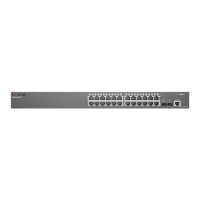
Edge-Core ES4524M-POE
560 pages
Print Icon
To Next Page IconTo Next Page
Loading...
Powered by Accton
Management Guide
ES4524M-PoE
24-Port Layer 2/4
Gigabit Ethernet Switch
with PoE

Table of Contents

Other manuals for Edge-Core ES4524M-POE

Questions and Answers

  • B
    brownrandallAug 13, 2025
    Why does my Edge-Core ES4524M-POE Switch power off after running for a while?
    • S
      Scott CalhounAug 13, 2025
      If your Edge-Core Switch powers off after running for a while, check for loose power connections and any power losses or surges at the power outlet. Also, make sure the fans on the unit are unobstructed and running before it shuts down. The internal power supply may also be defective.
  • C
    Cheryl EllisAug 16, 2025
    What to do if the Link LED is off on my Edge-Core ES4524M-POE Switch?
    • G
      Gregory FisherAug 16, 2025
      If the Link LED is off on your Edge-Core Switch, verify that both the switch and the attached device are powered on. Ensure the cable is securely plugged into both the switch and the device. Check that you're using the correct cable type and that its length doesn't exceed the specified limits. Inspect the adapter on the attached device and the cable connections for any defects. If necessary, replace any defective adapters or cables.
  • L
    Lee LambertAug 20, 2025
    What to do if I have trouble establishing a link to the management agent on my Edge-Core ES4524M-POE Switch?
    • J
      John GalvanAug 20, 2025
      If you're having trouble establishing a link to the management agent on your Edge-Core Switch, first check that you have a valid network connection. Verify that you've entered the correct IP address. Ensure that the port through which you are connecting to the switch hasn't been disabled. Finally, check the network cabling between your remote location and the switch.
  • M
    Mario AlexanderAug 25, 2025
    What does it mean if the Power LED is amber on my Edge-Core ES4524M-POE Switch?
    • R
      randymedinaAug 25, 2025
      If the Power LED on your Edge-Core Switch is amber, it indicates that the internal power supply has failed. Contact your local dealer for assistance.
  • A
    Amy AcostaAug 27, 2025
    How to fix a Power LED that is off on my Edge-Core ES4524M-POE Switch?
    • T
      Terry OrtizAug 27, 2025
      To fix a Power LED that is off on your Edge-Core Switch, check the connections between the switch, the power cord, and the wall outlet. If the issue persists, contact your dealer or SMC Technical Support for further assistance.
  • R
    Ruth McphersonSep 1, 2025
    What happens when maximum number of Telnet sessions exists on Edge-Core ES4524M-POE Switch?
    • A
      Allison FisherSep 1, 2025
      When the maximum number of Telnet sessions exists on your Edge-Core Switch, no additional Telnet connection will be able to log into the system.
  • M
    Melanie DanielSep 8, 2025
    What to do if I cannot connect to Edge-Core Switch using Secure Shell?
    • T
      Todd NicholsSep 8, 2025
      If you're unable to connect to your Edge-Core Switch using Secure Shell (SSH), consider the following: * You might have exceeded the maximum number of concurrent Telnet/SSH sessions. Try connecting again later. * Ensure the SSH server's control parameters are correctly configured on the switch, and your SSH client software is properly configured on your management station. * Verify you've generated a public key on the switch and exported it to the SSH client. * Confirm you've set up an account on the switch for each SSH user, including username, authentication level, and password. * If using public key authentication, ensure you've imported the client's public key to the switch.

Edge-Core ES4524M-POE Specifications

General IconGeneral
ModelES4524M-POE
TypeManaged
PoEYes
PoE Power Budget370W
Switching Capacity56 Gbps
Forwarding Rate41.7 Mpps
LayerLayer 2
MAC Address Table Size16K
VLANs4K
Jumbo Frame Support9K Bytes
Power SupplyInternal
Weight3.5 kg
Operating Temperature0 to 50 °C
Storage Temperature-40 to 70 °C
Humidity10% to 90% (non-condensing)
Ports24 x 10/100/1000BASE-T PoE+ ports, 4 x 1G SFP uplinks

Related product manuals