EasyManua.ls Logo

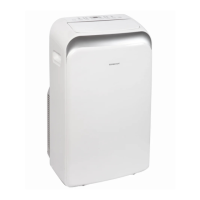
EdgeStar AP14009COM-1 - User Manual

EdgeStar AP14009COM-1
27 pages
Print Icon
To Next Page IconTo Next Page
Loading...
V2.4-12012017
Portable Air Conditioner
Owner’s Manual
For more information on other great EdgeStar products on the web, go to http://www.edgestar.com
To use the EdgeStar self-diagnostic tool, go to https://support.edgestar.com
AP14009COM-1

Other manuals for EdgeStar AP14009COM-1

Questions and Answers

  • J
    Joshua KhanSep 12, 2025
    What to do if my EdgeStar AP14009COM-1 Air Conditioner does not turn on?
    • L
      Linda WilliamsSep 12, 2025
      If your EdgeStar Air Conditioner doesn't turn on, make sure the wall plug is firmly inserted into the outlet. Check for a blown fuse or tripped circuit breaker and replace or reset it. Press the RESET button on the power cord; if it's damaged, replace it. Ensure the unit is turned ON and set to your desired settings. Also, check the ribbon cable to the control panel and the wiring on the main PCB, reconnecting any loose connections. Finally, drain any condensate water and ensure the water level switch is working correctly.
  • W
    William AllenSep 13, 2025
    Why does my EdgeStar Air Conditioner blow cold air but not lower room temperature?
    • T
      Timothy FernandezSep 13, 2025
      If your EdgeStar Air Conditioner blows cold air but doesn't lower the room temperature, first, increase the fan speed to improve airflow. Ensure the exhaust air duct is correctly installed and not blocked. If the room is too large, reduce its size or consider adding another or larger unit. Close any open windows and doors. Be aware that the unit may not work efficiently if the ambient temperature is too high (above 90°F). Remove or shut off any additional heat sources, and close curtains or blinds to minimize direct sunlight. Finally, clean the air filter and carefully vacuum the condenser coils.
  • C
    Carlos BakerSep 15, 2025
    How to fix an EdgeStar Air Conditioner that does not blow cold air?
    • B
      Becky BennettSep 15, 2025
      If your EdgeStar Air Conditioner isn't blowing cold air, it could be due to several reasons. If the room temperature is below 61ºF (16ºC), cooling won't occur until it rises above that. Ensure the unit is set to cooling mode (blue light on) and that the set temperature isn't too high; lower it if necessary. A dirty air filter or an incorrectly installed/blocked exhaust air duct can also cause this issue, so clean the filter and correct the duct installation. A refrigerant leak would also prevent cooling, requiring you to find and repair the leak and recharge the refrigerant. Lastly, if the evaporator is frosted, allow the unit to defrost and resume normal operation.

Summary

Important Safety Information

Electrical Safety Precautions

Safety guidelines related to electrical components and power usage.

General Safety Guidelines

General safety rules for operating the unit, including child supervision.

Safety Plug Operation

Testing the LCDI Safety Plug

Instructions for testing the Leakage-Current Detection and Interruption safety plug.

Introduction

Product Introduction and Record Keeping

Welcome message, manual purpose, and space for recording unit details.

Parts Identification

Front and Back View Identification

Identifies key components visible on the front and back of the unit.

Carbon Filter Installation

Installing the Activated Carbon Filter

Step-by-step guide for installing the activated carbon filter with the pre-filter.

Window Kit Installation

Window Kit Parts and Preparation

Lists window kit components and initial preparation steps.

Continuous Drain Component

Identifies the water line for the continuous drain option.

Window Kit Adapter Installation

Installing the Grated Adapters

Steps to insert and secure the grated adapters into the window kit plate.

Window Kit Plate Installation

Securing the Window Plates

Steps to install the window plates and secure them in the window opening.

Exhaust Hose Connection

Attaching Duct Connectors to Hose

Instructions for attaching the exhaust hose connectors to the hose ends.

Duct Connector Installation

Connecting Duct Connectors

Steps to connect the duct connectors to the unit and the grated adapter.

Exhaust Hose Guidelines

Exhaust Hose Usage Notes

Important considerations for using the exhaust hose effectively and avoiding issues.

Draining the Unit

Direct Drainage

How to drain water directly from the unit using a hose.

Continuous Drainage Options

Setup for continuous drainage using the internal pump and water line.

Remote Control Overview

Remote Control Buttons and Functions

Description of remote control buttons and their operational functions.

Remote Control LCD Display

Explanation of the elements shown on the remote control's LCD screen.

Remote Control Setup

Installing Remote Batteries

Instructions for inserting batteries into the remote control.

Understanding LCD Indicators

Explains the various indicators displayed on the remote control's LCD.

Operating the Remote Control

Power, Auto-Restart, and Cooling Mode

How to use the remote for basic functions and cooling mode.

Operating Different Modes

Dehumidifying, Fan Only, and Automatic Modes

Instructions for operating the unit in dehumidifying, fan-only, and automatic modes.

Fan Speed and Clock Settings

Adjusting Fan Speed

How to change fan speed settings in cooling and fan-only modes.

Setting the Unit Clock

Step-by-step guide to setting the internal clock on the unit.

Timer and Front Panel Lights

Setting the Timer

How to set the timer for automatic turn-on or turn-off.

Front Panel Light Indicators

Explains the meaning of the different colored lights on the front panel.

Front Panel Controls and Energy Saving

Front Panel Controls

Details the emergency power switch and lamp off features.

Energy Saving Guide

Tips for efficient operation and maximizing performance.

Maintenance and Cleaning

Cleaning the Unit and Pre-filter

Instructions for cleaning the air conditioner unit and its pre-filter.

Storage and Troubleshooting

Preparation for Storage

Steps to prepare the unit for long-term storage.

Troubleshooting Common Issues

A guide to diagnose and resolve common problems with the air conditioner.

Product Specifications

Unit Specifications Overview

Lists key technical specifications of the portable air conditioner.

Understanding BTU Ratings

What is SACC?

Explanation of the Seasonally Adjusted Cooling Capacity (SACC) rating.

EdgeStar Limited Warranty

Warranty Coverage and Exclusions

Details what is covered, not covered, and exceptions in the warranty.

Obtaining Warranty Service

Instructions on how to contact EdgeStar for warranty claims and support.

EdgeStar AP14009COM-1 Specifications

General IconGeneral
Power Supply115 V/60 Hz
ModesCool, Fan, Dehumidify
Fan Speeds3
Digital DisplayYes
Remote ControlYes
Programmable TimerYes
Self-Evaporative SystemYes
Operating Voltage115 V
Operating Frequency60 Hz
RefrigerantR410A
Installation TypeWindow
Timer24-hour
Sleep ModeYes
Auto RestartYes
Cooling Capacity14000 BTU
Coverage Area700 sq ft
Window KitYes
Warranty1 year

Related product manuals