125
Step 4:
Configuration for iPhone.
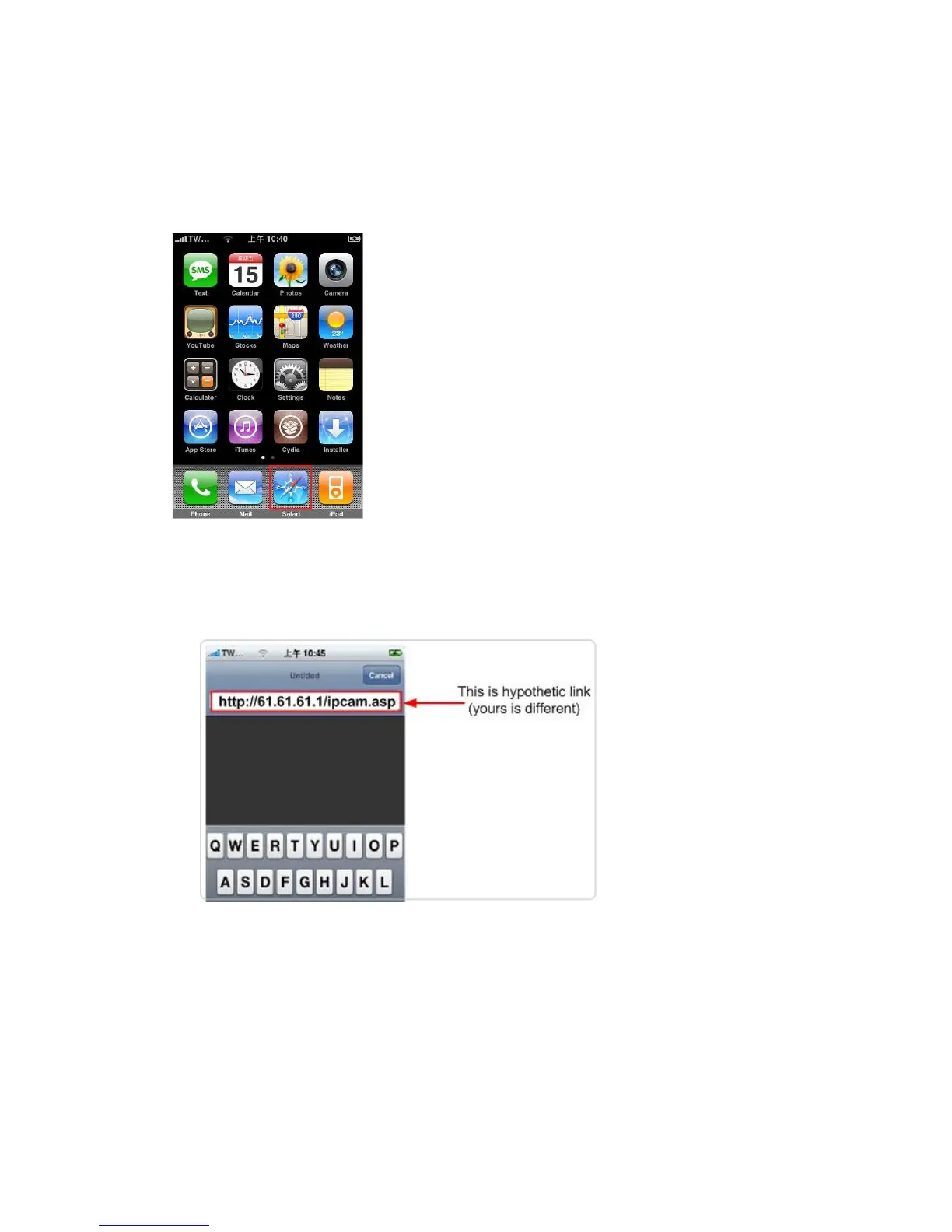
(1) Make sure Internet connection is ok with iPhone and click “Safari”
(2) Enter the IP address of your router‟s “fixed and public IP address” (check
the Step 2 for details)
Note: “/ipcam.asp” is needed
If no fixed and public IP address is given by your ISP, you may enter a link like
http://my-name.dyndns.org/ipcam.asp (Again, this link is hypothetic)
You could have your own name like http://john.dyndns.org, mary.dyndns.org
etc. To apply for a free account, refer to the Appendix “How to apply for a free
DNS account in the http://www.dyndns.org “



 To Next Page