18
Connecting peripheral devices
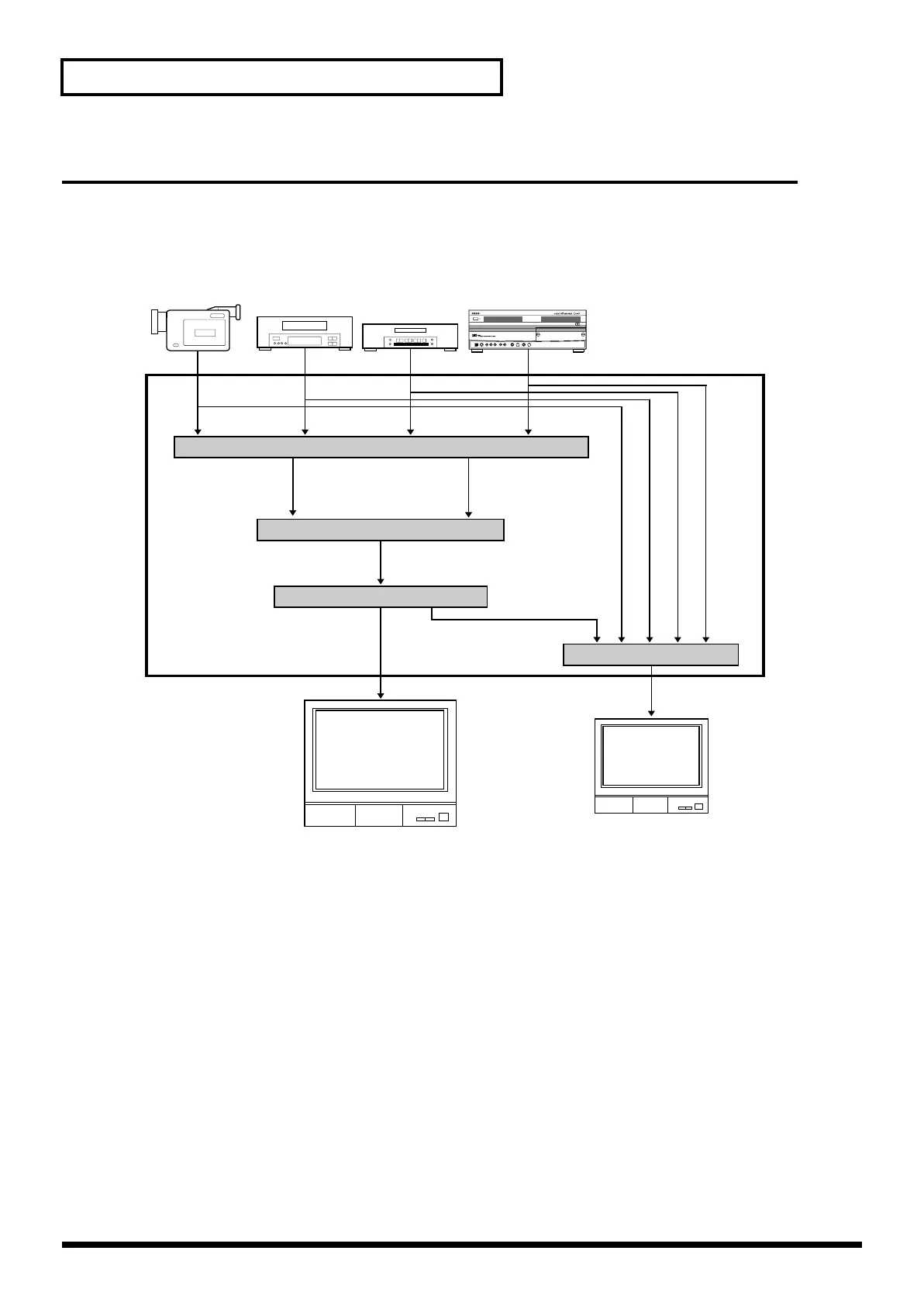
Video signal flow
The video signals received from the four input jacks are assigned to channels A or B of the video
mixer. (These assignments are made manually.) The signal of A and B channels are processed by
the video mixer section, and sent via the output fader to the output jack.
* Various setting menus like effect parameters are displayed on preview monitor.
* If both video (composite) and S-video signals are input simultaneously to the same channel (channel 1 or 2 only), the S-
video signal will take priority.
* When switching on Preview Selector is done, image on preview monitor may flicker briefly. This does not affect image
from output jacks.
Camcorder
VCR
Input selector
Channel A Channel B
Video mixer
Output fader
Preview selector
Final output
Preview output
Inside of V-4
DVD
DV-7PR
V-4_e.book 18 ページ 2010年3月11日 木曜日 午後1時51分



 To Next Page