68
Using the V-4 in Presentation mode
Using the V-4 in Presentation mode
The V-4 has two modes; Normal mode and Presentation mode. The preceding chapters have
explained operation in Normal mode. This chapter explains how to use the V-4 in Presentation
mode.
What is Presentation mode?
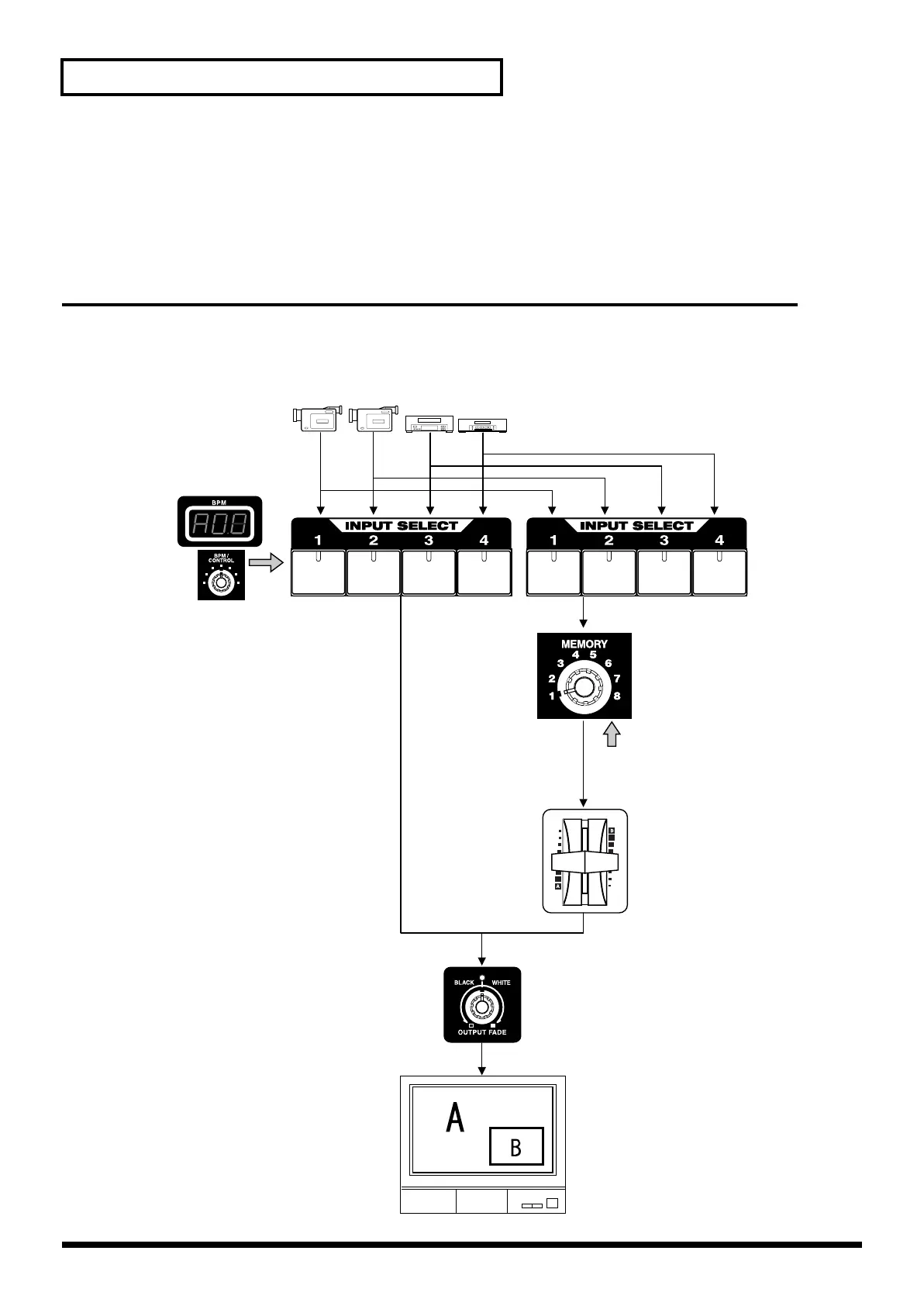
Presentation mode is ideal when using the V-4 in a presentation such as a meeting or exhibition.
Using the V-4 in Presentation mode makes it easy to switch between inputs 1-4 or composite
images using the Picture In Picture function.
Source devices
Specify the transition time
* When you use the Channel A input selector
to switch sources, the selected transition effect
will automatically be applied.
Ach Bch
* The duration of the transition effect is shown
in the BPM indicator. Use the BPM control dial
to adjust the duration.
* Use the video fader to control the level of
image B
* Use the memory dial to select the effect
applied to the channel B image.
The following effects are assigned to the
memory numbers.
1 Mix
2 Picture In Picture 1 (PinP1)
3 Picture In Picture 2 (PinP2)
4 Picture In Picture 3 (PinP3)
5 Picture In Picture 4 (PinP4)
6 White Luminance Key (WLKEY*)
7 Black Luminance Key (BLKEY*)
8 Chroma Key (C-KEY*)
Select the effect
for channel B
Picture In Picture
Luminance Key
Chroma Key
Control the image
B level (0-100%)
TV output
Output Fader
V-4_e.book 68 ページ 2010年3月11日 木曜日 午後1時51分



 To Next Page