53
Editing the front panel assignments
Protecting the memory
By turning on Memory Protect, you can prevent any accidental changes from being made to the
assignments you made for memory numbers 2 through 8.
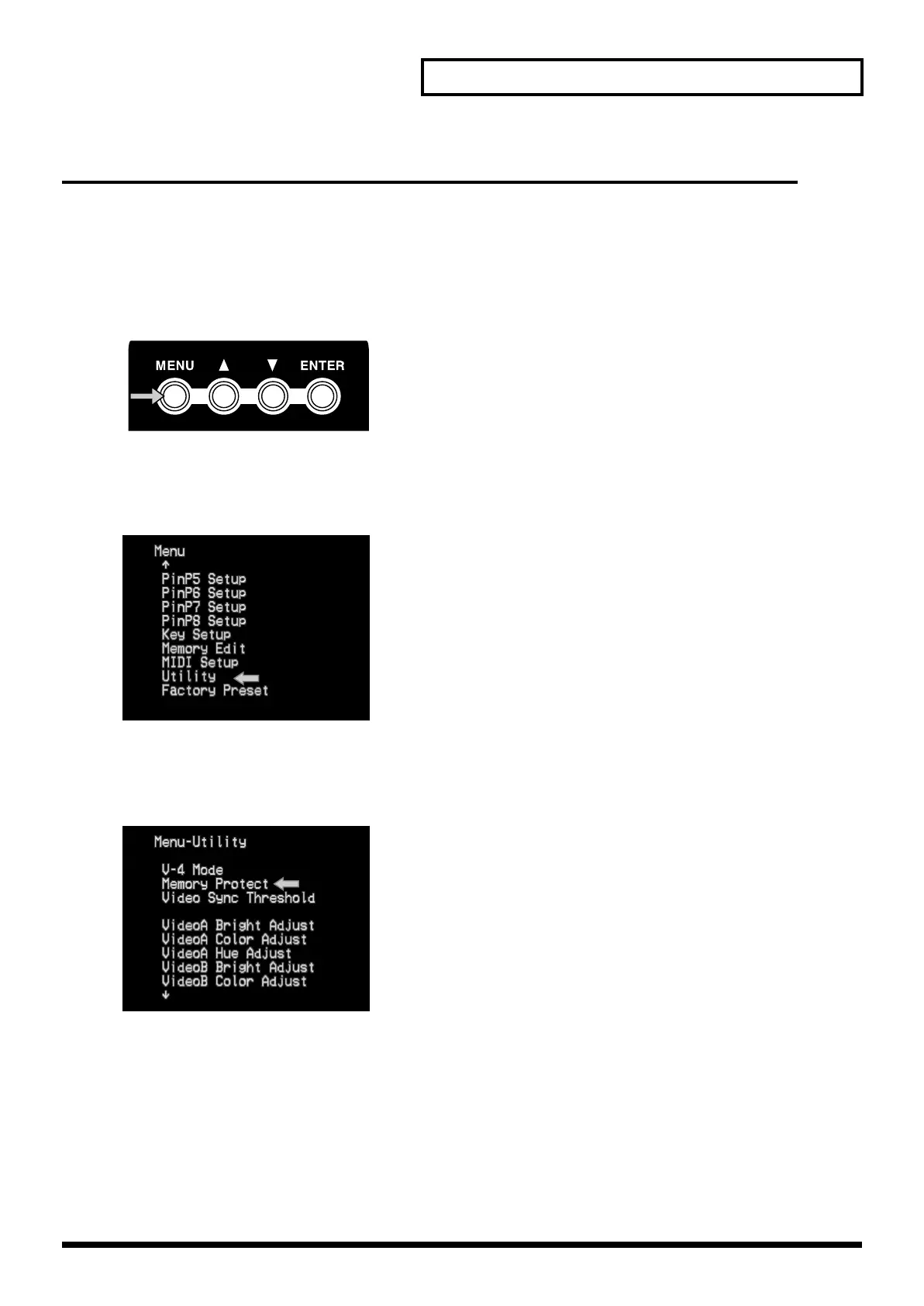
1.
Press the menu button (MENU).
Press the menu button (MENU) located in the upper left of the panel. The menu will appear on the
TV screen connected to the preview output.
2.
Select “Utility.”
Use the cursor buttons to select “Utility.” Then press the enter button (ENTER) to move to the
following screen.
3.
Select “Memory Protect.”
Use the cursor buttons to select “Memory Protect.” Then press the enter button (ENTER) to move
to the following screen.
4.
Turn the setting “On.”
Use the cursor buttons to select “On” or “Off.” Selecting “On” turns memory protection on so you
will be unable to modify the memory contents. Selecting “Off” turns memory protection off so that
modifications will be permitted.
V-4_e.book 53 ページ 2010年3月11日 木曜日 午後1時51分



 To Next Page