57
Control the V-4 from an external device
Control the V-4 from an external device
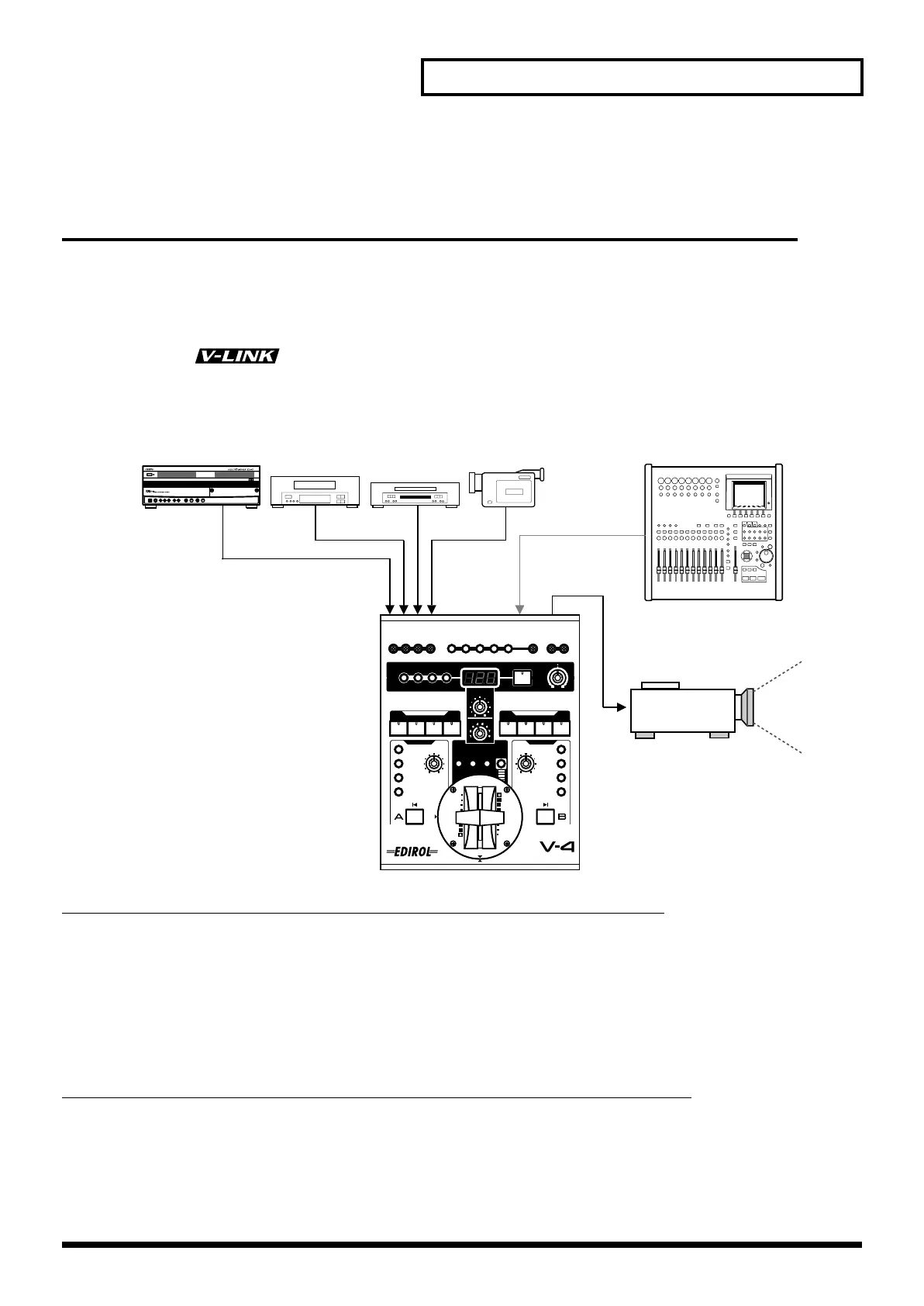
Using V-LINK to control the V-4
You can connect the V-4 with a V-LINK compatible device made by Roland or Edirol, and control
the V-4 remotely.
■
What is V-LINK?
V-LINK ( ) is a function that allows images to be synchronized to music. V-LINK
makes it easy to manipulate images in a variety of ways, while linking them to the expressive
elements of a performance.
(Example) When using a Roland
MC-909 in conjunction with the V-4:
• You can make settings for controlling the V-4 from the MC-909 (remote settings).
• You can use the MC-909’s sequencer to control video switching on the V-4 to create performances that
link images with music.
• You can use the MC-909’s velocity pads to control the V-4’s input selectors and switch among images
from various source devices.
• You can use the MC-909’s knobs to adjust the time settings of transition effects (such as overlap or
wipe).
(Example) When using an Edirol
PCR-30/50 in conjunction with the V-4:
• You can make settings for controlling the V-4 from the PCR-30/50 (remote settings).
• You can use the PCR-30/50 to control the V-4’s input selectors to switch between images from various
source devices.
• You can use the PCR-30/50 to adjust the time settings of transition effects (such as overlap or wipe).
V-LINK compatible device
Source Devices
DV-7PR
IN
MIDI OUT
V-4_e.book 57 ページ 2010年3月11日 木曜日 午後1時51分



 To Next Page