71
Switching between NTSC and PAL
Switching between NTSC and PAL
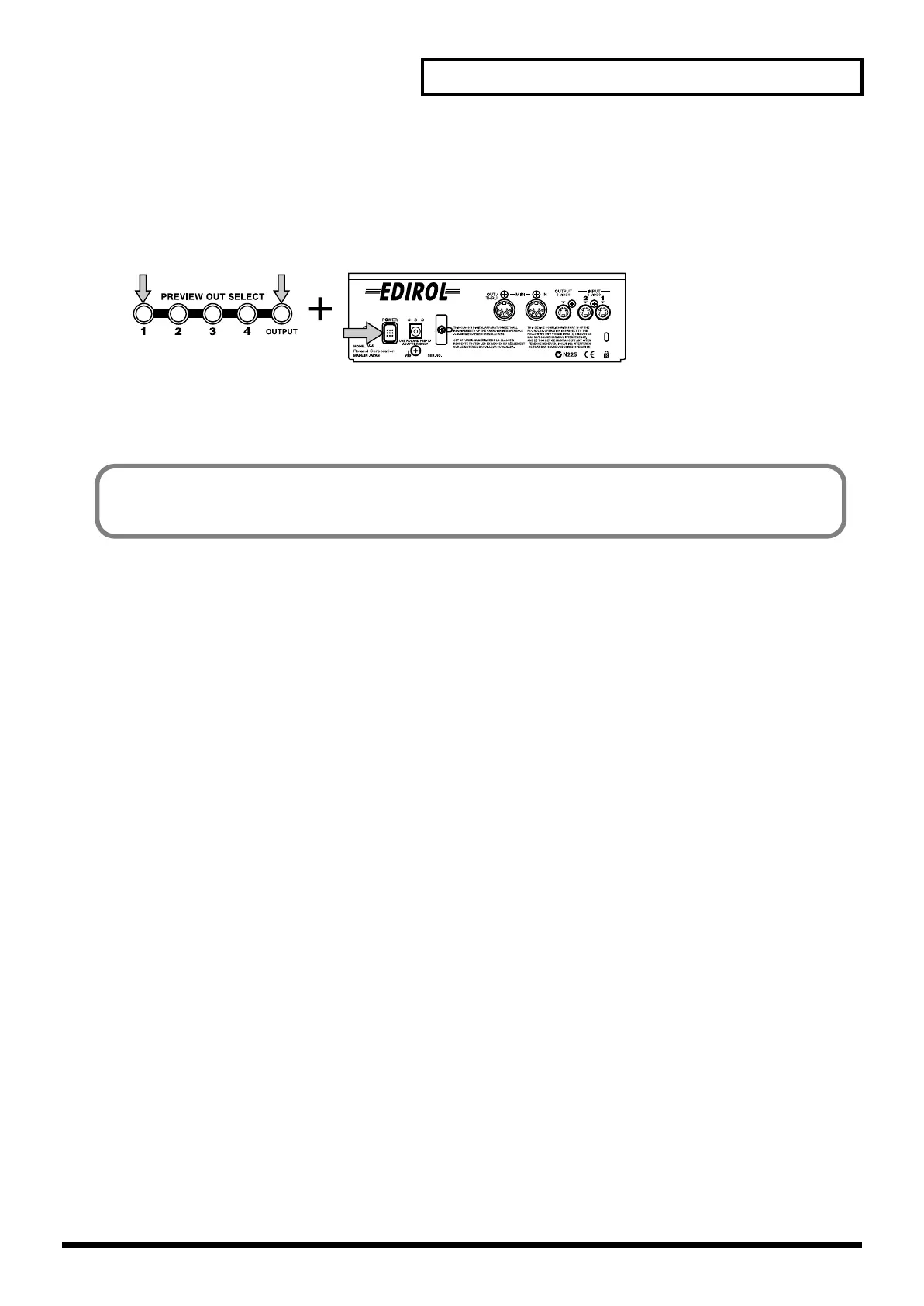
The V-4 can be switched to support either NTSC or PAL format signals. To start up in PAL mode,
hold down preview select button 1 and “OUTPUT,” and press the power button.
The next time you start up, you can simply press the power button to start up in PAL mode. If you
want to return to NTSC mode, once again hold down preview select button 1 and “OUTPUT’, and
press the power button.
When the V-4 starts up, an indication of whether it is starting up in NTSC mode or PAL mode will
appear for several seconds in the preview screen.
V-4_e.book 71 ページ 2010年3月11日 木曜日 午後1時51分



 To Next Page