87
Examples of using the V-4
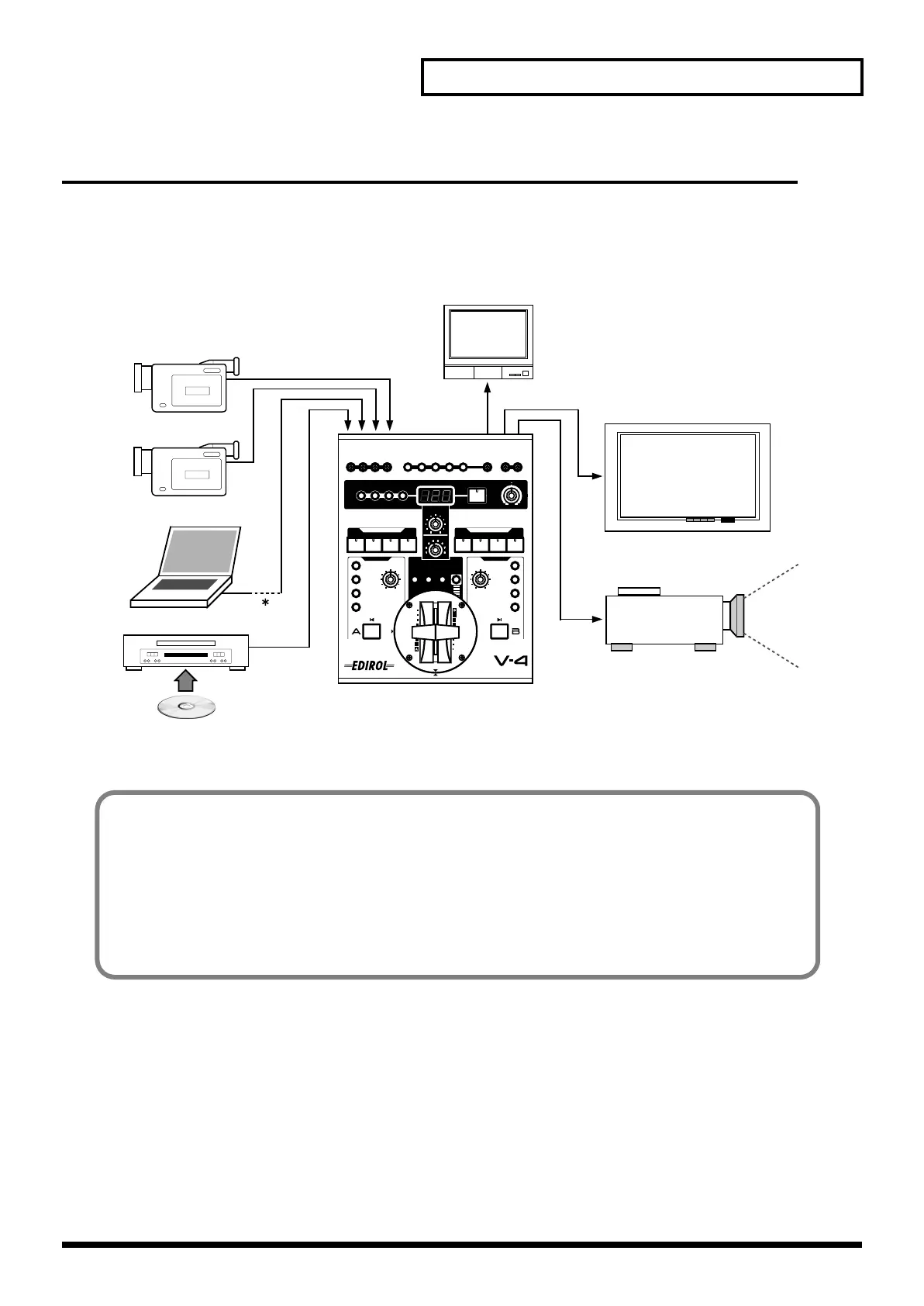
Using the V-4 at a presentation
You can use the V-4 to switch between live images and VTR/DVD output, or add images/text from
a personal computer.
* If you are using a personal computer that does not have a video output, you will need to use a scan converter to convert
the computer’s VGA output into a video signal.
Live source
PC
DVD
()
Preview
Large display (plasma)
Projector
Advantages of using the V-4
• Use picture-in-picture to display two screens simultaneously
• Use luminance key to superimpose text or graphics on the image
• Easy operation in Presentation mode
* For details on using picture-in-picture, refer to p. 26.
* For details on using luminance key, refer to p. 28.
* For details on Presentation mode, refer to p. 68.
V-4_e.book 87 ページ 2010年3月11日 木曜日 午後1時51分



 To Next Page