26
Compositing two images
Compositing two images
On the V-4 you can use Picture In Picture or Chroma Key/Luminance Key to composite the images
of channels A and B.
Using Picture In Picture to composite images
Here’s how you can miniaturize the image of channel B and overlay it on the channel A image. Use
this when you want to output two images simultaneously.
1.
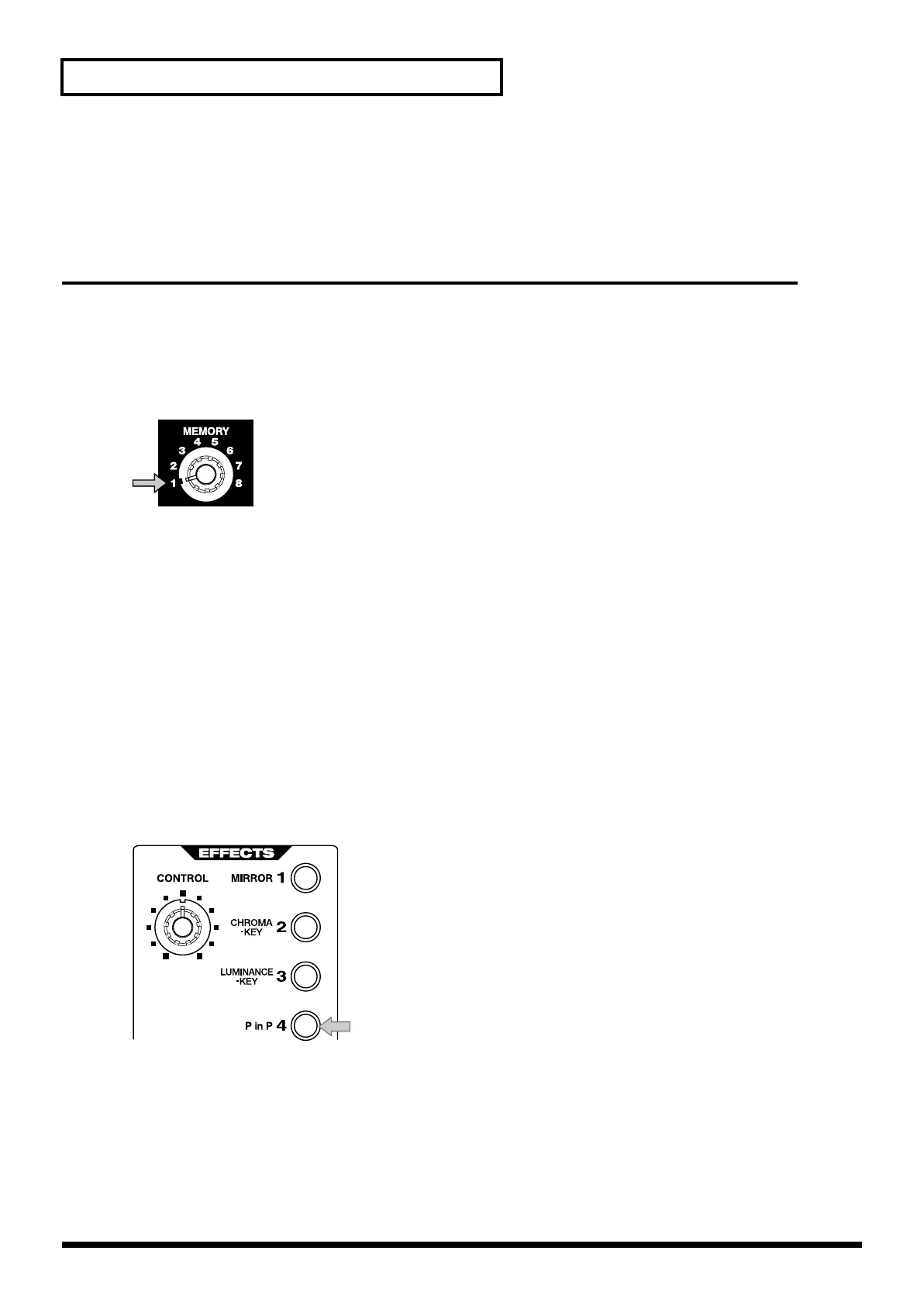
Set the memory dial (MEMORY) to 1.
Turn the dial all the way to the left to select the 1 position.
2.
Play back the two images.
Play back the image that you want to use as the background and the image that you want to
miniaturize.
3.
Select the channel A input.
Input the background image into channel A. Use the channel A input select buttons to make your
choice.
4.
Select the channel B input.
Input the image that you want to miniaturize into channel B. Use the channel B input select buttons
to make your choice.
5.
Press the P in P button.
Press the channel B “P in P” button.
6.
Move the video fader.
Moving the video fader will control the level of the channel B image (the secondary image). If you
move the video fader all the way to the channel A position, the channel B image level will be 0%.
If you move the video fader all the way to the channel B position, the channel B image level will be
100%. By moving the video fader from the A to the B position, you can fade-in the secondary image.
Moving the video fader toward A will fade-out the secondary image.
V-4_e.book 26 ページ 2010年3月11日 木曜日 午後1時51分



 To Next Page