64
Making various settings
Making various settings
The V-4’s video mixer lets you adjust the brightness and color of channels A and B independently.
With the factory settings, both channels are set to typical settings, and you do not need to change
these settings unless you wish. However, if you want to change the settings, you can use the
following procedure. Although these settings can be made independently for channels A and B,
they cannot be made independently for each input. You can also use the same procedure to change
the output position of the image, or switch the video fader mode.
1.
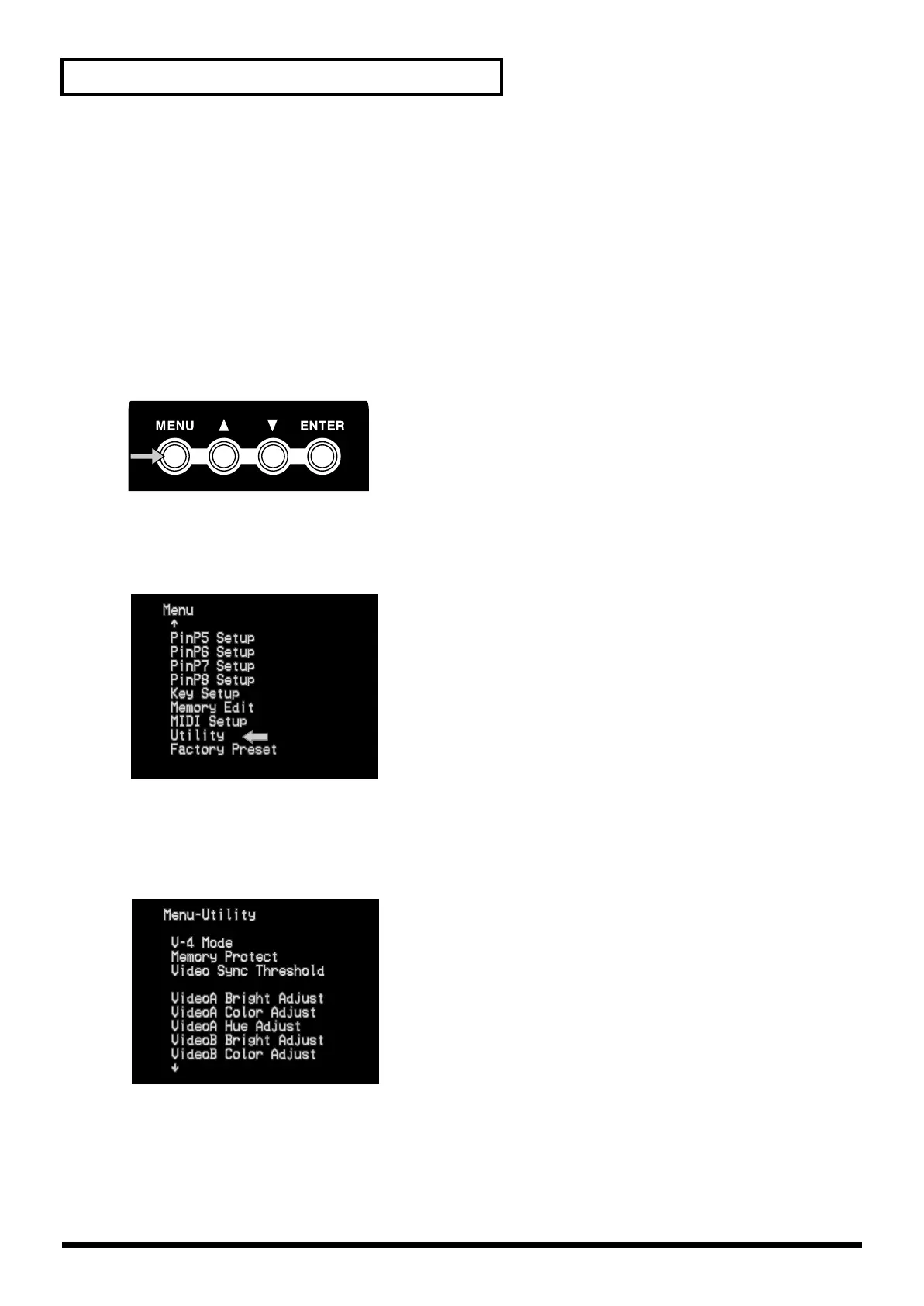
Press the menu button.
Press the menu button (MENU). The menu will appear in the preview screen.
2.
Select “Utility.”
Use the cursor buttons to select “Utility.” Press the enter button (ENTER) to move to the following
screen.
3.
Select the item that you want to set.
Use the cursor buttons to select the item that you want to set. For the settings that can be adjusted,
refer to p. 81–82. After you have selected the item, press the enter button (ENTER) to enter the
setting screen for that item.
4.
Change the setting.
Use the cursor buttons to set the parameter.
V-4_e.book 64 ページ 2010年3月11日 木曜日 午後1時51分



 To Next Page