78
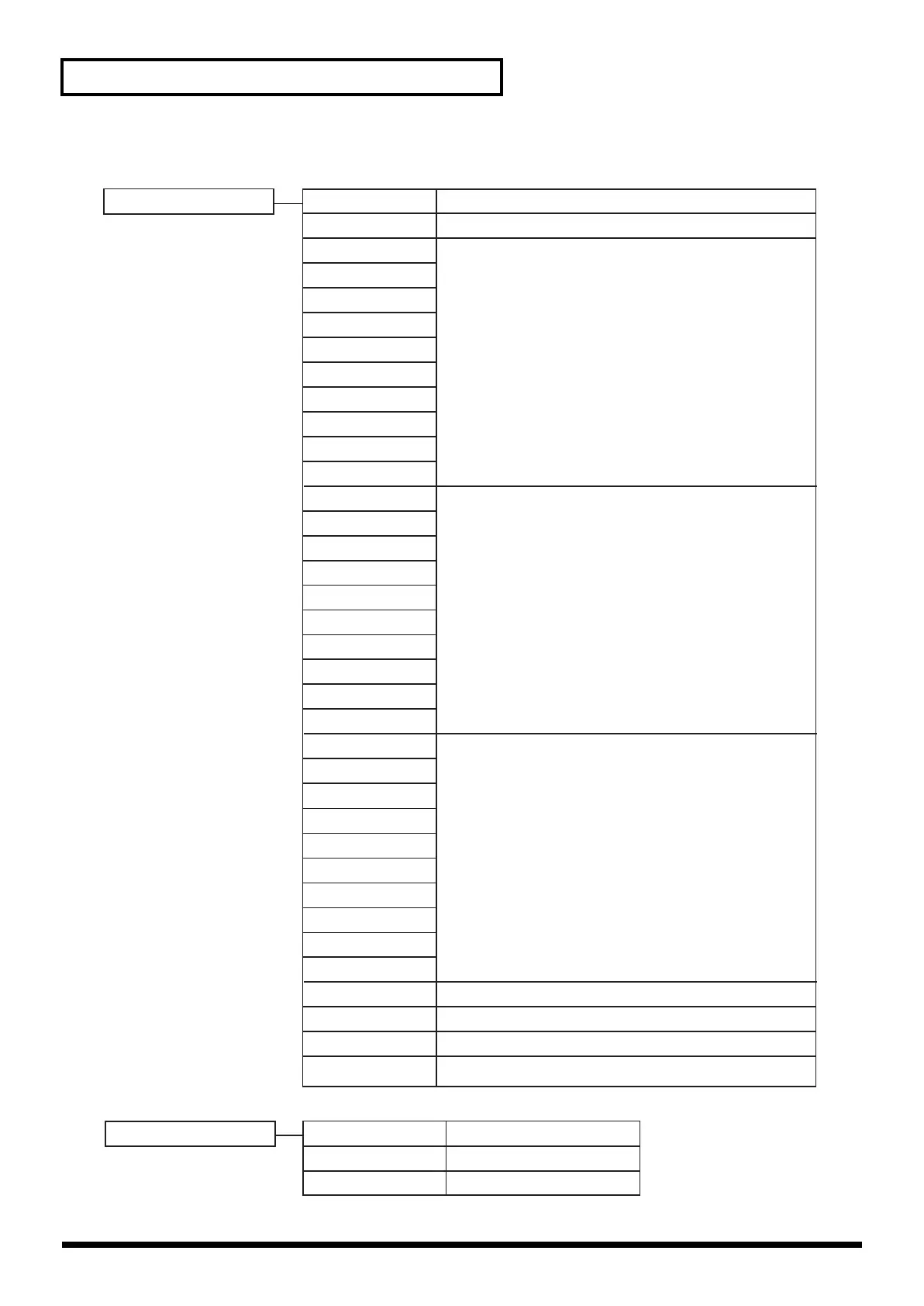
Menu List
Transformer [Mem2-8] 01:none-none
03:A<->9-9<->B
04:A<->8-8<->B
05:A<->7-7<->B
06:A<->6-6<->B
07:A<->5-5<->B
08:A<->4-4<->B
09:A<->3-3<->B
10:A<->2-2<->B
11:A<->1-1<->B
12:A<->0-0<->B
02:Trans-Trans
13:A<-9 - 9->B
14:A<-8 - 8->B
15:A<-7 - 7->B
16:A<-6 - 6->B
17:A<-5 - 5->B
18:A<-4 - 4->B
19:A<-3 - 3->B
20:A<-2 - 2->B
21:A<-1 - 1->B
22:A<-0 - 0->B
23:A->9 - 9<-B
24:A->8 - 8<-B
25:A->7 - 7<-B
26:A->6 - 6<-B
27:A->5 - 5<-B
28:A->4 - 4<-B
29:A->3 - 3<-B
30:A->2 - 2<-B
31:A->1 - 1<-B
32:A->0 - 0<-B
33:White-White
34:Black-Black
35:White-Black
36:Black-White
No function
Output the image of pressed channel as long as button is held.
Switch between A and B each time you press the button.
0--9 indicates the duration of the transition.
Higher numbers produce a longer transition.
Switch to the image of the channel (A or B) you press.
0--9 indicates the duration of the transition.
Higher numbers produce a longer transition.
Switch to the image of the opposite channel (A or B)
from the one you press.
0--9 indicates the duration of the transition.
Higher numbers produce a longer transition.
Fade both channels to white
Fade both channels to black
Fade channel A to white/channel B to black
Fade channel A to black/channel B to white
Output Fade [Mem2-8] 01:No Control
02:Black-White
03:AutoB/W
No function
Left: black/Right: fade to white
Auto fade
V-4_e.book 78 ページ 2010年3月11日 木曜日 午後1時51分



 To Next Page