Optimuss OS User’s Manual
5. Remote Control Unit (RCU)
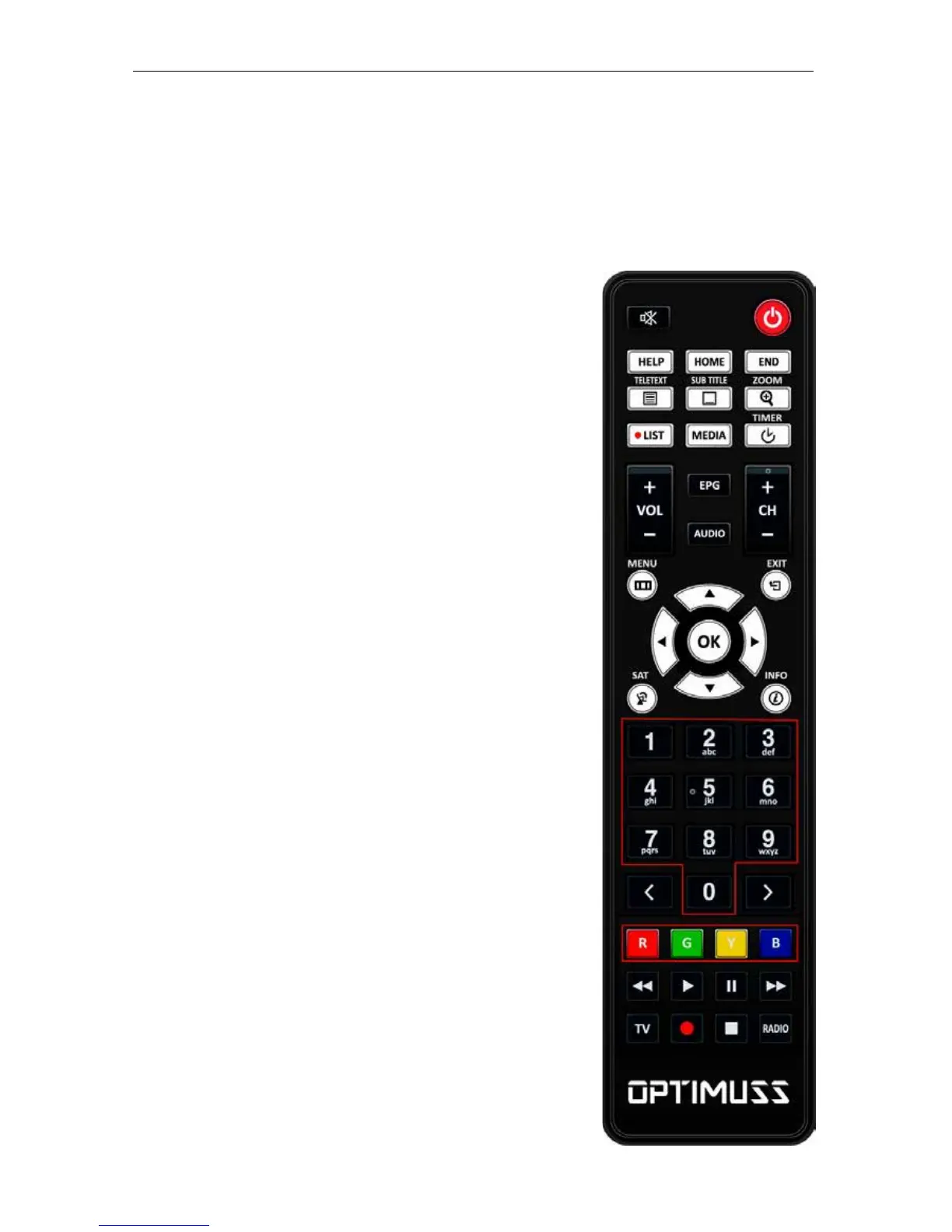
1. MUTE : Mutes or unmutes the audio temporarily.
2. POWER : Switches between operation and standby.
3. HELP : Displays major important operation methods of Optimuss
OS. This provides users with a quick guide of using Optimuss OS.
4. HOME : Instantly moves to the top of the menu list.
5. END : Instantly moves to the bottom of the menu list.
6. TELETEXT : Displays the teletext information
of the current channel, if the channel provides teletext data.
7. SUBTITLE : Displays the subtitle of the current channel if the
channel provides subtitle.
8. Zoom : To zoom In/Out.
9. LIST : Displays the list of recordings stored on the internal HDD if
any.
10. MEDIA : Open media file list.
11. TIMER : Start timer function.
12. VOL. +/- : Increase/Decrease the volume.
13. EPG : Displays the Electronic Program Guide (EPG) information
if provided.
14. AUDIO : Select an audio track and a sound mode.
15. CH. +/- : Move in menus. In viewing mode, you can operate
CH+/- by pressing UP/DOWN button.
16. MENU : Open main menu & select sub menu using by navigation
buttons.
17. EXIT : Close and return to the previous menu and screen.
18. Navigation Keys : Navigates up/down and left/right on the menu
options. Up/down keys are used to call up the channel list.
19. OK : Select a menu, or confirms the selected operation. Also
displays the channel list while watching a program.
20. SAT : Open channel list according to satellite.
- 14 -















 To Next Page