PRODUCT INFORMATION
The LSRA-232 is an optional printer/programming port
board for LSRA annunciators, providing a connection to the
host system or a local printer, and for down loading data into
the annunciator.
The LSRA-PROG Programming Port is a tool used for
downloading data from a PC, and is removed once the
annunciator is configured.
Port Format RS-232
Baud Rate 2400, 4800, 9600
Maximum Wire Length 50 ft (15 M)
Connector RJ12
SPECIFICATIONS
INSTALLATION SHEET:
INSTALLATION SHEET P/N: 387361
FILE NAME: 387361.CDR
LSRA-232 Printer/Programming Port
LSRA-PROG Programming Port
REVISION LEVEL: 1.2
CREATED BY: GJC
DATE: 03/11/98
APPROVED BY: RW.
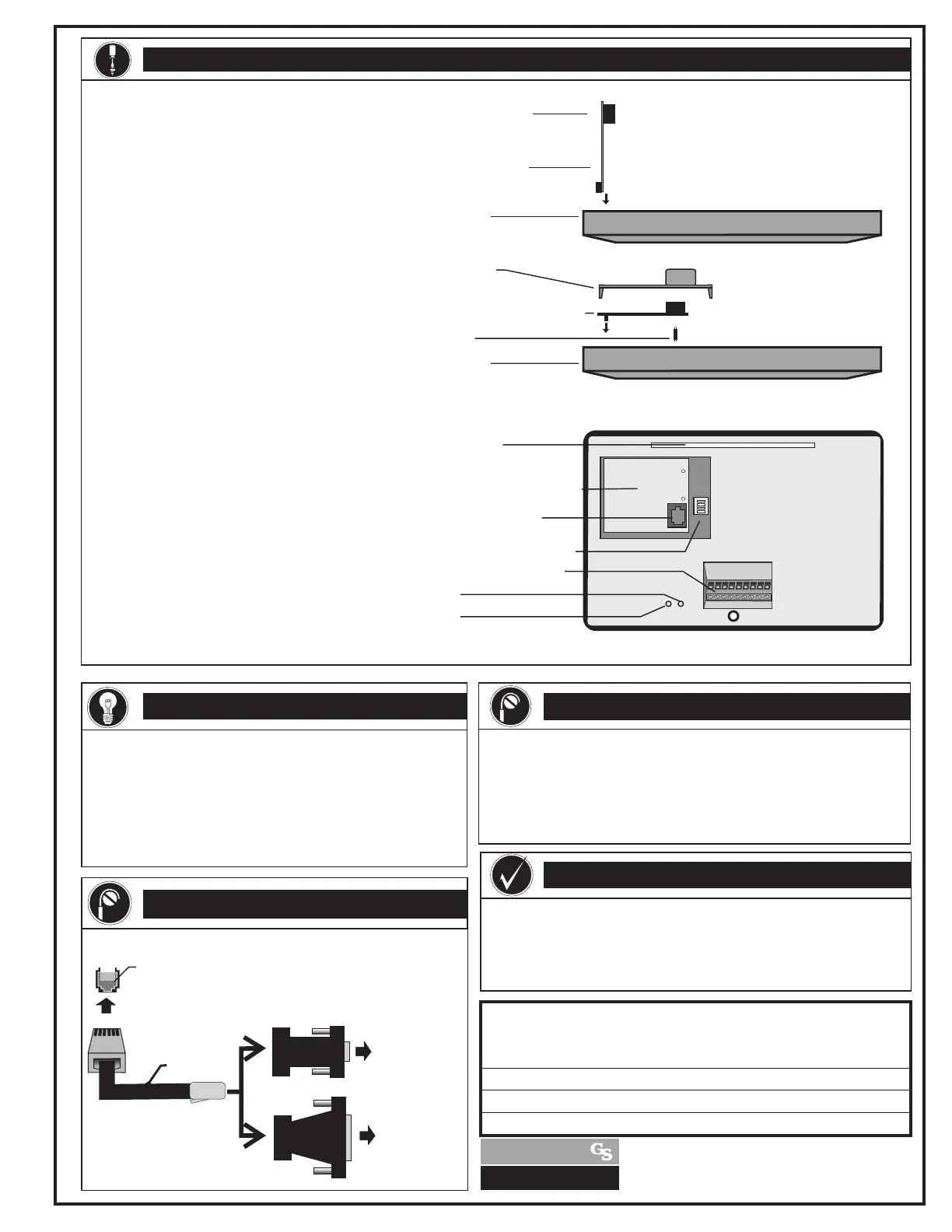
LSRA-232
Programming/Printer Port
Mounting Slot
RS-232 RJ12 Jack
Configuration Dip Switch
Connnecton Terminals
Rx LED
Tx LED
LSRA-232 Printer/Programming Port
1. Remove the access door on the rear of the
annunciator
2. Insert two nylon spacers in the holes in
the annunciator circuit board located
above and to the left of the DIP switch.
3. Firmly mate the LSRA-232 board
connector with the connector on the
annunciator circuit board, and secure the
option board to the two nylon standoffs.
4. Remove the knockout on the access
door, then re-install the door on the
annunciator so the RJ12 jack is visible
through the knockout.
5. Connect the modular cable from the
RJ12 jack to the printer or download
adapter.
LSRA-PROG Programing Port
1. Remove the access door on the rear of the
annunciator.
2. Firmly mate the LSRA-PROG's
connector with the connector on the
annunciator circuit board.
3. Connect modular cable from RJ12 jack
on the LSRA-PROG to the PC adapter.
4. Connect the adapter to the PC setting the
number 4 dip switch to ON and then
back to OFF. Download information
using the data entry program.
5. Remove the LSRA-PROG from the
annunciator and re-install the access
door.
Annunciator
RS-232 RJ12 Jack
LSRA-PROG
Programming Port
INSTALLATION
Download & Local Printer
P/N 360163
RJ12 on LSRA-232 Option Board for printer & download
RJ12 on LSRA-PROG Programming Port for download only
TO PC OR PRINTER
SERIAL PORT
TO PC OR PRINTER
SERIAL PORT
OR
RJ12 to DB9
P/N 240507
RJ12 to DB25
P/N 240506
WIRING
Annunciator
Access Door
LSRA-232
Programming/Printer Port
Stand-Off
GS BUILDING SYSTEMS
CORPORATION
GS BUILDING SYSTEMS CORPORATION
6411 Parkland Drive 625 6th Street East
Sarasota, FL 34243 Owen Sound, ON, Canada
A UNIT OF GENERAL SIGNAL
PC Connection to the LSRA-232 or LSRA-PROG Port
requires Modular Cable P/N 360163 and Adaptor P/N 240506
or P/N 240507.( Each ordered separately.)
When installing annunciator, leave enough wire to permit
lowering the annunciator to facilitate programming.
PROGRAMING & INSTALLATION NOTE
1.
2.
Technical Manuals Online! - http://www.tech-man.com



 To Next Page