PD00E0XKNXFI00020100_HANDBOOK_EN.DOCX
PD00E0xKNX KNX PRESENCE DETECTORS RANGE Handbook
Eelectron SpA, Via Monteverdi 6,
I-20025 Legnano (MI), Italia
Tel: +39 0331.500802 Fax:+39 0331.564826
E-mail: info@eelectron.com Web:www.eelectron.com
C.F. e P.IVA 11666760159
Tribunale di Milano 359157-8760-07
CCIAA Milano 148549
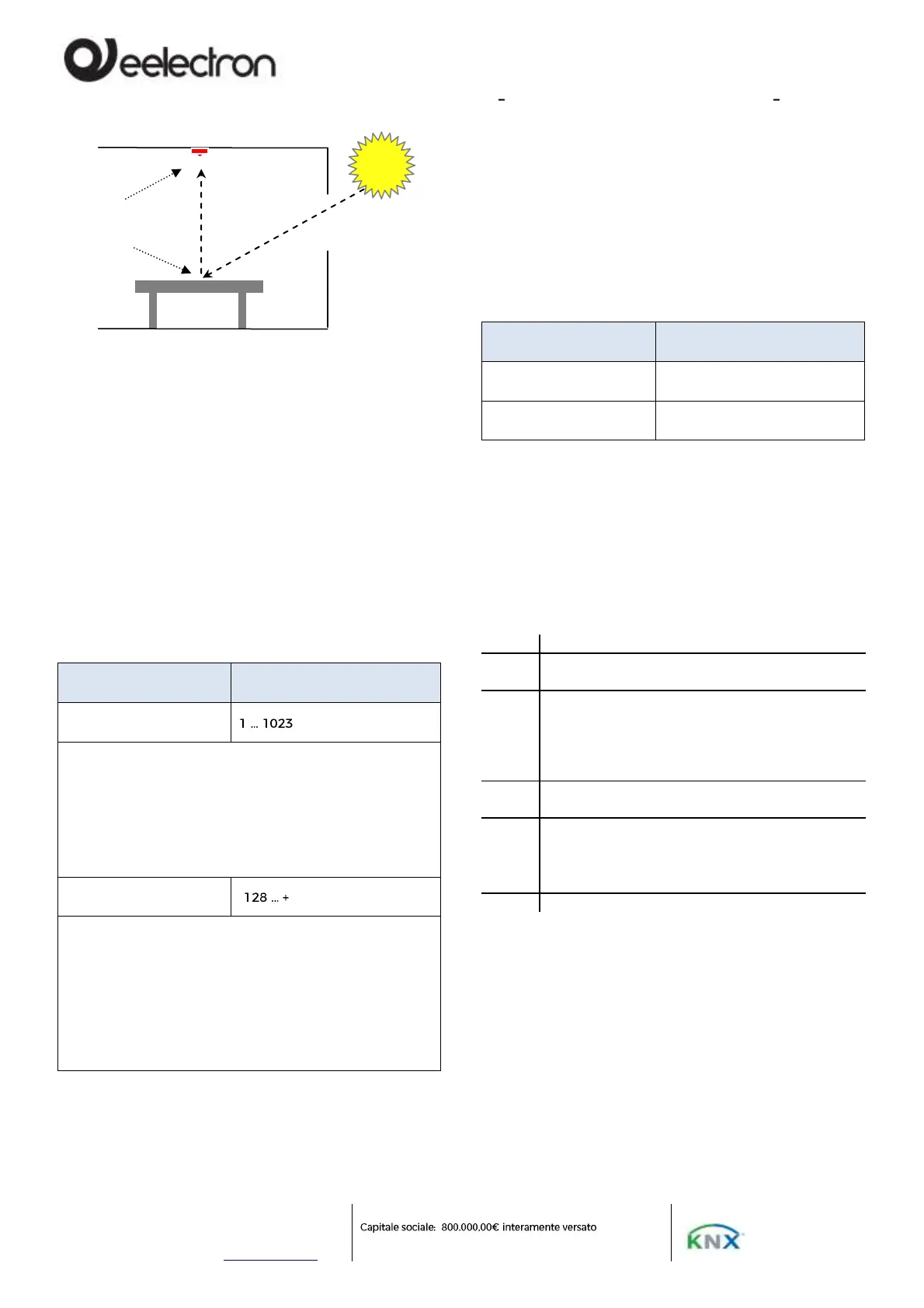
The calibration is to make the value of reflected
light as similar as possible to direct light.
There are 3 calibration methods available.
MANUAL
1 POINT
2 POINTS
Manual adjustment
Manual calibration is done by setting 2 ETS
parameters:
Correction coefficient
[*0.01]
Set the factor, expressed in hundredths, to multiply by the
measured value. The value 100 is equivalent to not
applying any correction value; values greater than 100
cause the measured illuminance value to increase (200 =
double, 250 = 2.5 times; 300 = triple); values less than 100
cause the measured brightness value to decrease (50 =
half, 25 = a quarter, 10 = a tenth).
Correction offset [*10
Lux]
Sets a fixed value to be added or subtracted from the
measured value after applying the correction coefficient;
the Offset value set is in tens of lux therefore setting the
parameter to the value +10 will result in adding 100 Lux
(10 * 10 = 100) to the measured value, on the contrary
setting the parameter to the value -8 will result in that to
subtract 80 Lux (-8 * 10 = -80) from the measured value.
The value 0 is equivalent to not applying any offset.
1 point adjustment
The 1-point calibration uses the correction offset
which is calculated directly by the sensor; requires
setting of 2 ETS parameters:
Measured value ceiling
[*10 Lux]
Measured value desk
[*10 Lux]
To set the correct values of the parameters, use a
lux meter to detect the brightness and follow the
procedure described below; if possible, carry out the
procedure in the dark hours or with the shutters
down, in any case avoid situations in which the
external light enters the room directly because in
this case the result could be distorted.
Place the lux-meter on the work surface for which
you want to have accurate brightness control,
Change the intensity of the lamps until the desired
lighting value is obtained: if, for example, the desired
value is 500 Lux, adjust the lighting until this
measurement is obtained on the lux-meter located
on the desk.
Read the brightness value measured by the sensor
and available on object 8 <Illuminance> Output
Set in ETS the parameter " Measured value ceiling "
with the value sent by the sensor (divided by 10) and
the parameter " Measured value desk " with the
value measured by the lux meter (divided by 10)
2 points adjustment
The 2-point calibration uses both the correction
offset and the correction coefficient and both are
calculated directly by the sensor; requires setting of
4 ETS parameters:


 To Next Page